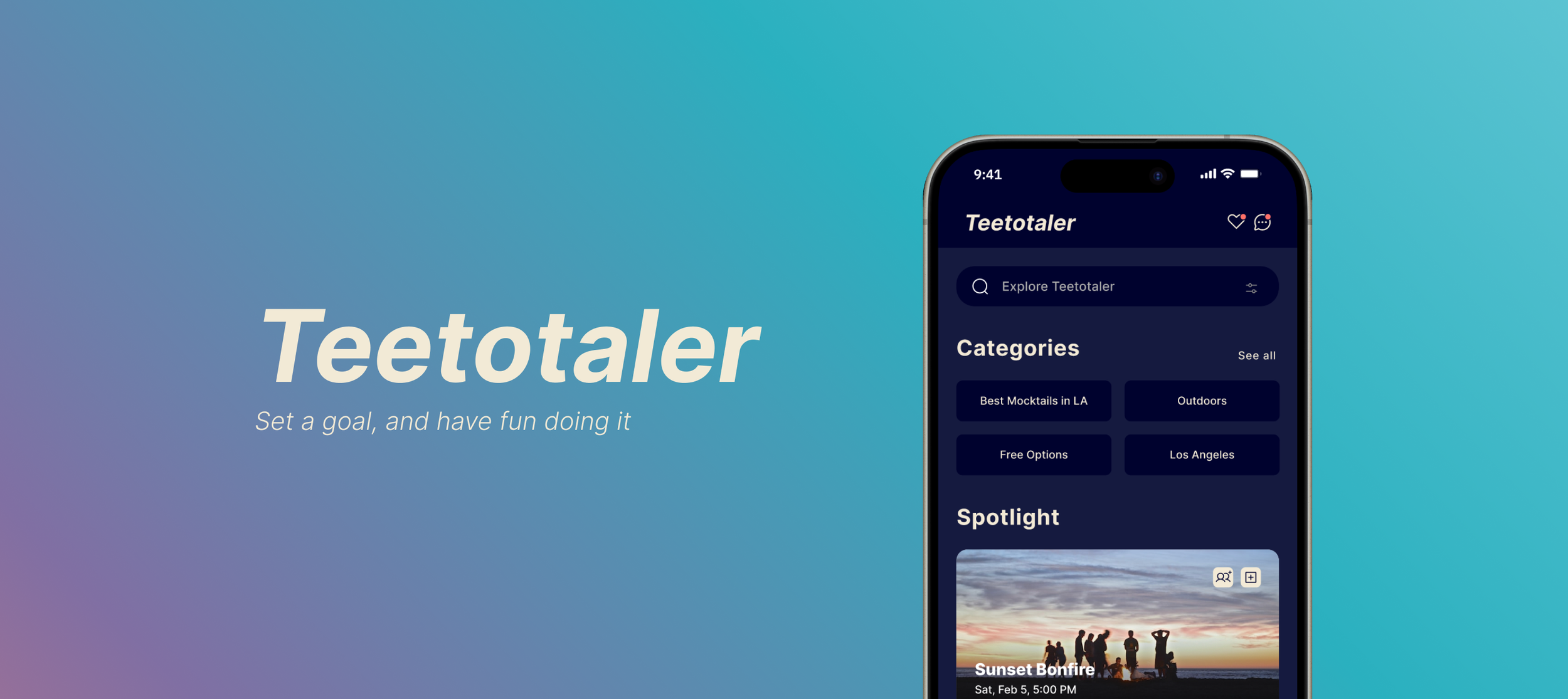
What is Teetotaler?
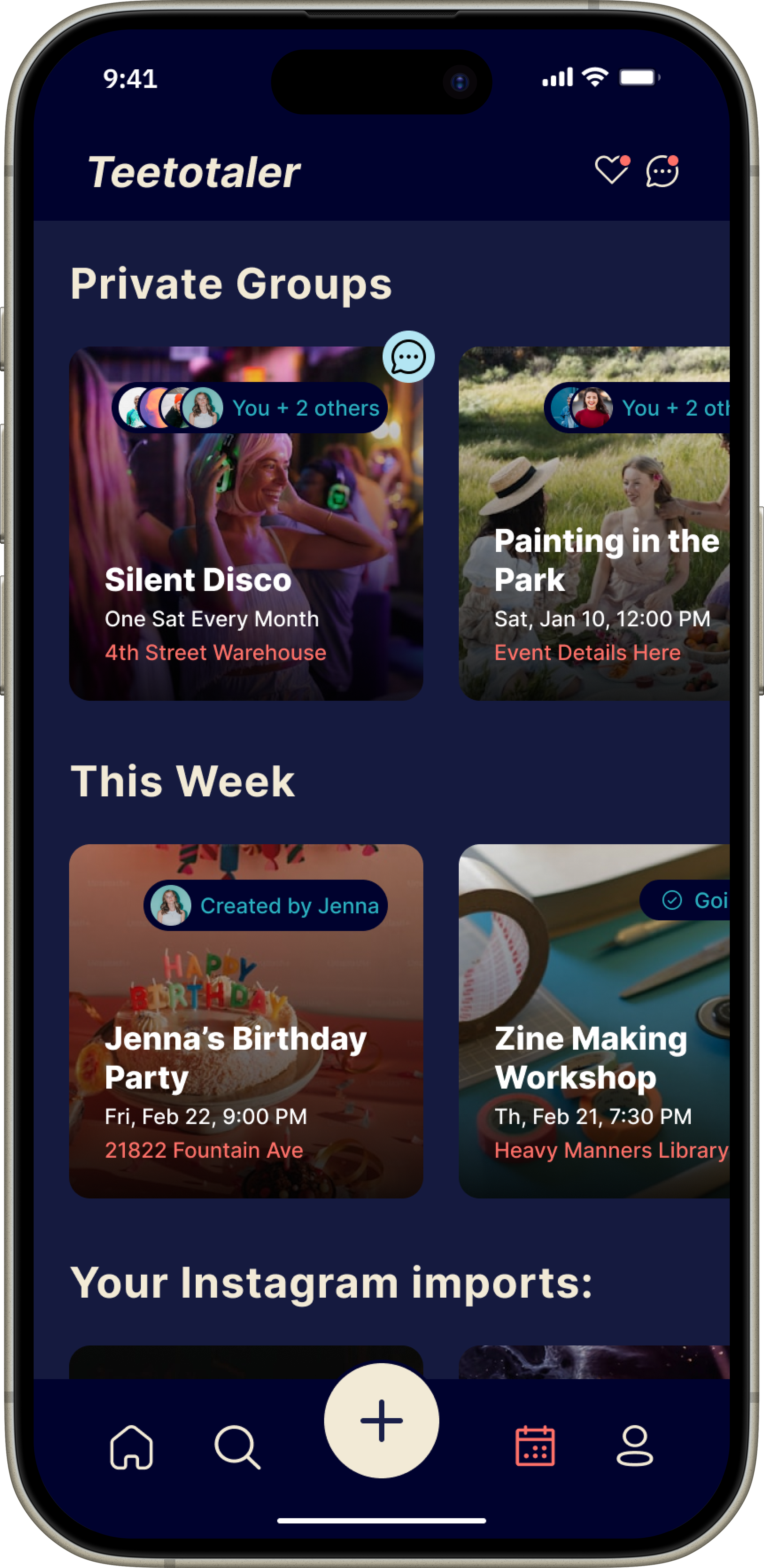
Teetotaler is a social events platform designed to help people discover meaningful experiences without the pressure of alcohol, excessive spending, or burnout. By allowing users to set personal goals and receive tailored event recommendations, Teetotaler makes it easier to build healthy habits, foster genuine connections, and engage in activities that align with their desired lifestyle.
This case study was an in-depth greenfield UX project completed during my certification program, showcasing my end-to-end design process from initial research through high-fidelity prototyping. This case study documents each stage of the project in detail, including user research, synthesis, ideation, wireframing, prototyping, and usability testing. Supporting materials include real-world research conducted through in-person surveys, user interviews, and moderated usability testing.
Problem
Your friends just been invited to go out to one of your favorite clubs—but things feel different now. You’re navigating your social life without alcohol, while having a full-time job, a budget, and a desire to feel good in your body. While you’d love to dance and let loose, you're anxious about being the only sober one in a crowd of heavy drinkers. Additionally, all of the social events app and discovery options seem to revolve around late-night culture.
You try suggesting a fun, sober-friendly alternative to your friends, but between scattered group chats, conflicting schedules, and the lack of one centralized place to find options, planning falls apart. So you stay home—even though you wanted to have fun tonight.
This exact experience is what inspired my idea for Teetotaler. Re-engaging with my social life post-sobriety was overwhelming, especially when my friends were busy and default plans tended to revolve around drinking and staying out late.
But based on some preliminary research, I've discovered that this experience is all too common, and I am not alone.
Preliminary Research
Many people, myself included, are choosing to drink less or go sober for mental and physical health—not because of recovery. Without the support of a recovery group with built-in community, it can be hard to find the tools, events, and ideas that make the sober-curious journey enjoyable and sustainable.
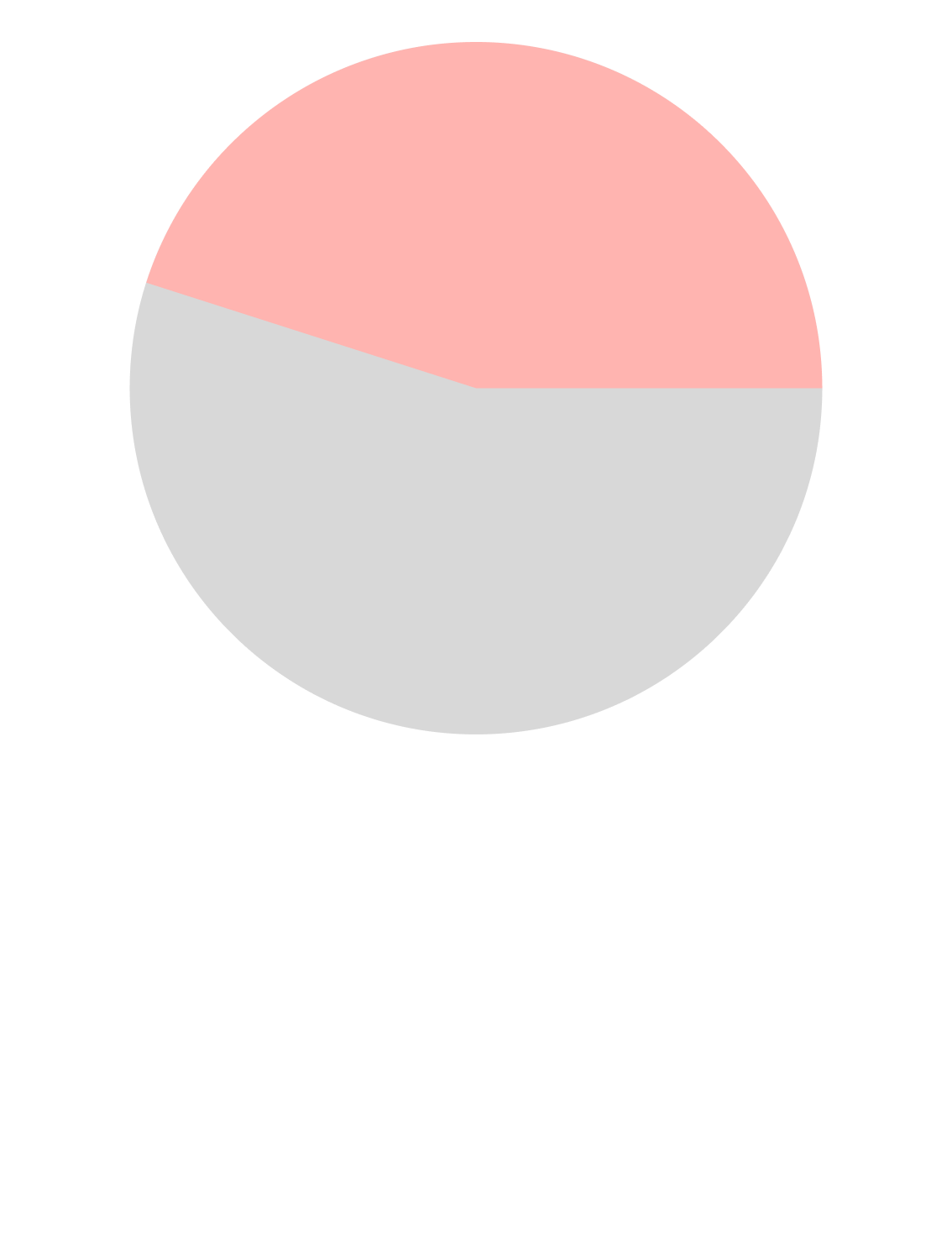
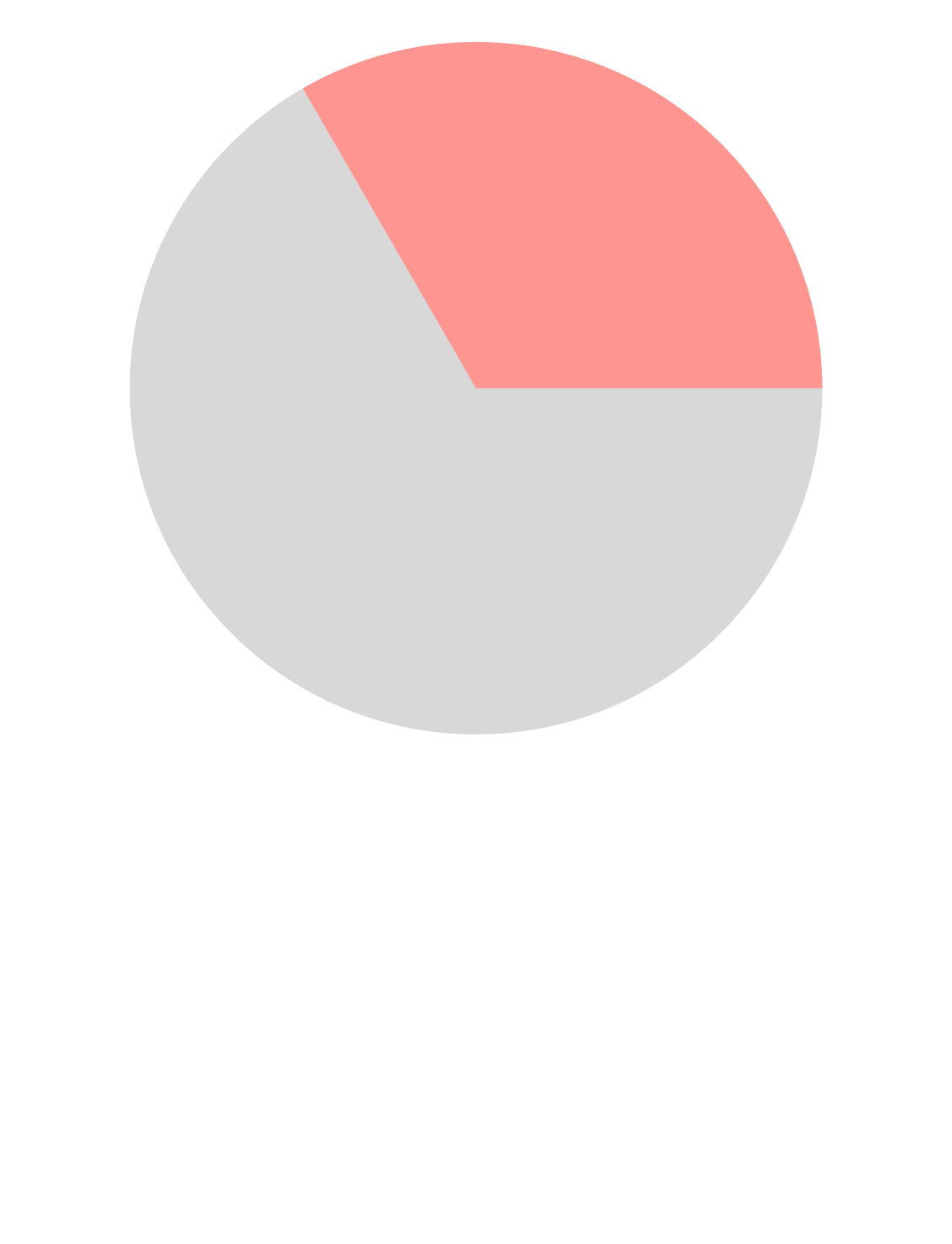
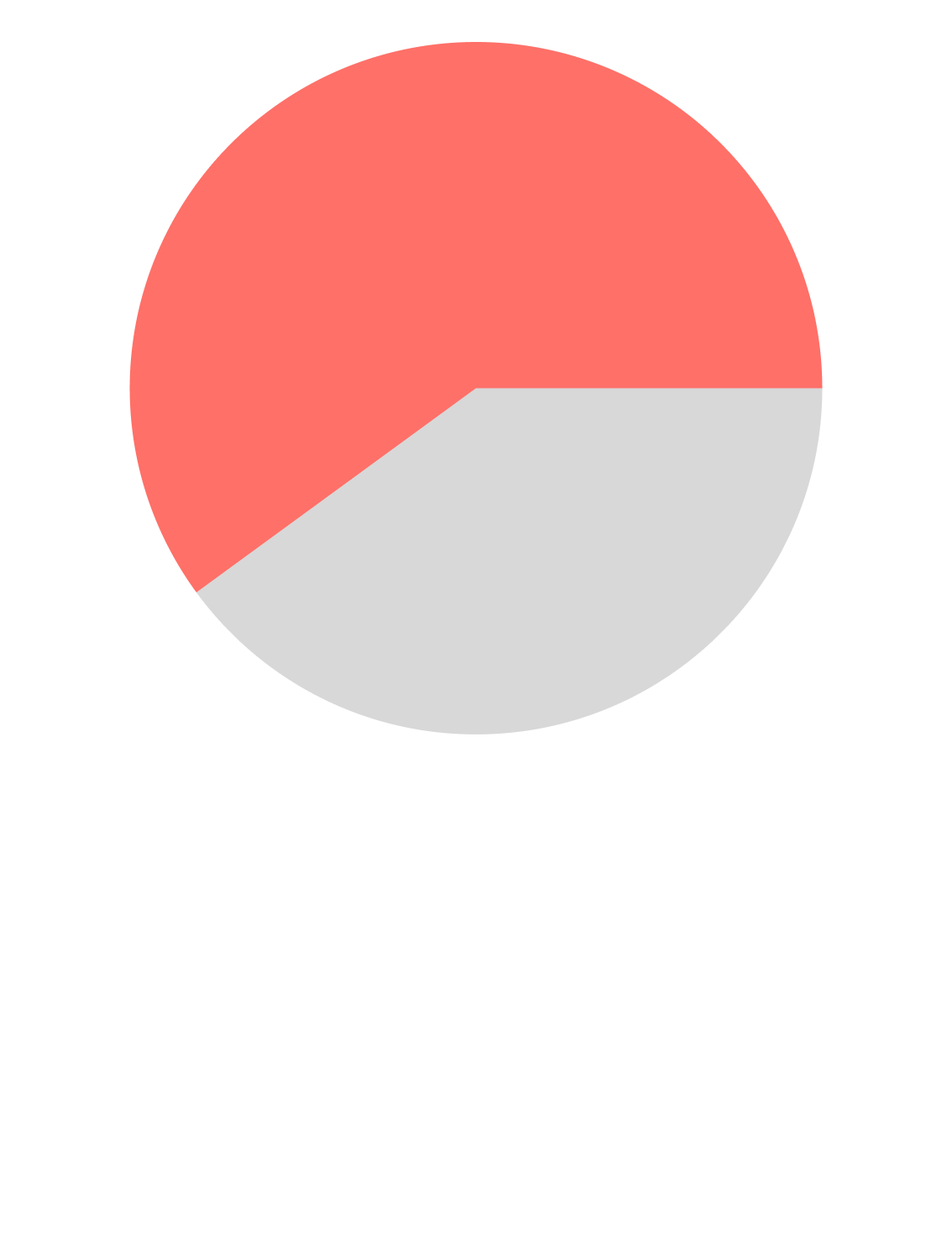
Solution
Teetotaler makes it easier to reengage with your social life in a way that aligns with your goals—whether that’s staying sober, saving money, or simply finding healthier ways to connect. Instead of relying on scattered group chats or defaulting to nightlife culture, users can discover fun, intentional events and plan with ease.
With Teetotaler, users can:
Create a profile and befriend “co-pilots” (users with shared intentions)
Join or create micro-social groups
Discover local events tailored to personal goals
Set group rules (e.g., “1 drink max” or “designated driver”)
Coordinate plans via group chat and sync to their calendar
Import events from platforms like Instagram using a secure API integration for easier planning
With discovery, community, and streamlined planning, Teetotaler turns goal-aligned socializing into something effortless and exciting.
RESEARCH: SURVEYS PT. 1
To identify my target audience, I created a 13-question multiple-choice survey and shared it through Instagram and LinkedIn. I received 25 responses (12 sober users and 13 sober-curious individuals) aged 24 to 40.
Surprisingly, the insights from the sober users in recovery—especially those who had been alcohol-free for more than six months—revealed they didn't align with the problems Teetotaler was aiming to solve.
Sober participants didn’t report struggling with social anxiety, re-integrating with their social lives, or feeling unfulfilled—likely because they have access to strong tools and supportive recovery communities.
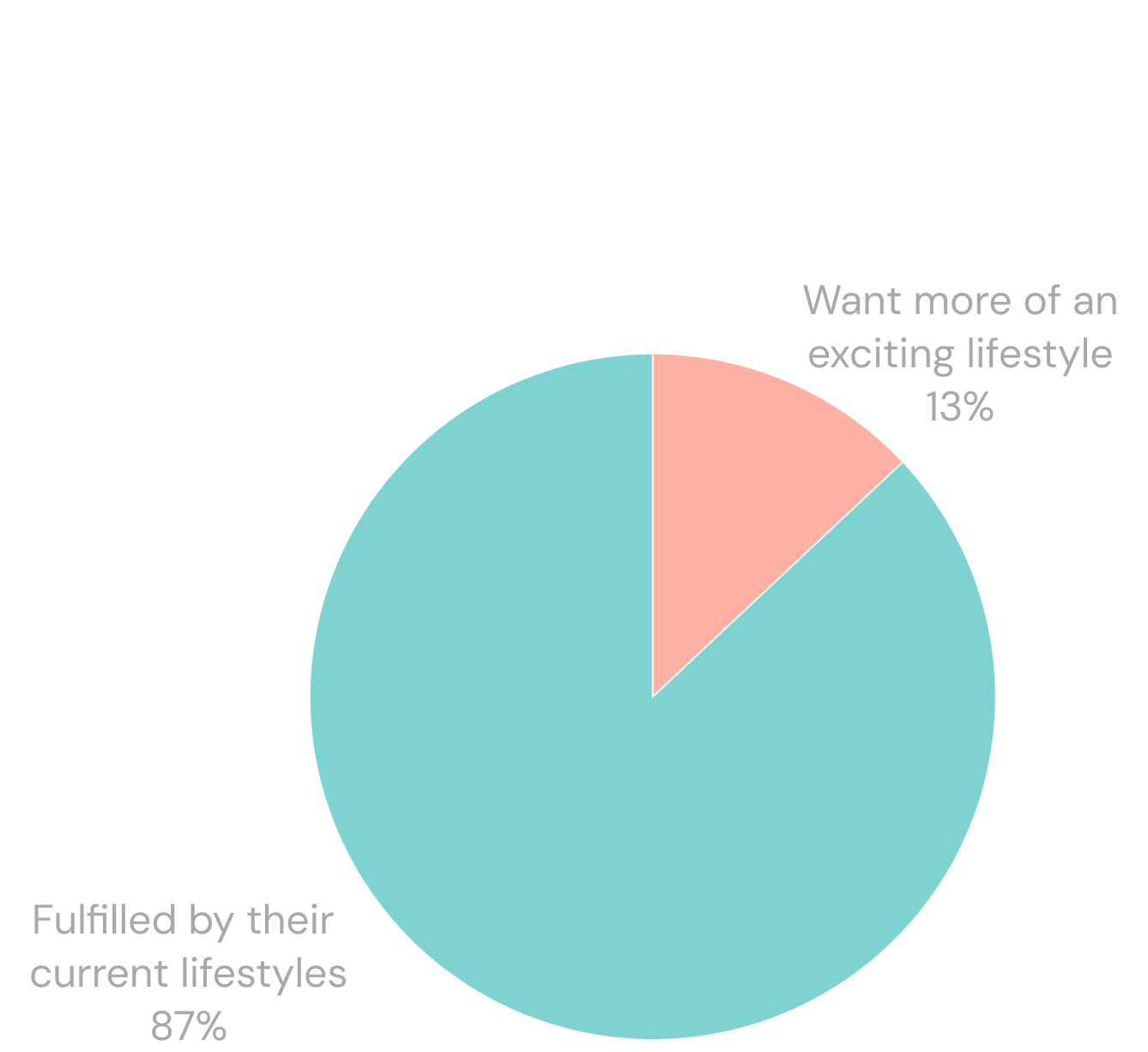
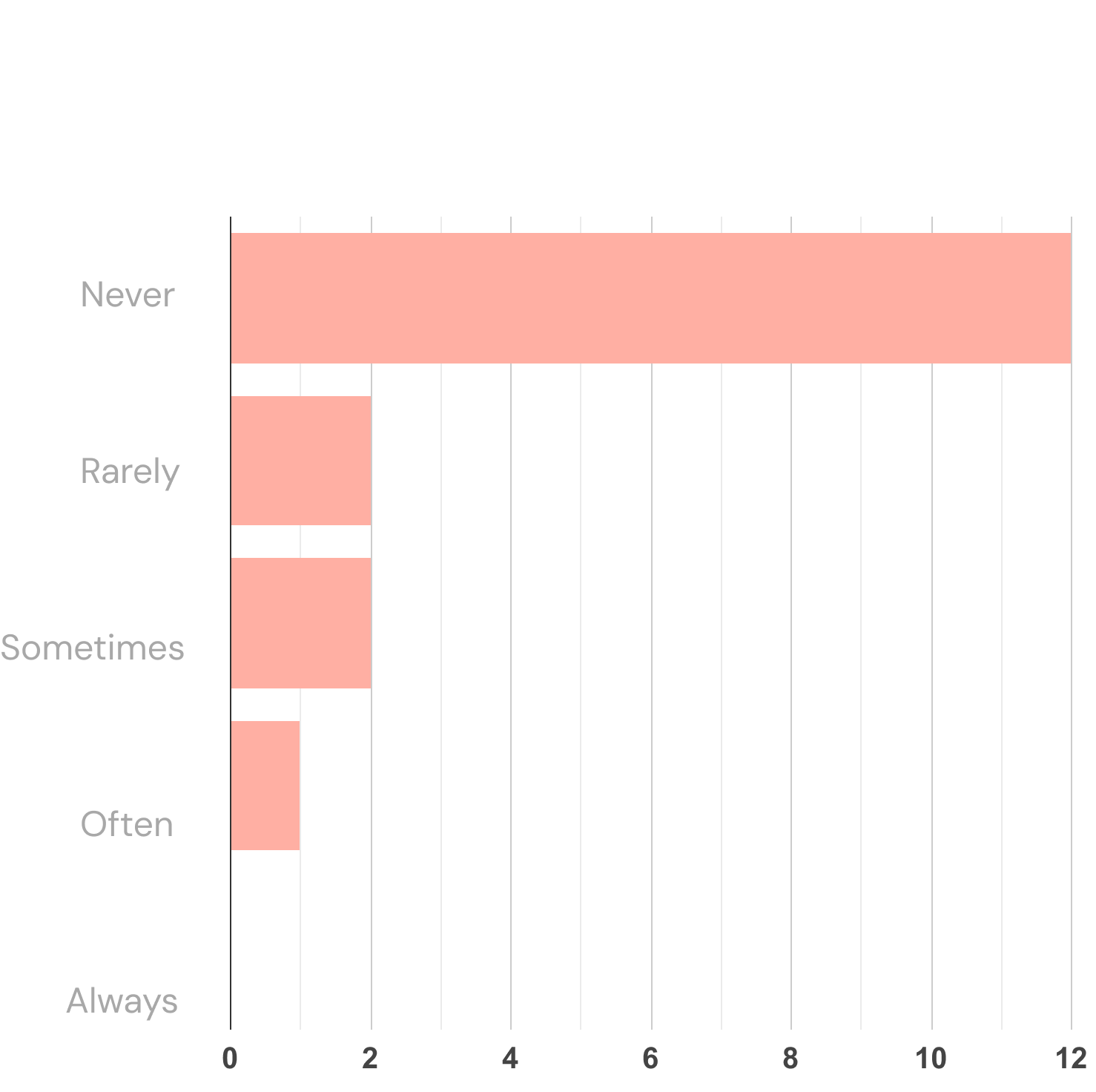
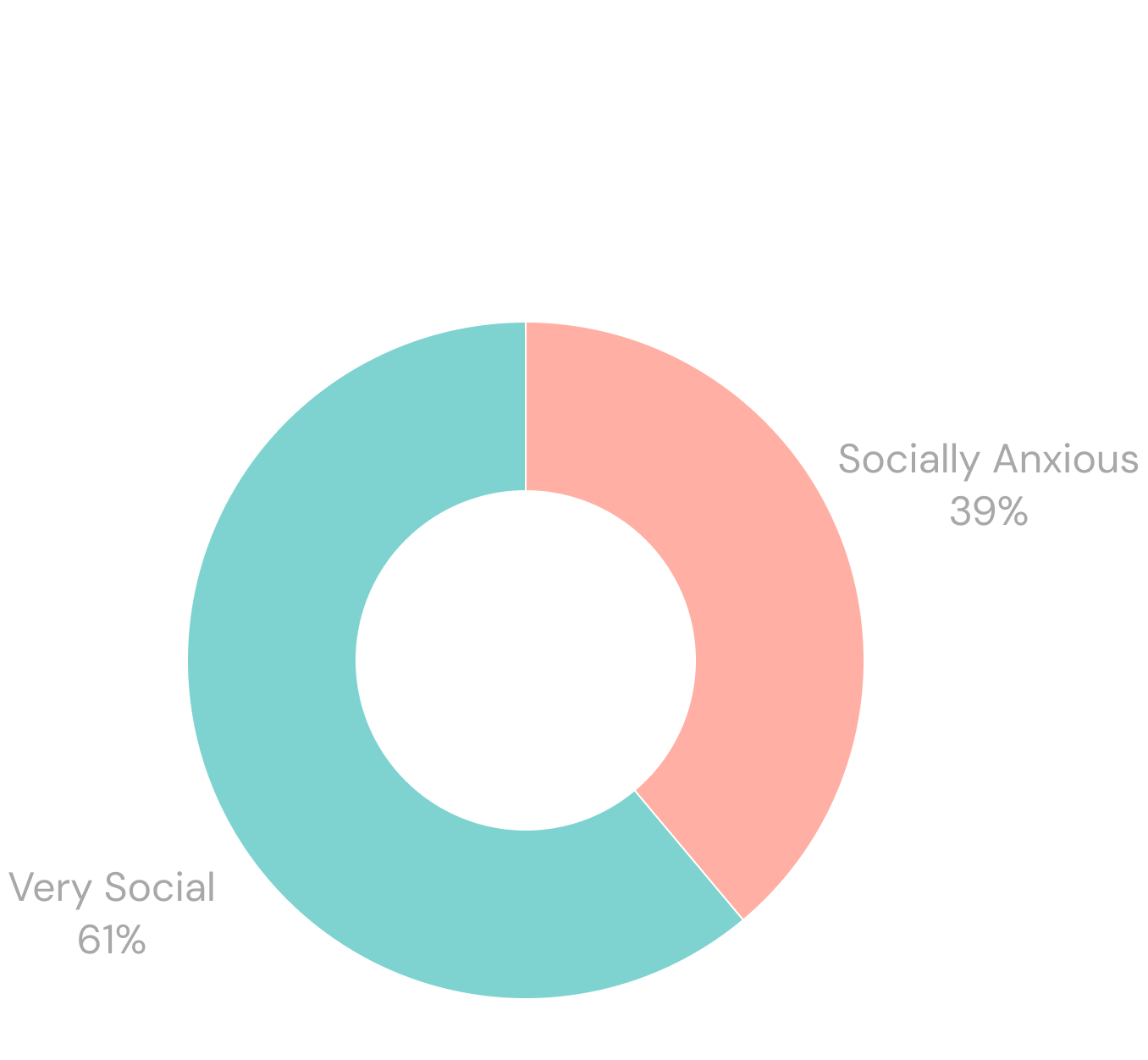
This initial research stage presented me the opportunity to reframe my audience and focus on one specific group: The user who doesn't need to get sober, but doesn't want to drink as much and is seeking tools to live a more balanced yet fun lifestyle.
Conclusion?
RESEARCH: SURVEYS PT. 2
From here, I conducted a secondary survey set of 6 users who had identified themselves as sober-curious or interested in drinking less— these results confirmed my target audience and clarified user needs.
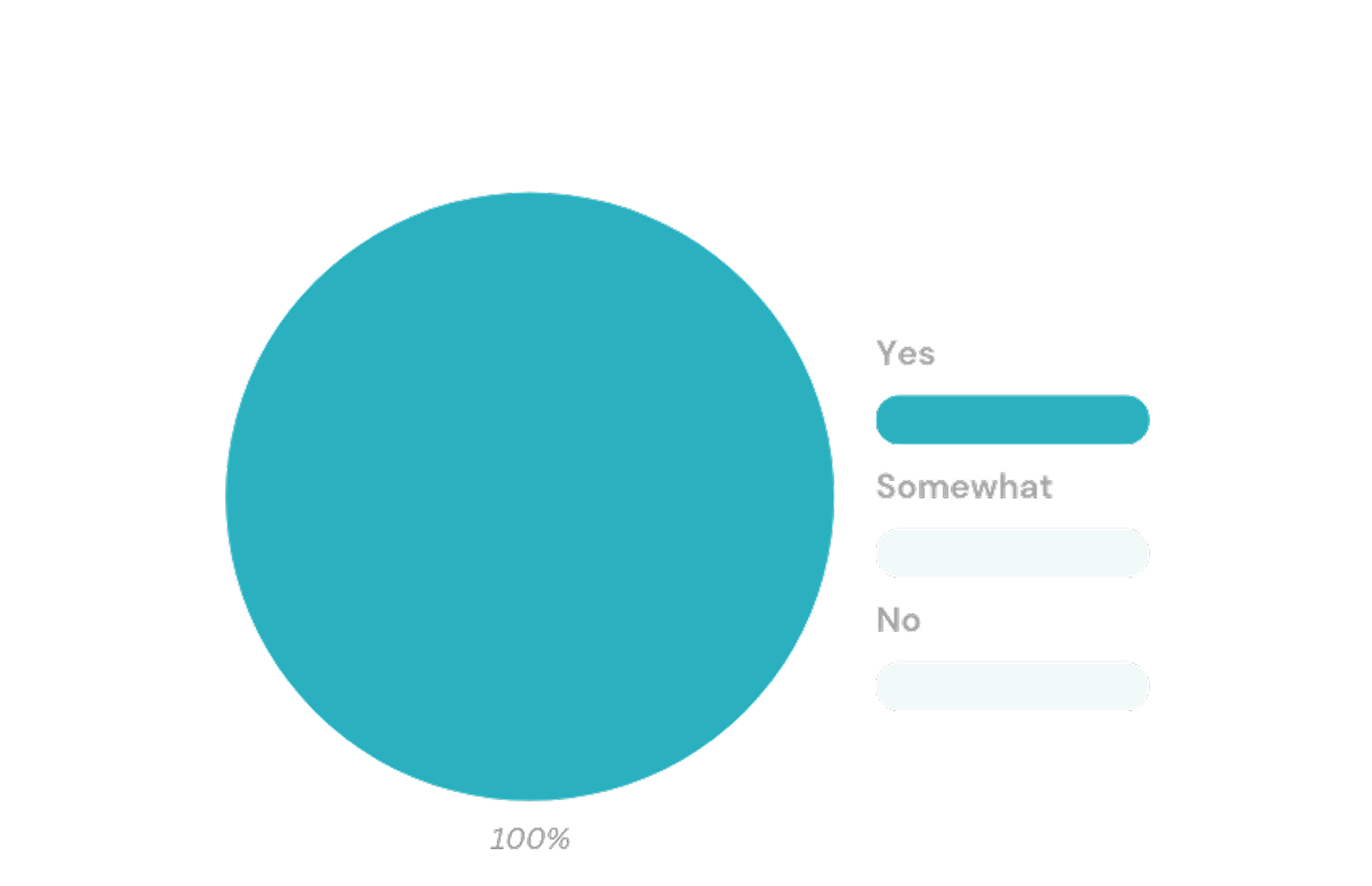
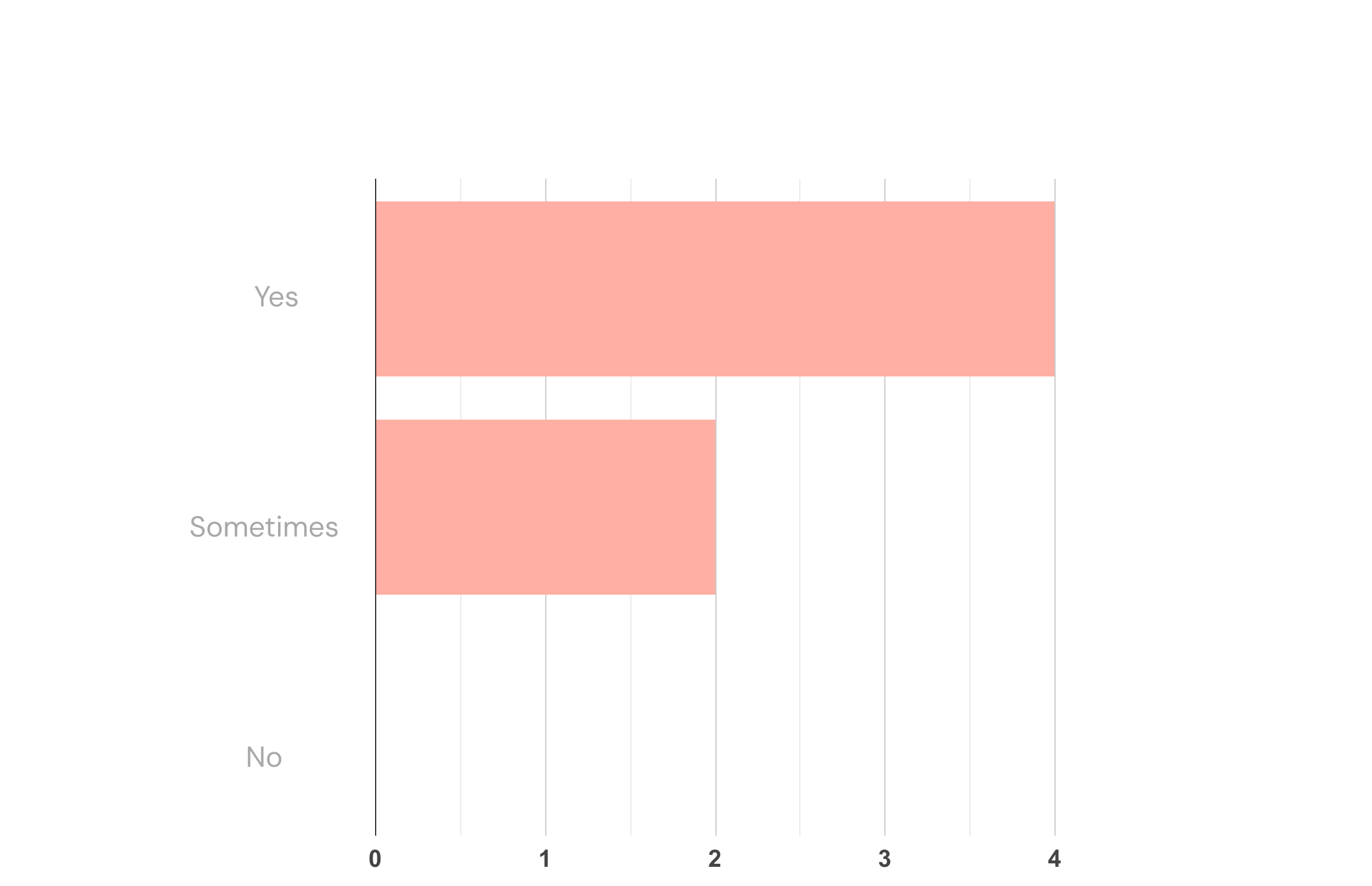
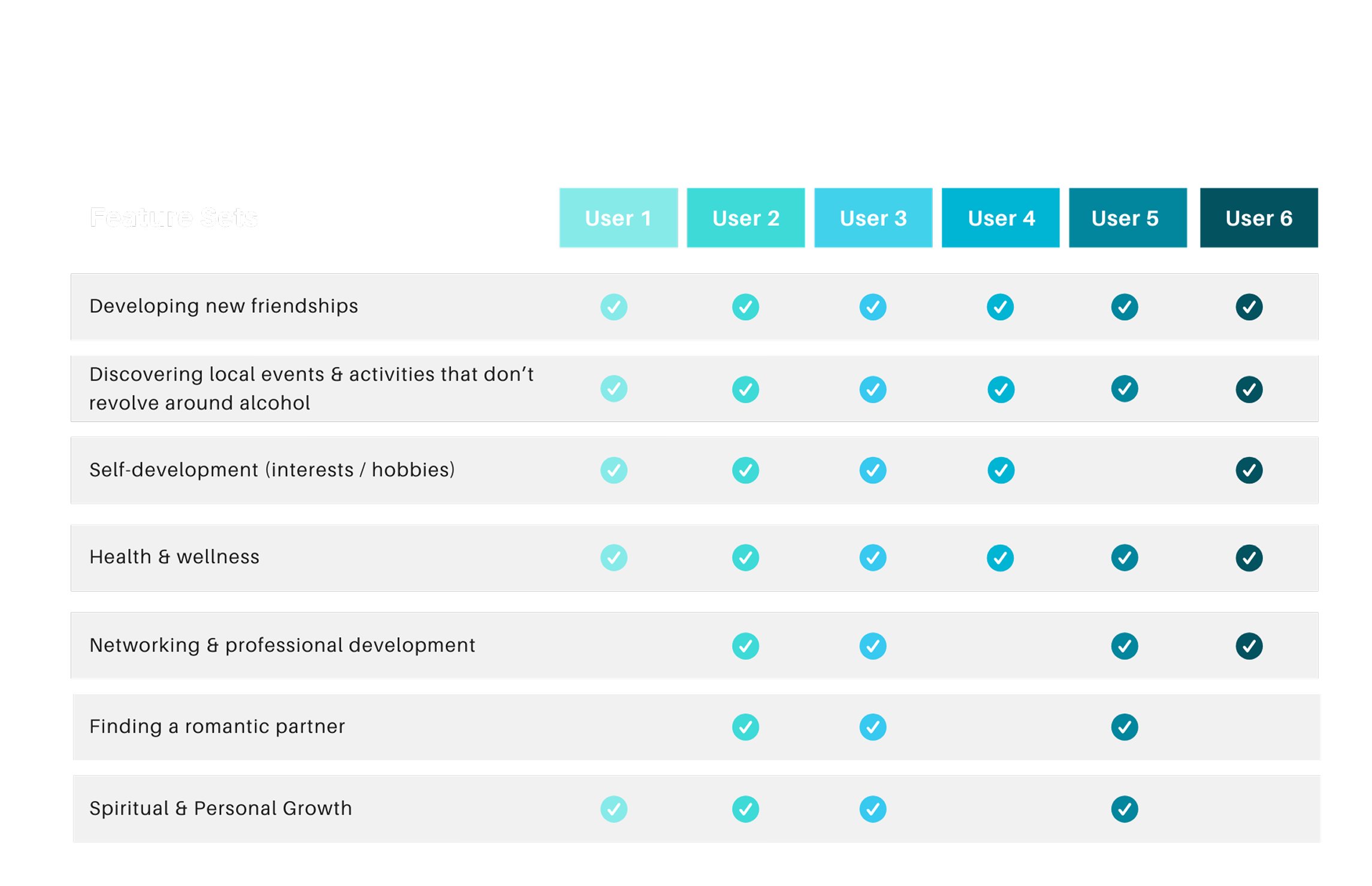
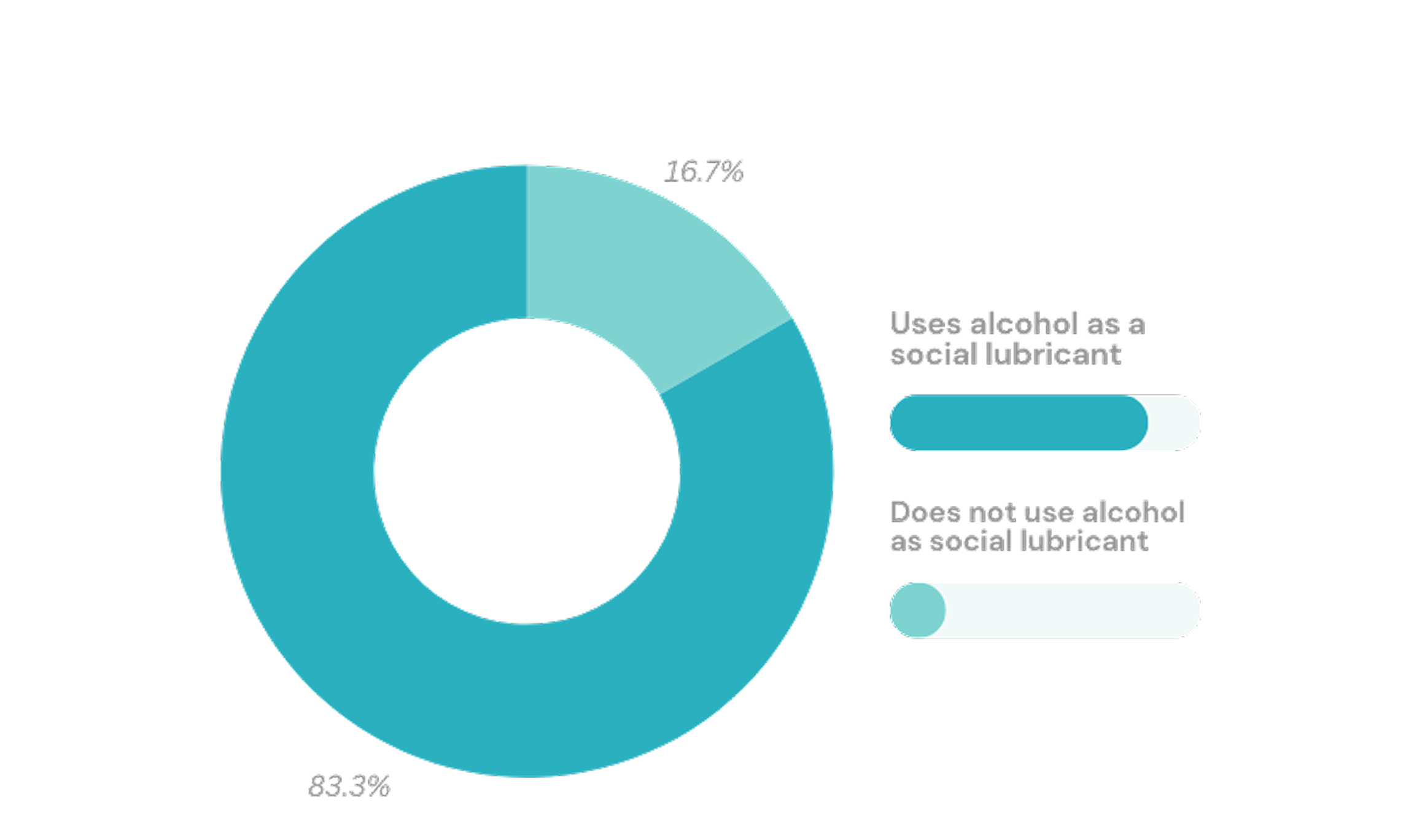
What I Learned:
Initial survey responses challenged my assumptions, proving that sober users do not need Teetotaler as much as sober-curious users do. Through this early-stage research, I confirmed that my target user segment consists of Gen Z and Millennials (ages 24–40) who want to drink less but don’t know where to start. Many struggle because of social anxiety, their current friend groups, and the types of social situations they’re in. This user would benefit from a tool that can help them make new friends, find fun sober-friendly events, and build a more balanced, healthy routine without the pressure of drinking or spending money.
User Interviews
During the discovery phase, I conducted four semi-structured interviews with sober-curious Millennials and Gen Zers who had responded to my survey.
I asked 24 open-ended questions to better understand each person’s unique relationship with alcohol. Since everyone’s journey is different, my goal was to listen closely and uncover their personal needs and motivations.
I grouped the questions into three main categories, and used them to guide my one-on-one conversations with users:
User Pain Points
How consuming alcohol may be affecting their social lives, friendships, etc.Behavior Patterns
What tools they're using right now to discover and plan events & activities.
Feature Preferences
Understanding what must-have feature Teetotaler would need to create long-term user loyalty.
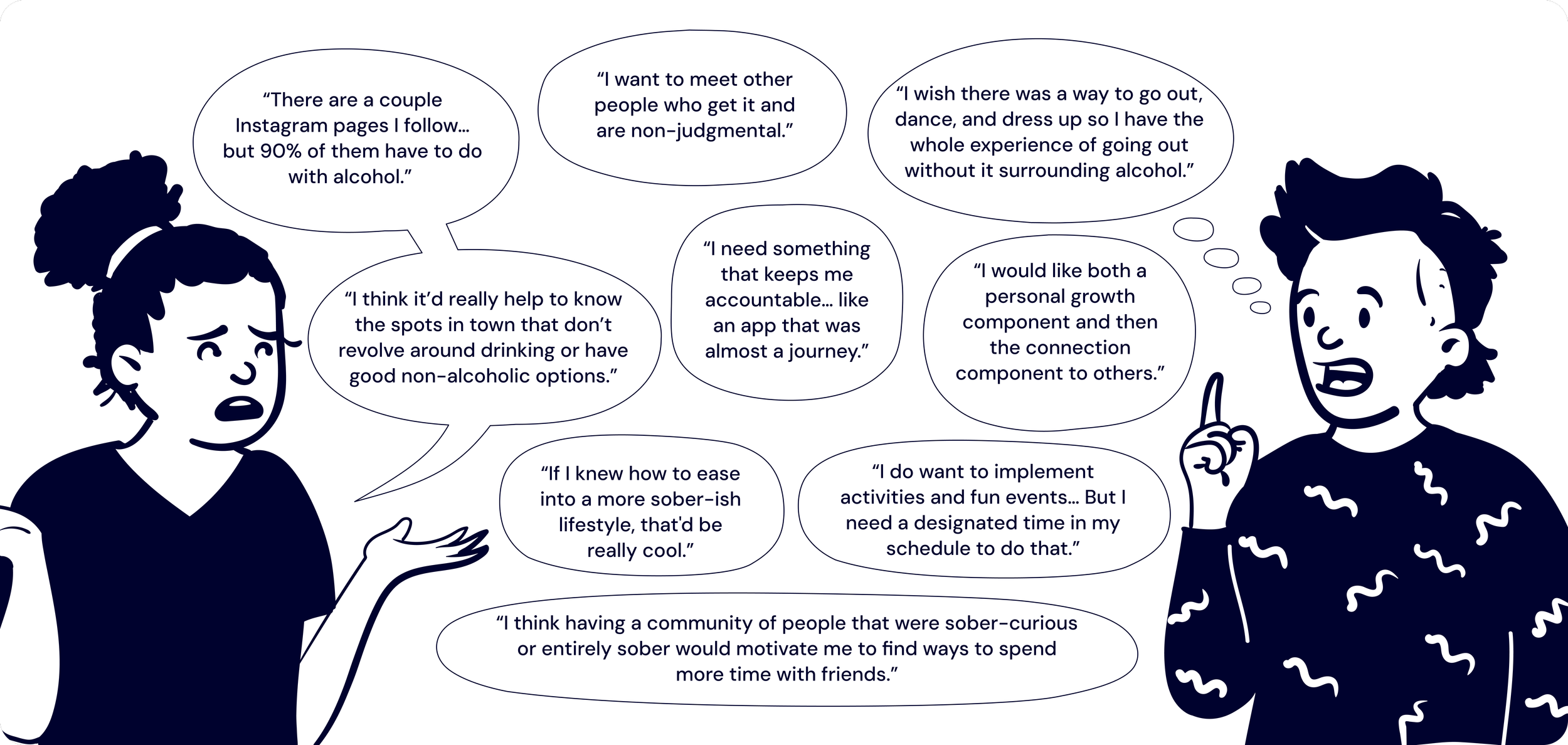
User Verbatims
The insights provided in these early conversations were invaluable and informed my understanding of who I would be designing for and what problems I needed to solve— so many of my users indicated friction with discovery, goal-setting and accountability, and meeting other likeminded individuals.
Finding Design Ideas With Affinity Diagramming
While a traditional affinity diagramming session with participants would have been valuable, I conducted the exercise independently via FigJam by analyzing key themes and quotes from my in-depth interviews.
I ended up with four prioritize clusters: Health & Wellness, Findability, Functionality, and Community Features.
Overall, users wanted a healthier lifestyle and easier ways to plan activities with friends that didn’t involve drinking or overspending. This process clarified the key problems to solve in the design phase.
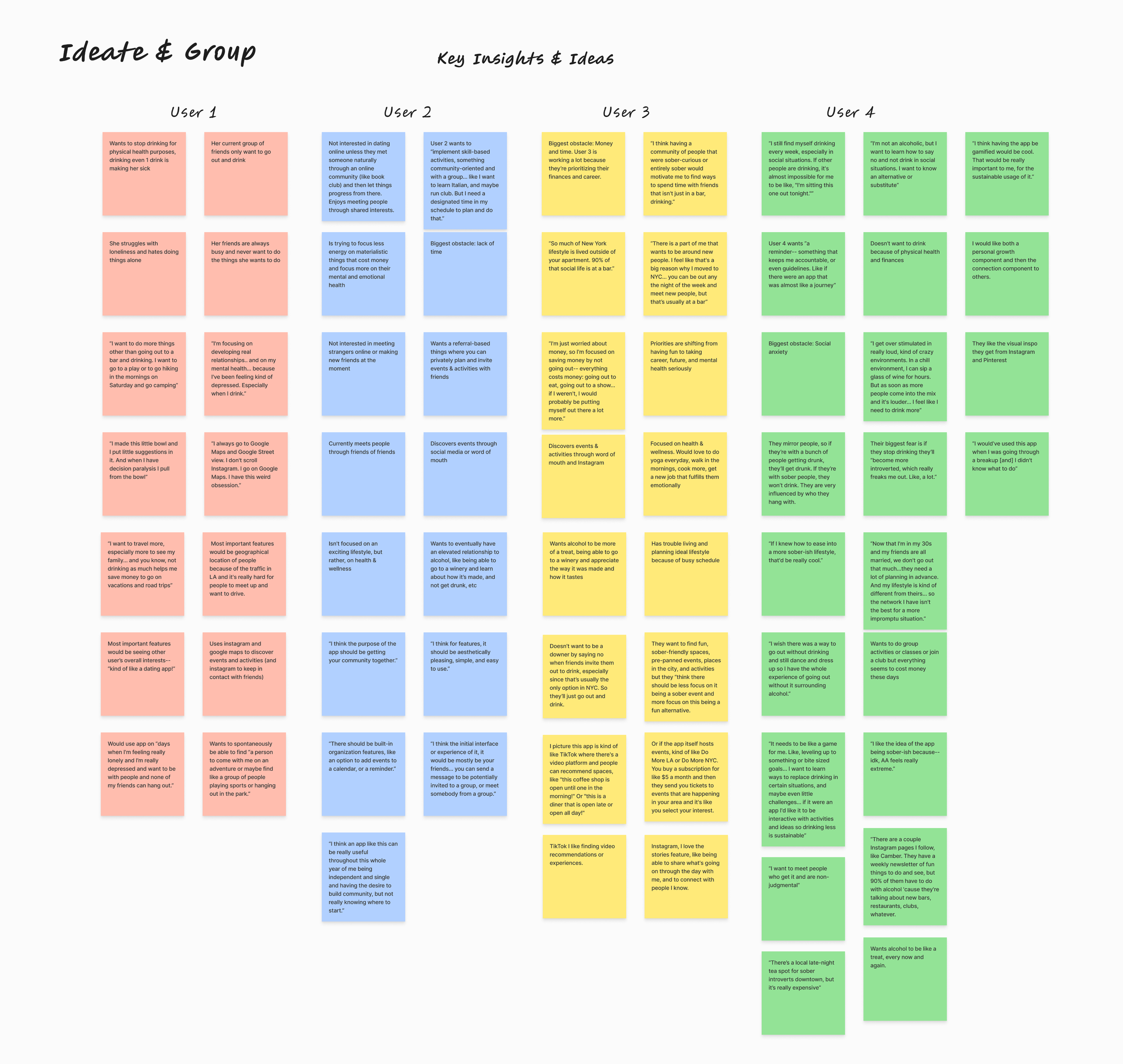
I began with grouping quotes I found most insightful by each user
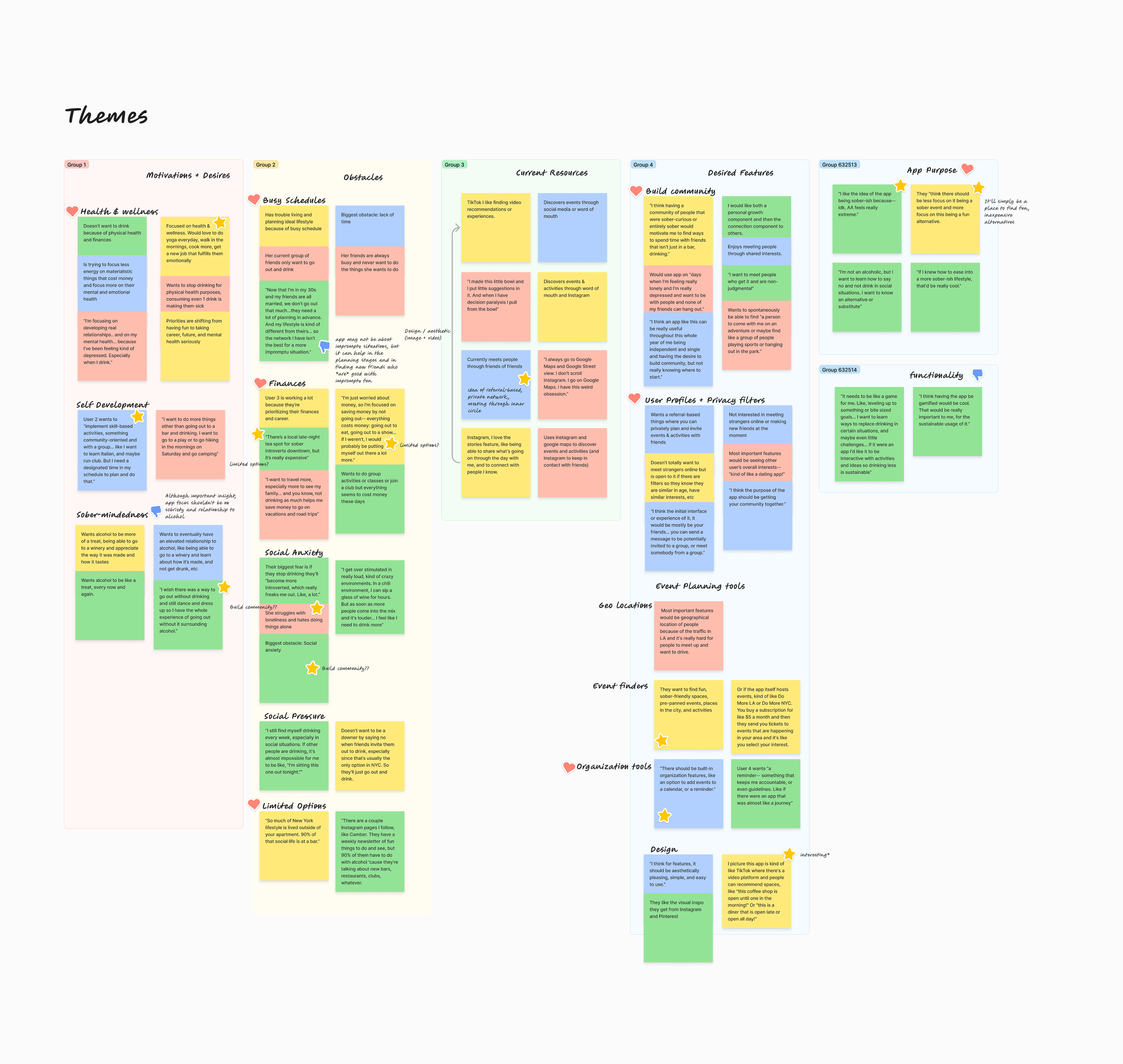
I sorted the quotes until I landed on five main themes: Motivations, Obstacles, Current Resources, Desired Features, and App Purpose.
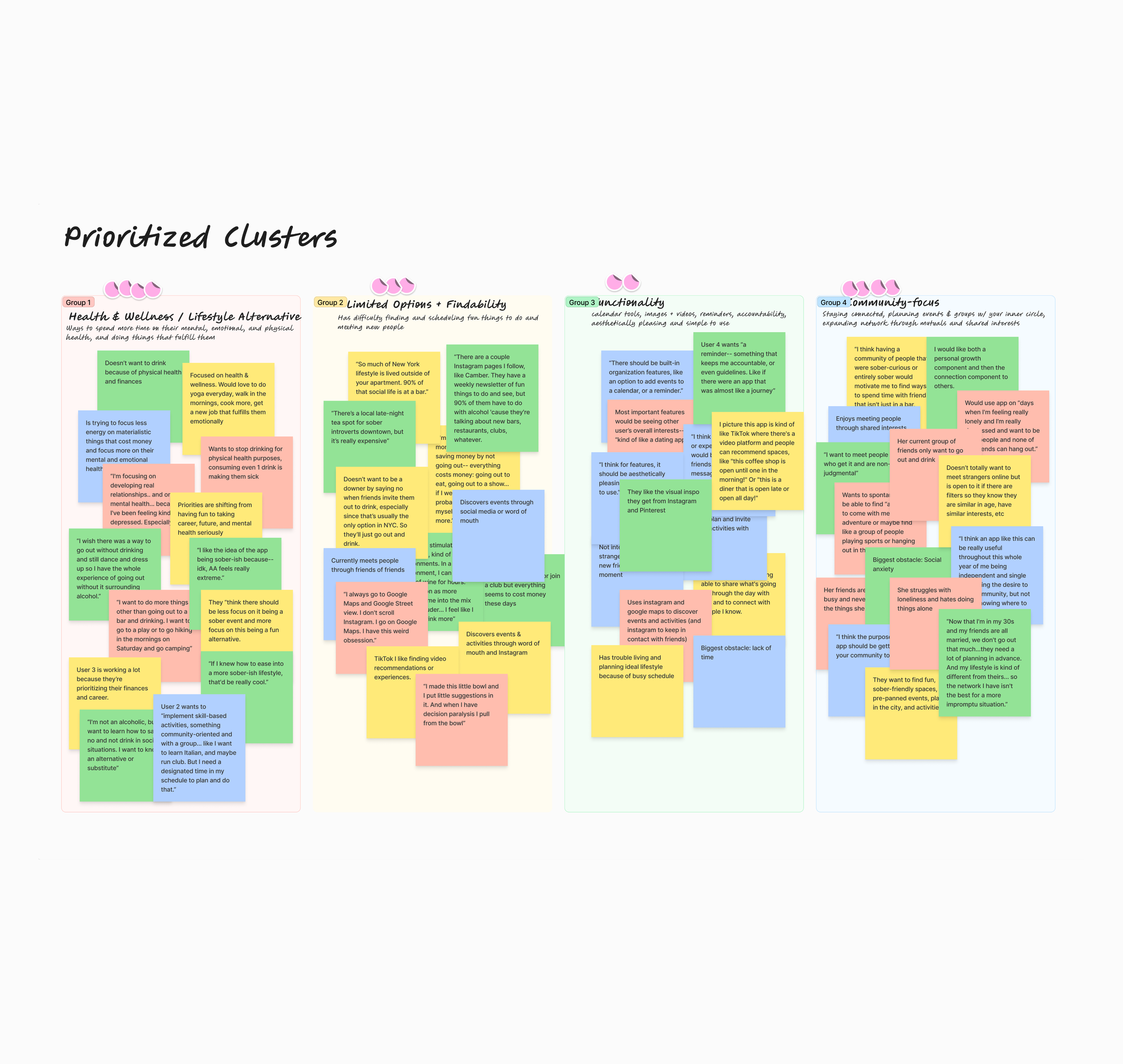
Lastly, I continued to sort until I landed on my four final groupings: Health & Wellness, Findability, Functionality, and Community-Focus. I would go on to use these prioritized closers to guide my designs.
Meet Our Users!
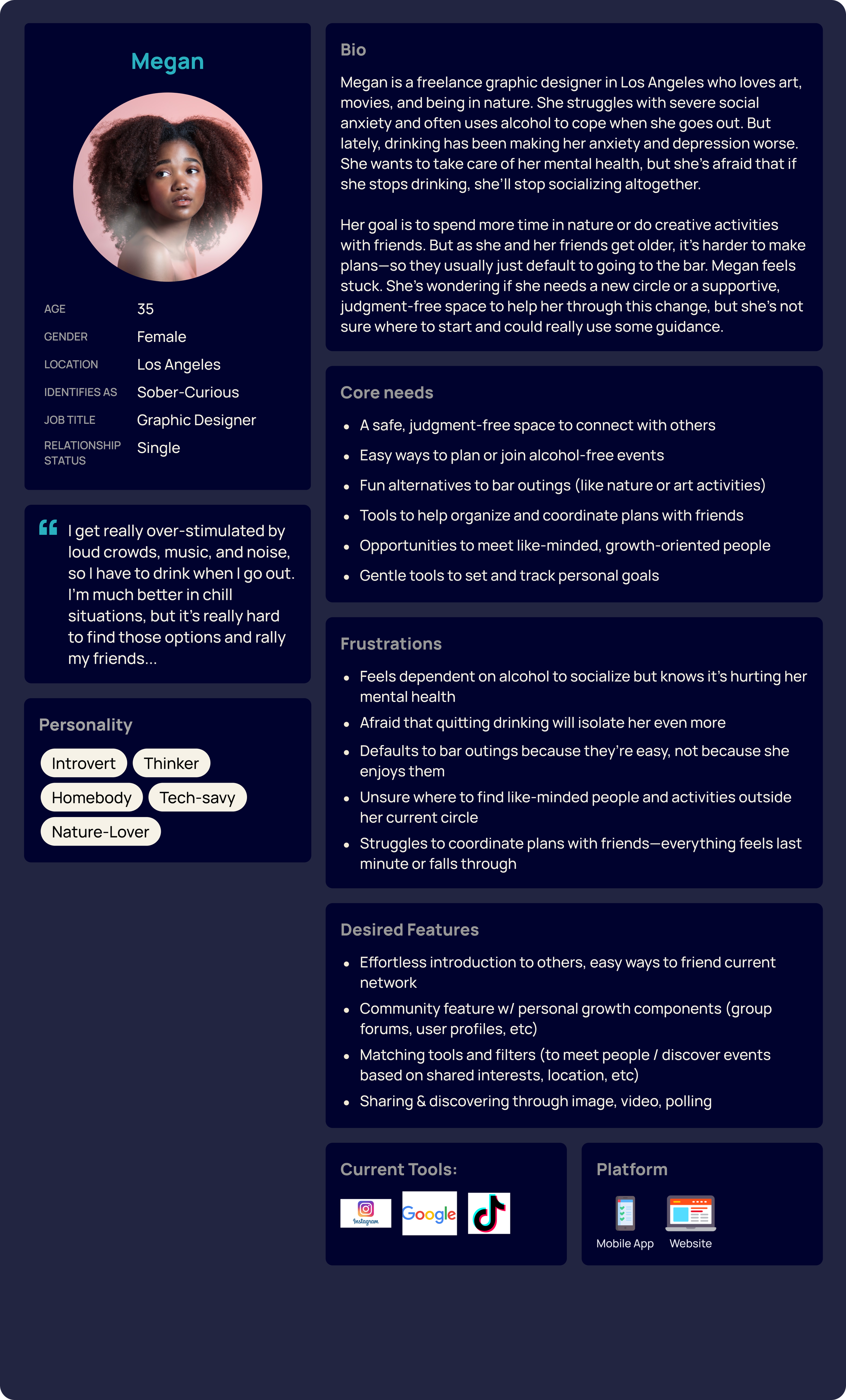
To better understand who I'd be designing this app for and what their goals, needs, and experiences were, I created two personas that represented my main user segments:
Taylor, the extroverted hustler on a budget
Megan, the introverted creative type
I informed these archetypes using the insights collected from my surveys and interviews, and i will be referring to and updating these personas throughout my design process.
Meet Megan and Taylor!
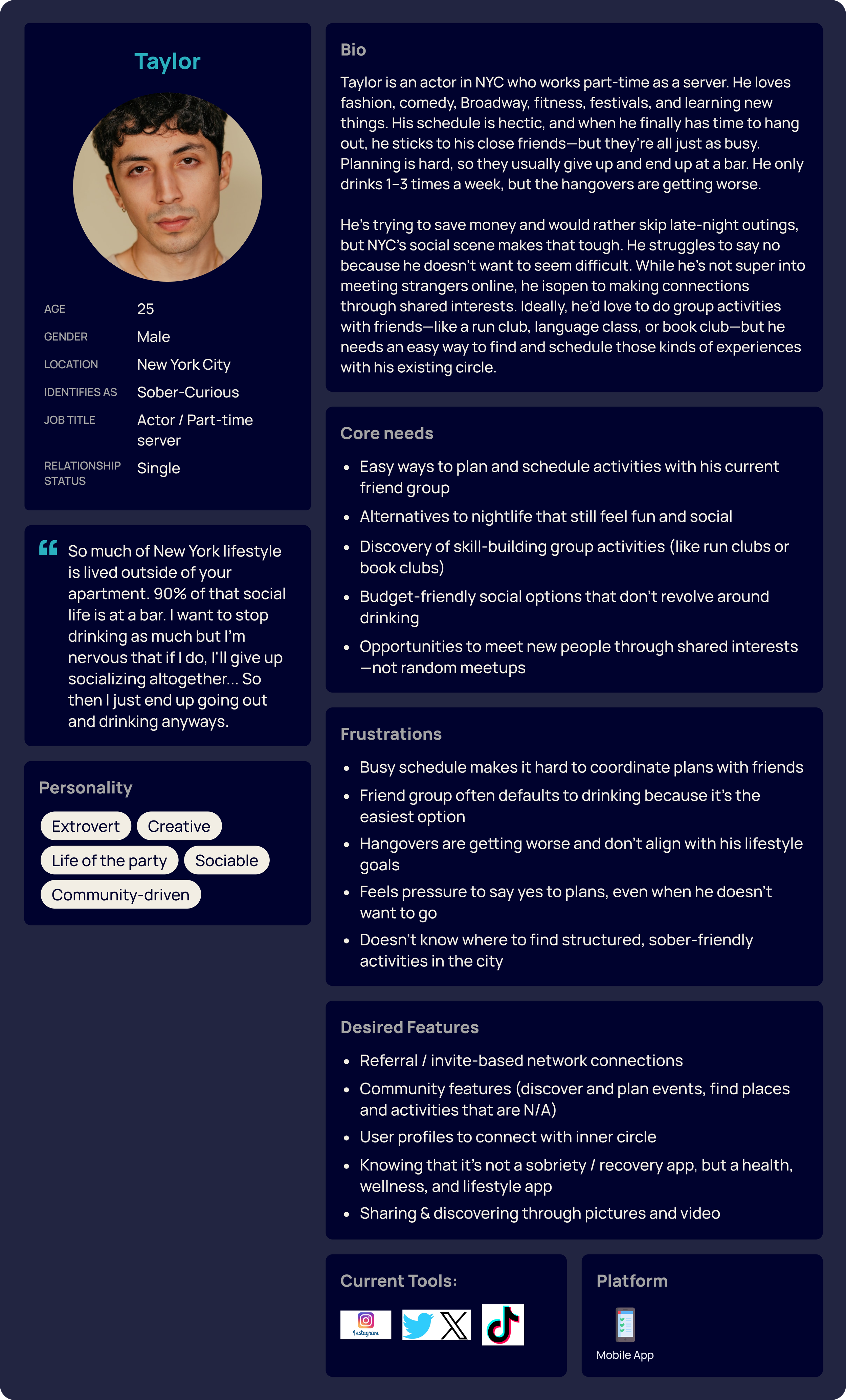
digging into the user journey
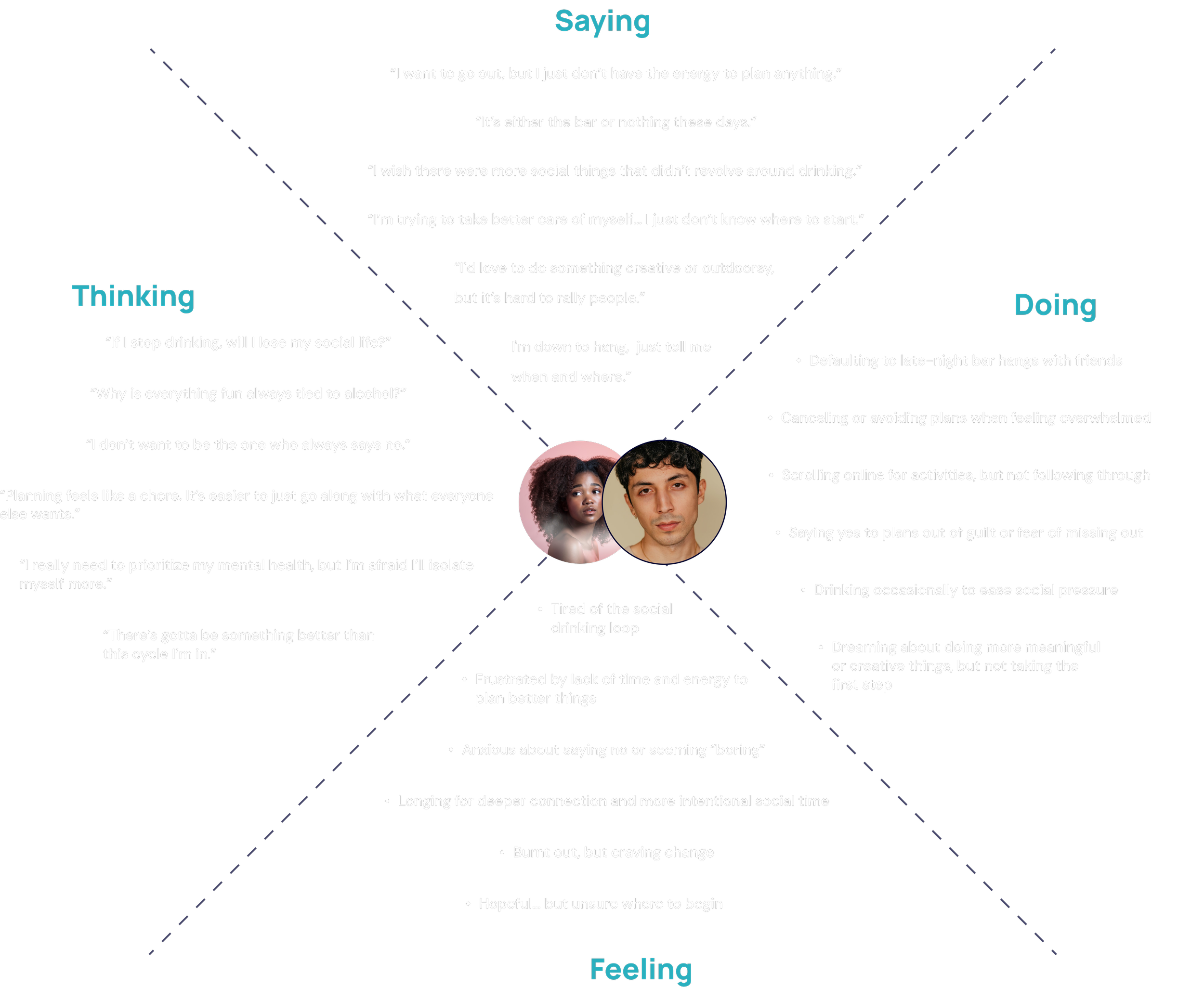
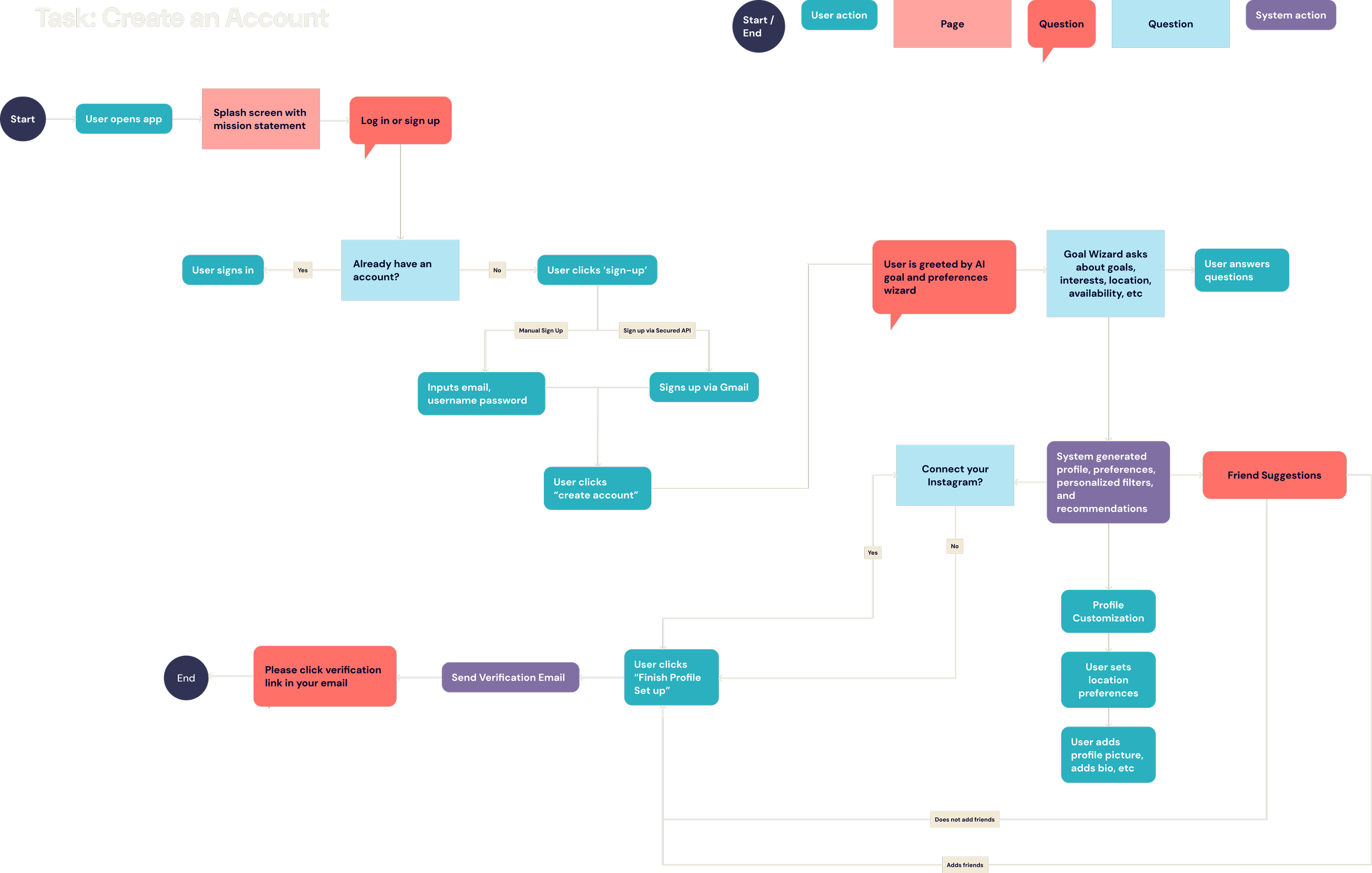
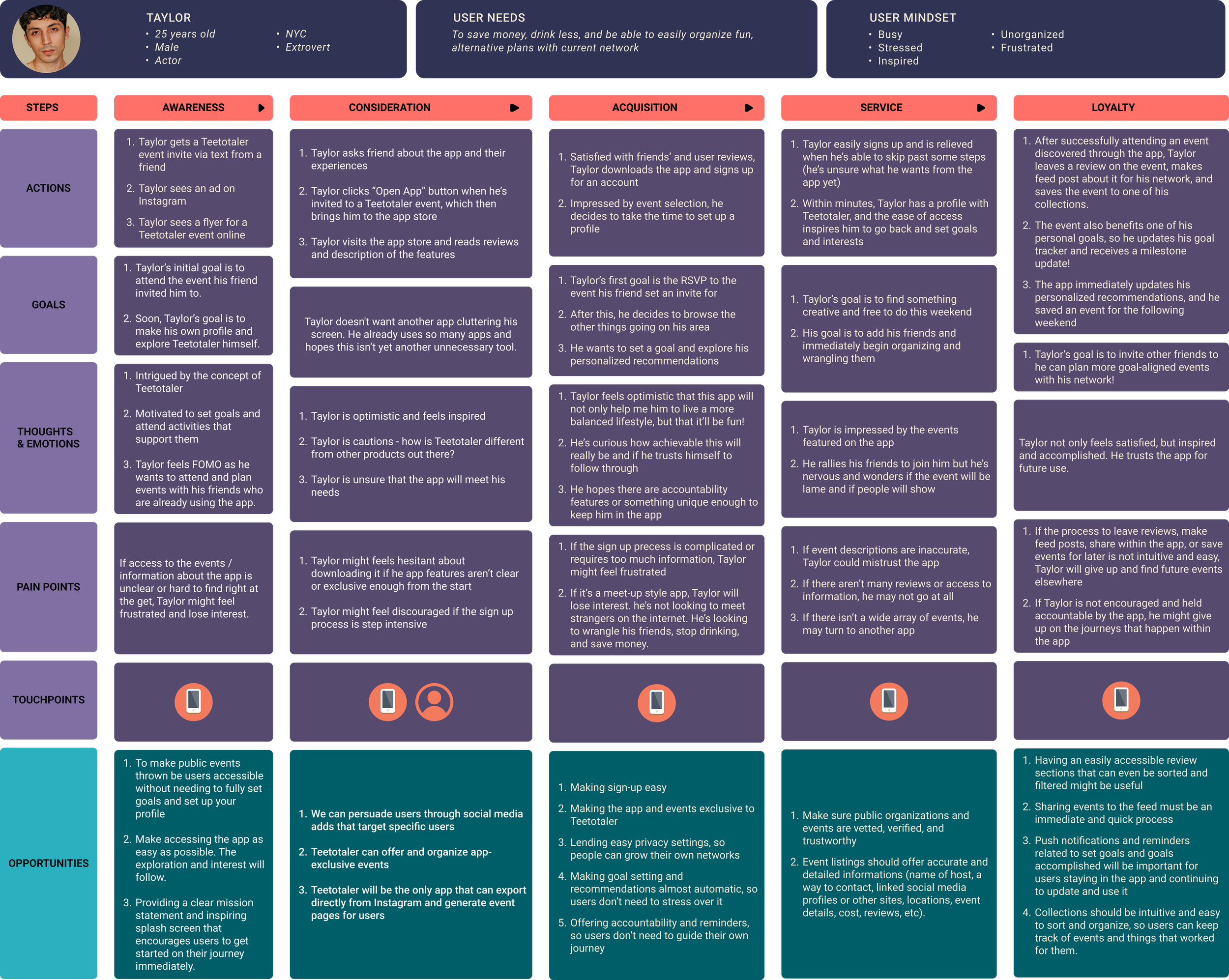
I expanded on Megan and Taylor’s inner worlds by exploring their motivations, needs, pain points, and the emotions that influence their decision-making.
Creating an empathy map, task flow, and journey map allowed me to design with their long-term engagement in mind. These exercises revealed key opportunities—such as creating a frictionless onboarding experience, integrating a seamless and trustworthy Instagram API, and simplifying goal-setting to reduce app fatigue and encourage sustained user loyalty.
-
![Empathy Map]()
Empathy Map
-
![Task Flow]()
Task Flow
-
![Journey Map]()
Journey Map
Information Architecture
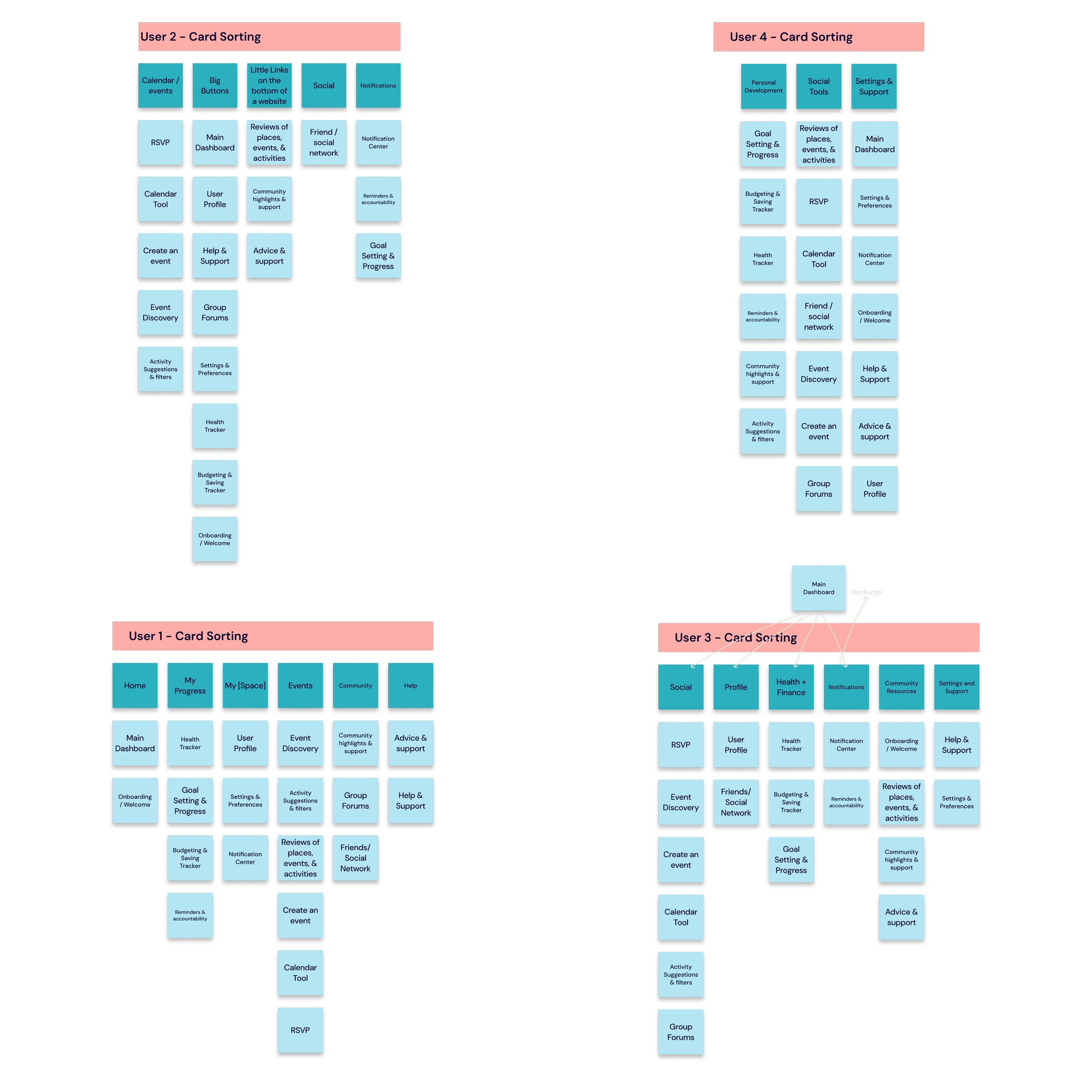
To ensure the content inventory was organized into an intuitive and user-centered navigation system, I conducted four open card-sorting sessions with participants recruited online. Using FigJam, participants grouped 20 content categories while verbalizing their thought processes and decision-making throughout the exercise.
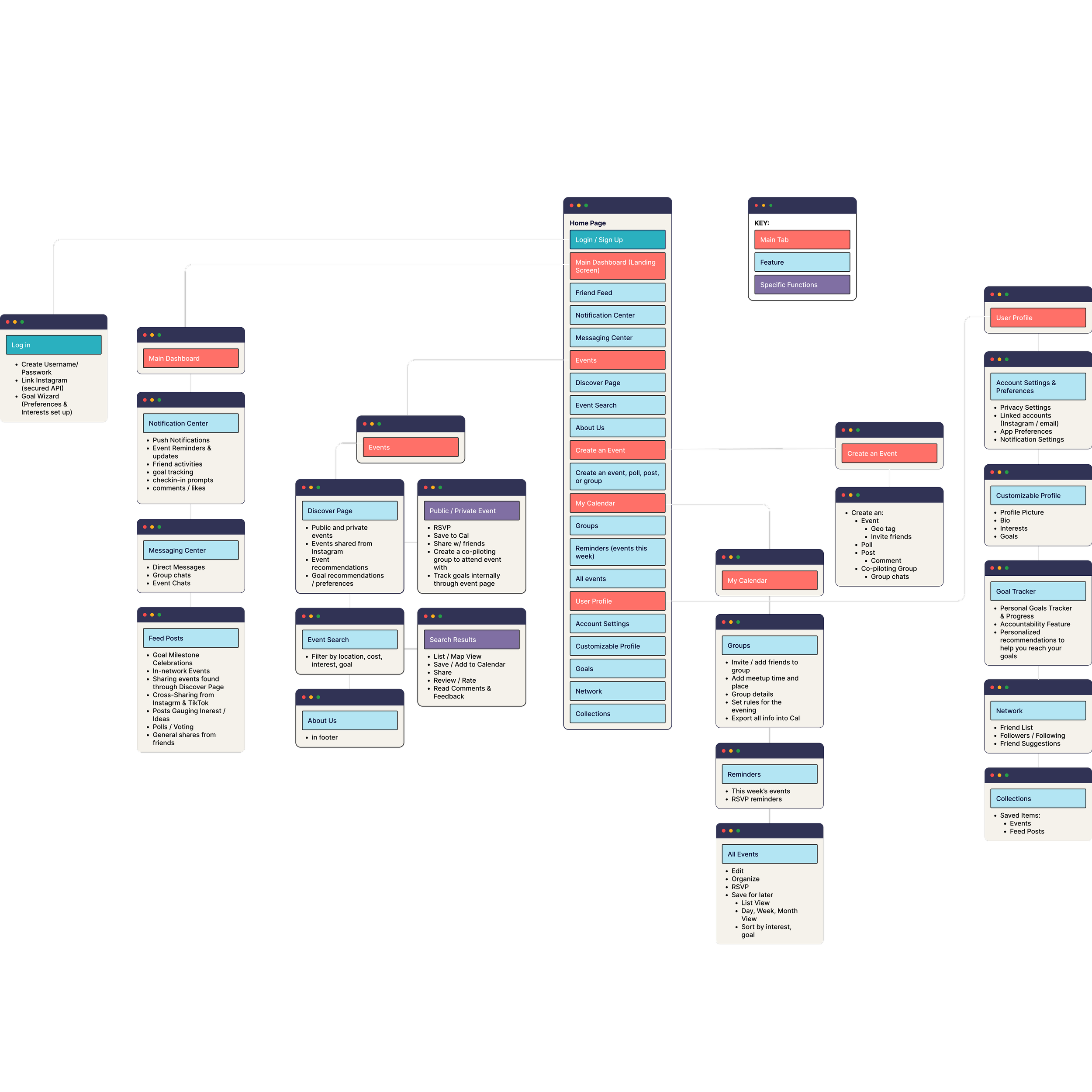
The goal was to identify natural content relationships and uncover the organizational structures that felt most intuitive to users. Insights from these sessions revealed four primary content areas: Dashboard/Feed, Health & Wellness, Events, and User Profile.
After the card sort, participants completed a tree test to validate the proposed hierarchy and confirm that information could be located efficiently. These findings informed the first iteration of the navigation system, while the resulting sitemap helped visualize the overall structure and define where each piece of content would live within the product.
Lo-Fi Design: Key Features
After analyzing my in-depth surveys and interviews, expanding upon my personas via mapping, and conducting in-person information architecture exercises, I identified a few core features to focus on and iterate throughout the design process:

GOAL SETTING
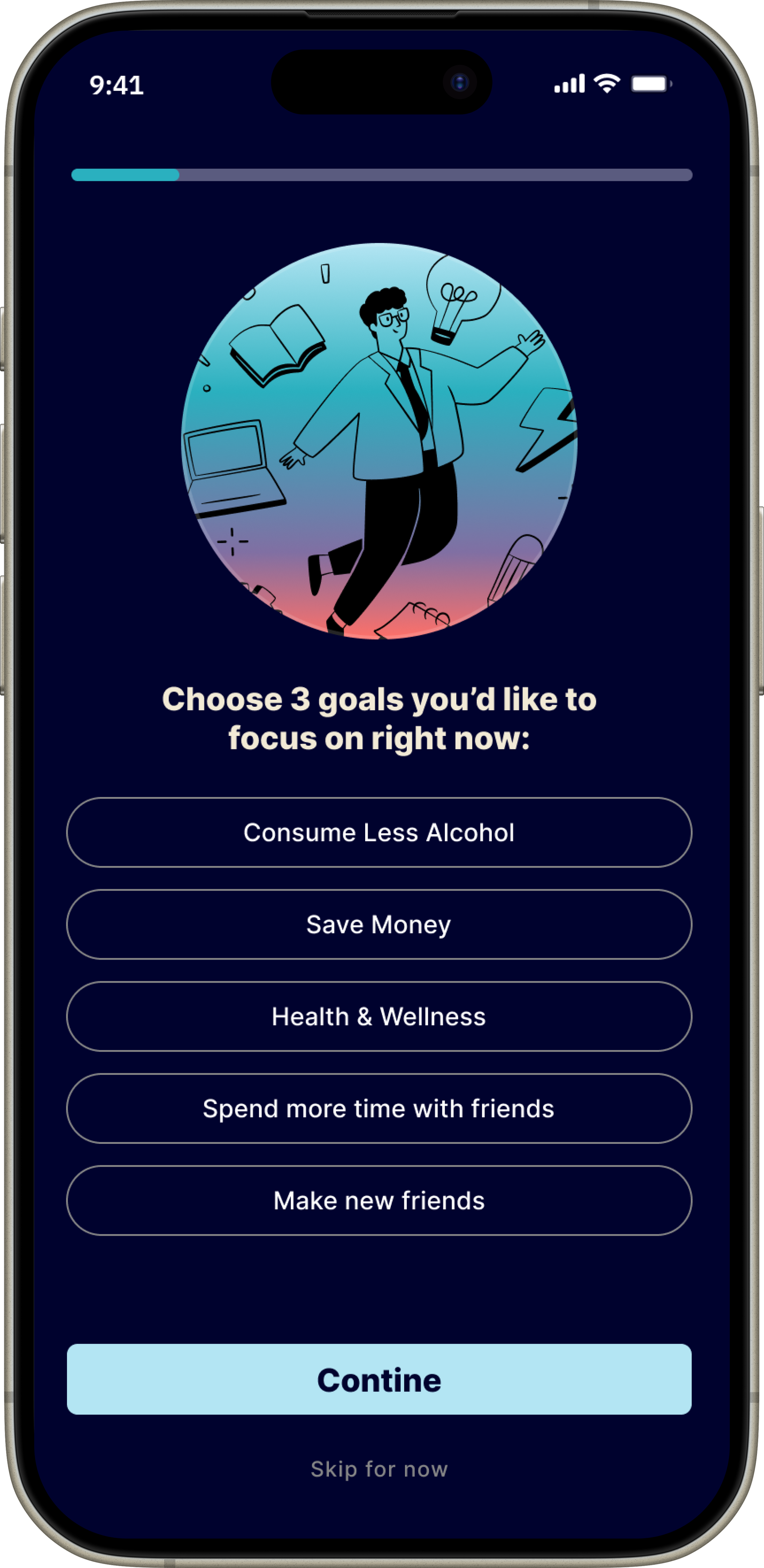
Users can select from a list of pre-set Teetotaler goals—like saving money, staying sober, or building community. An integrated accountability system helps personalize event recommendations and keeps users aligned with their intentions.
MICRO GROUPS
Users can create small, customizable groups to attend public events together. Within the app, groups can set shared rules (e.g., “no drinking”), meeting points, geo-tags, and safety guidelines.

SECURE API INTEGRATION
Since many users discover events through Instagram, Teetotaler allows users to import events directly from Instagram into the app. This creates a centralized hub where users can track events and coordinate with friends, without bouncing between platforms.
sketches
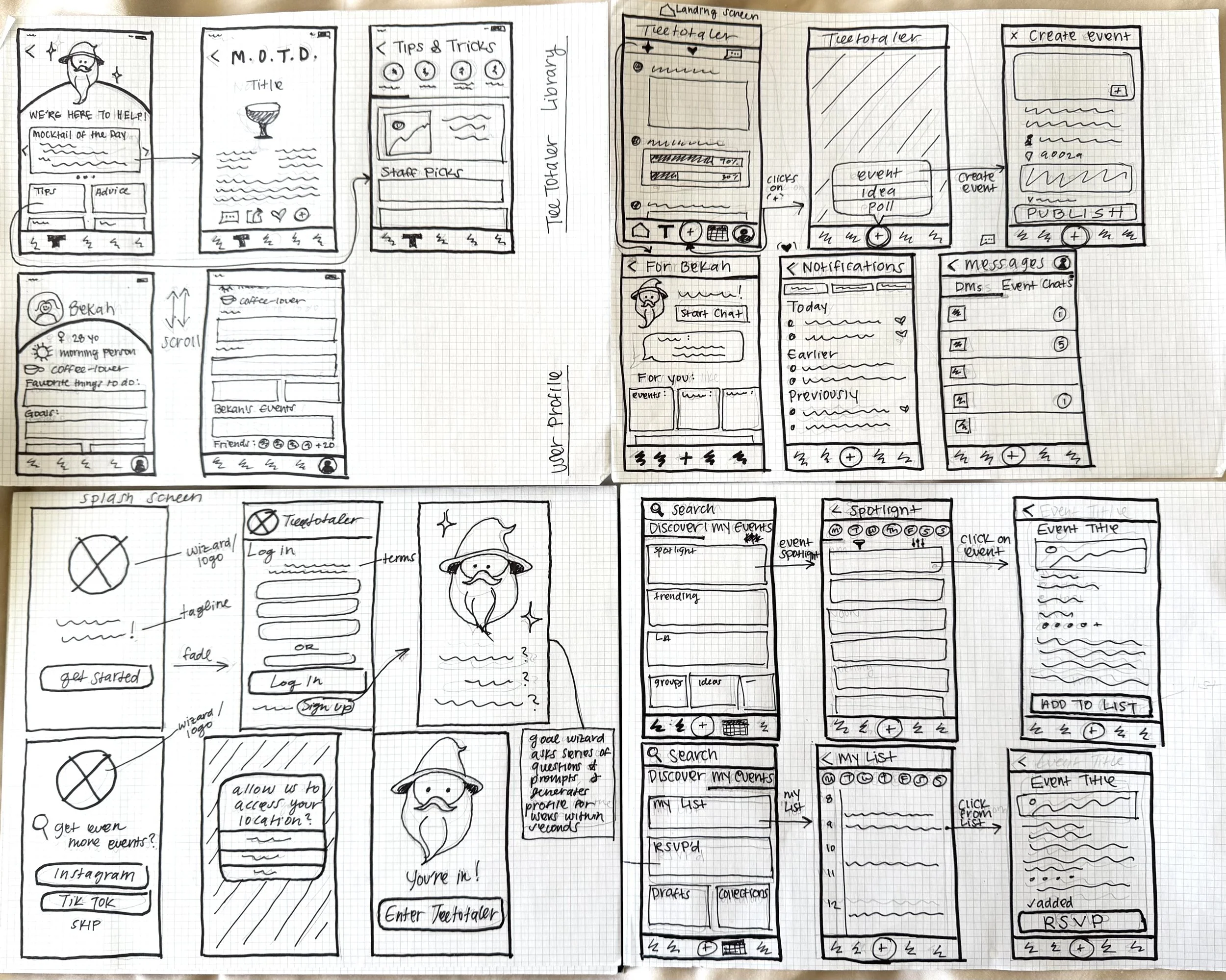
I began the design process with low-fidelity sketches, focusing on the onboarding experience and three key screens: the user profile, event creation, and the discover page. Sketching by hand allowed me to rapidly explore ideas, iterate on concepts, and evaluate different approaches before moving into Figma.
This stage served as a space to brainstorm freely and test potential features, including an AI-powered “Goal Wizard” designed to personalize the onboarding experience. While some concepts evolved and others were ultimately discarded, the sketching process helped clarify core user flows, validate ideas early, and inform key design decisions before wireframing.
Wireframing FeaTURE SETS
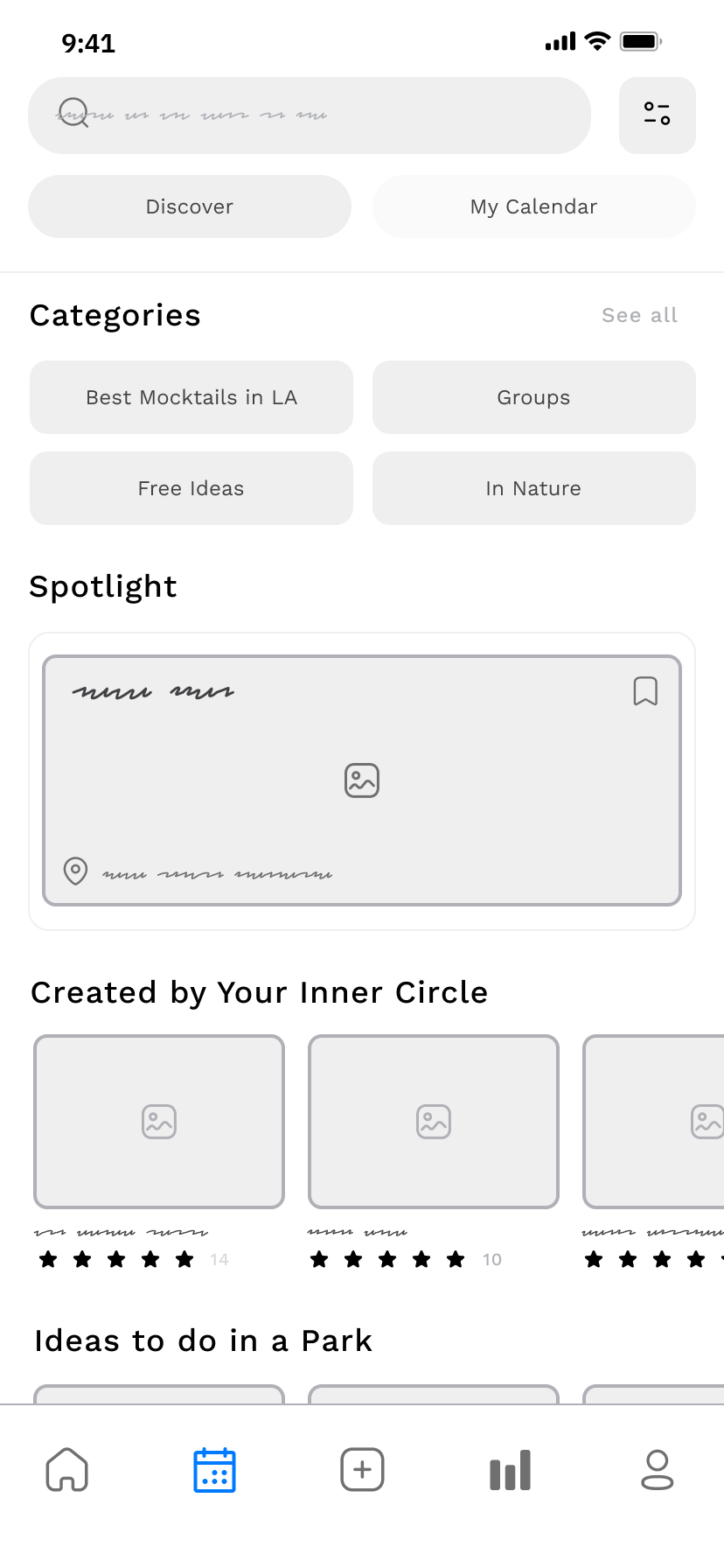
Using Figma, I translated my hand-drawn sketches into low-fidelity wireframes to explore layout, structure, and core functionality. This stage allowed me to quickly test design ideas—such as how events should appear on the Discover page, whether to show ratings, and if users should see which friends are attending. I also experimented with the placement of key elements like the search bar and navigation buttons.
Wireframing was essential for shaping the user experience. It gave me the freedom to iterate rapidly, focus on usability, and explore different approaches without getting caught up in visual details too early. These early wireframes laid the groundwork for more refined prototypes and helped me make clear, user-centered design decisions.
-
![]()
User Profile
-
![]()
Goal Tracking (Iteration 1)
-
![]()
Goal Tracking (Iteration 2)
-
![]()
Event Creation (Add Micro Group)
-
![]()
Event Discover Page
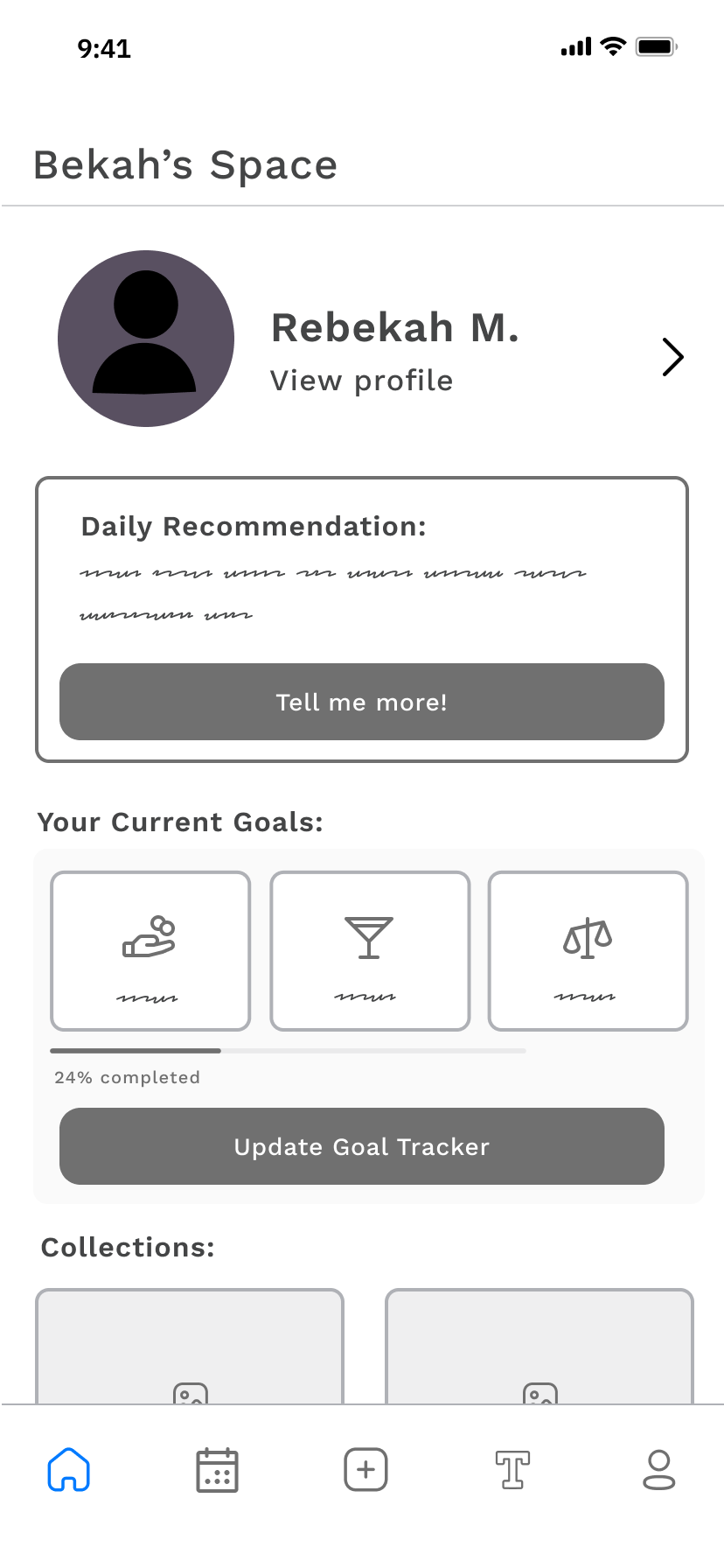
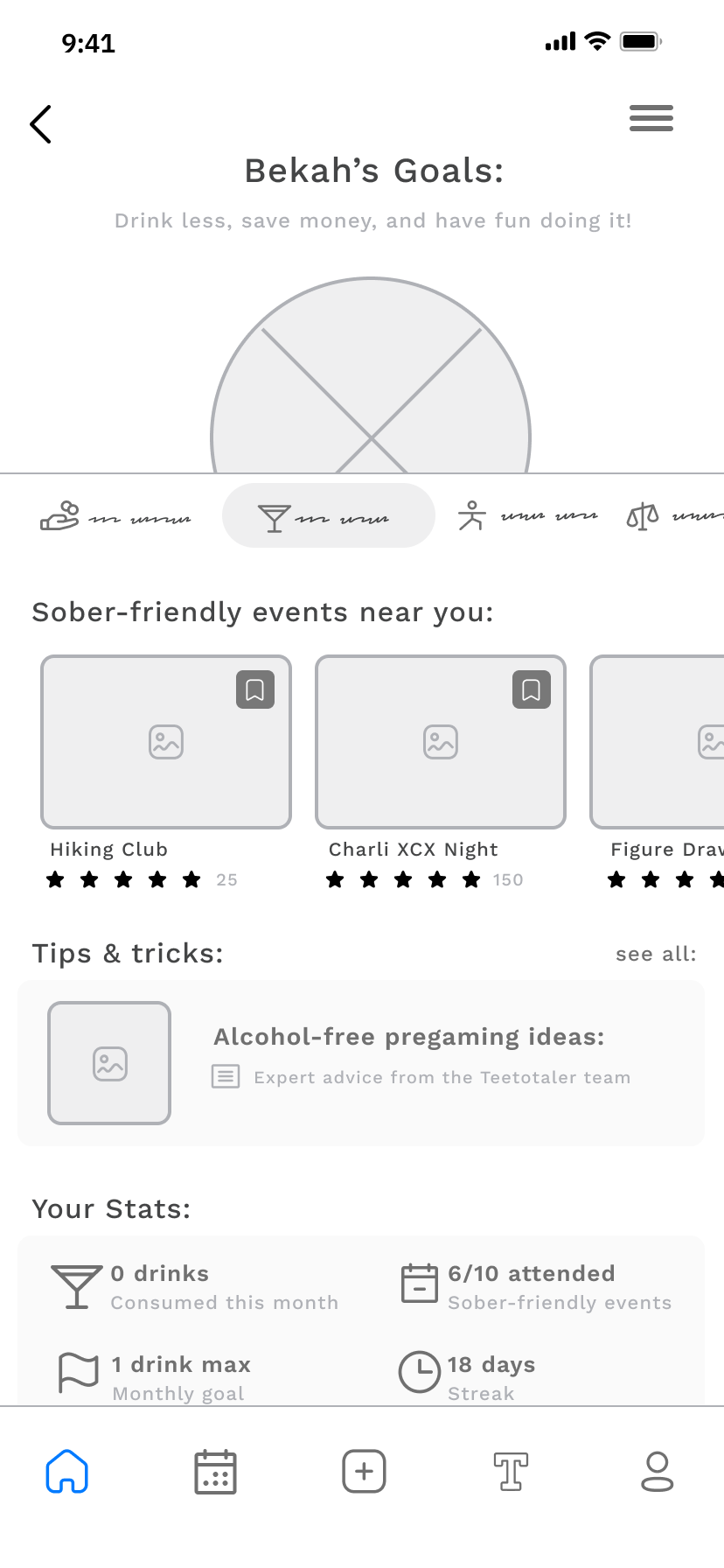
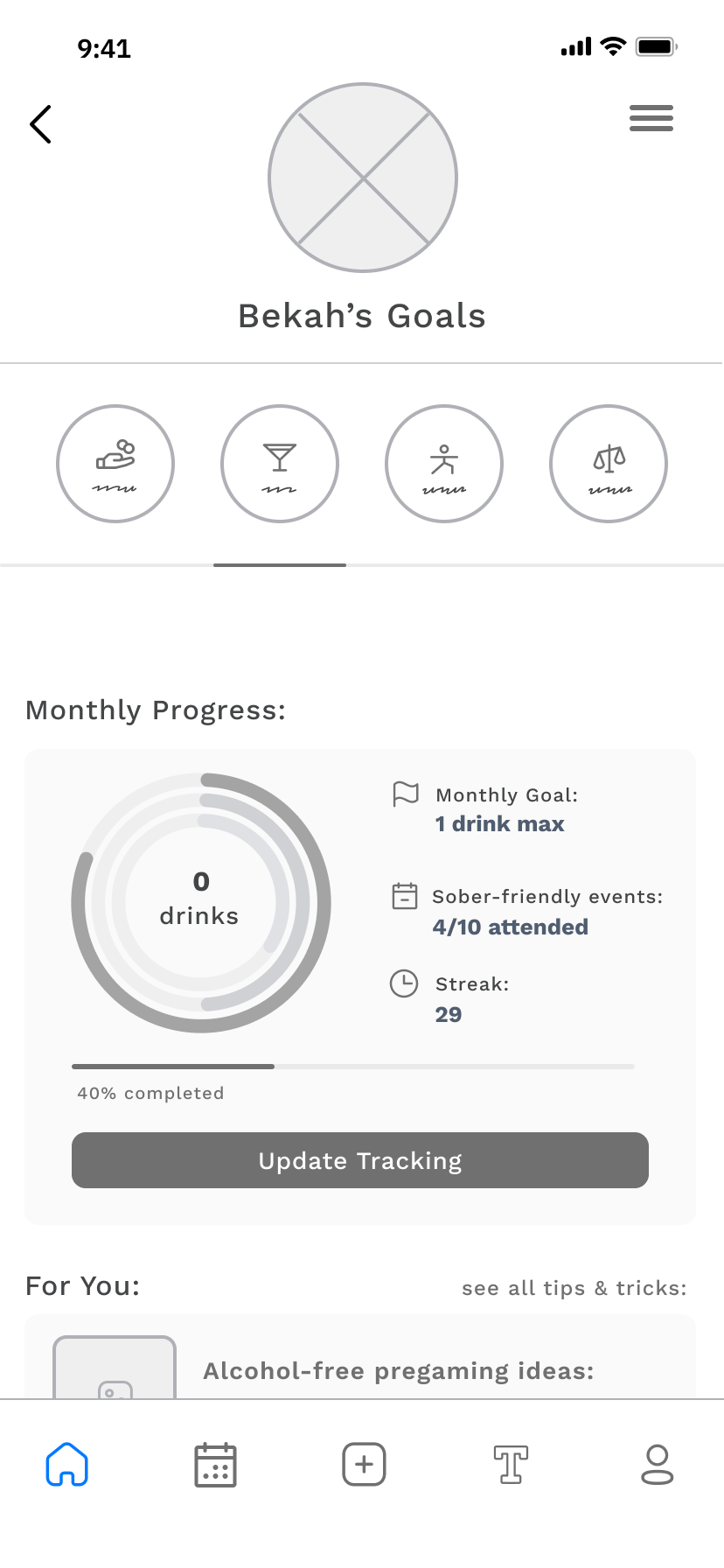
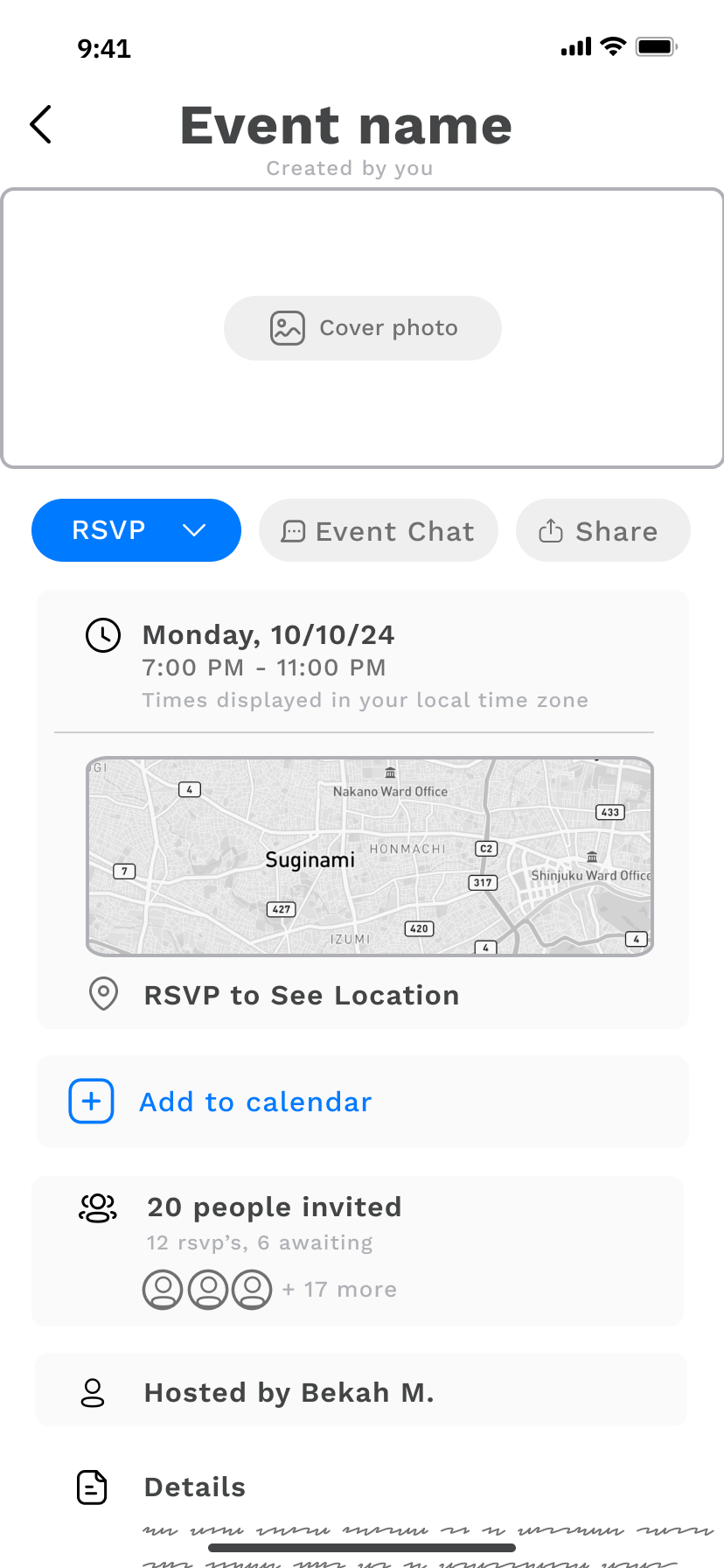
DESIGN CHANGES
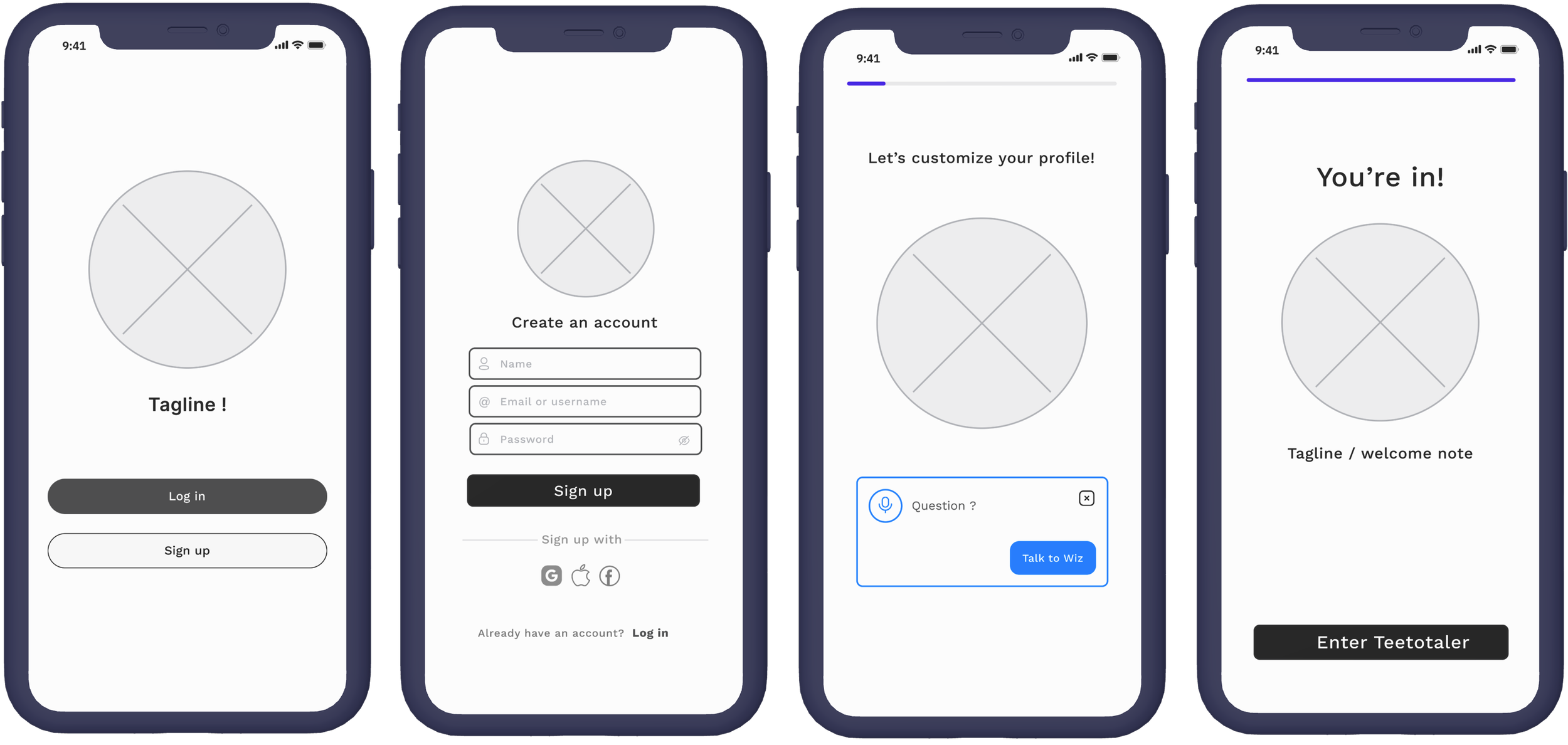
Wireframing allowed me to rapidly map out and iterate key flows like onboarding and goal tracking, breaking them down step by step to understand how users would navigate the app in real time.
Because wireframes allowed me to iterate rapidly, I was able to explore my idea of an AI-powered "Goal Wizard” inexpensively and easily. This allowed me realize that this feature could present friction and deter users from completing onboarding. Via further wireframing, I landed on built-in prompts and an API integration with Instagram to make onboarding quick and simple.
Design Solutions via Prototypes
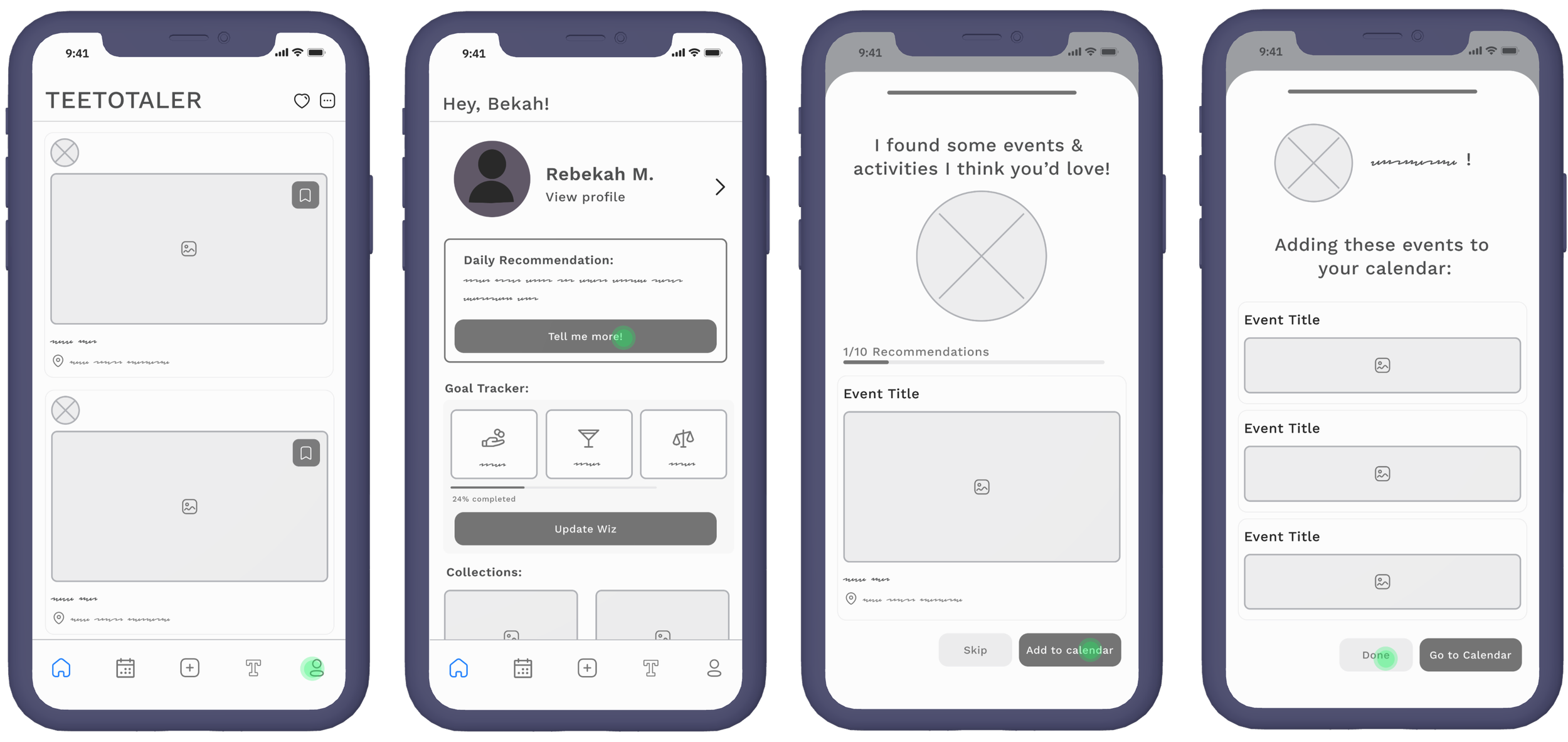
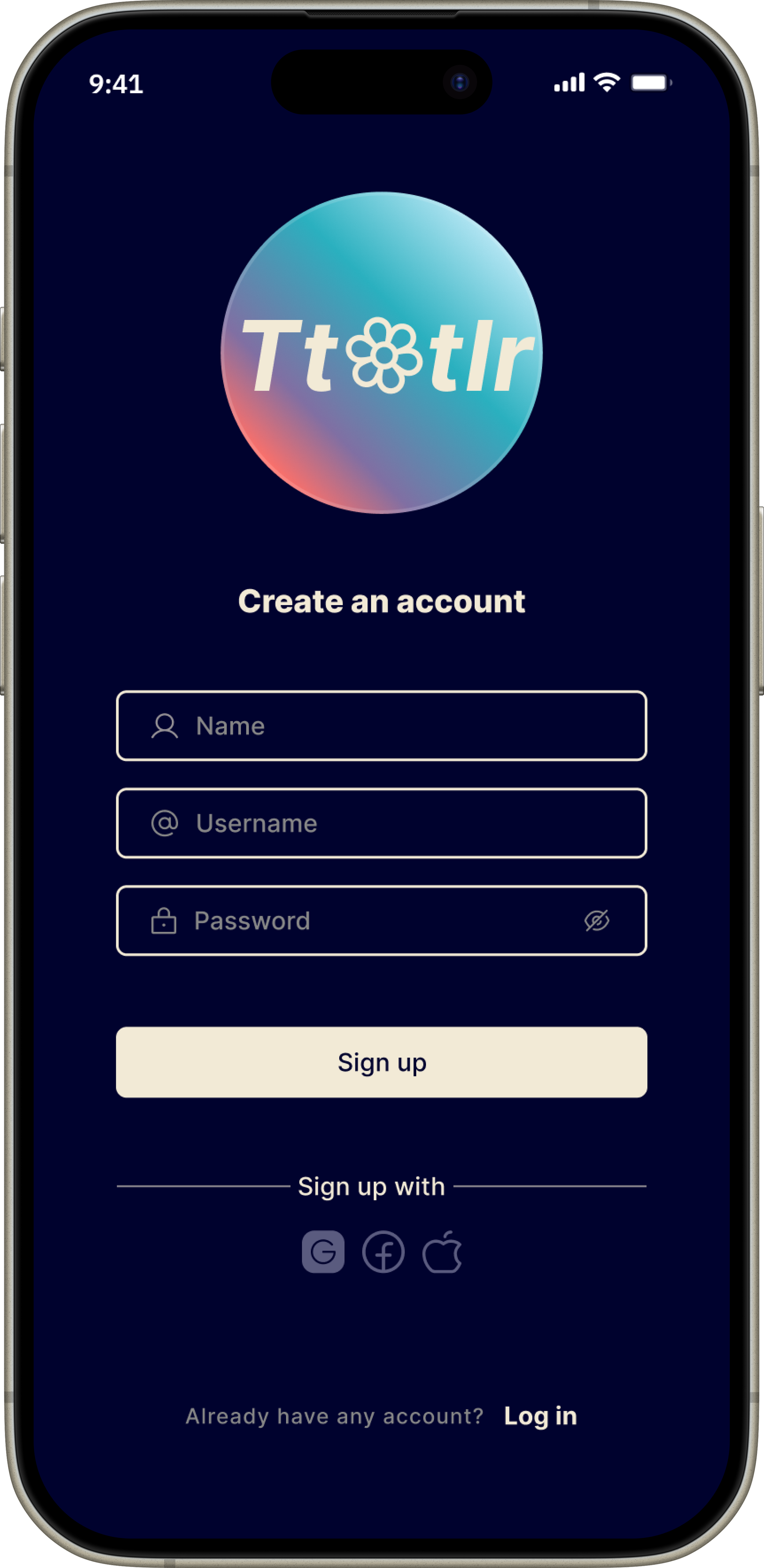
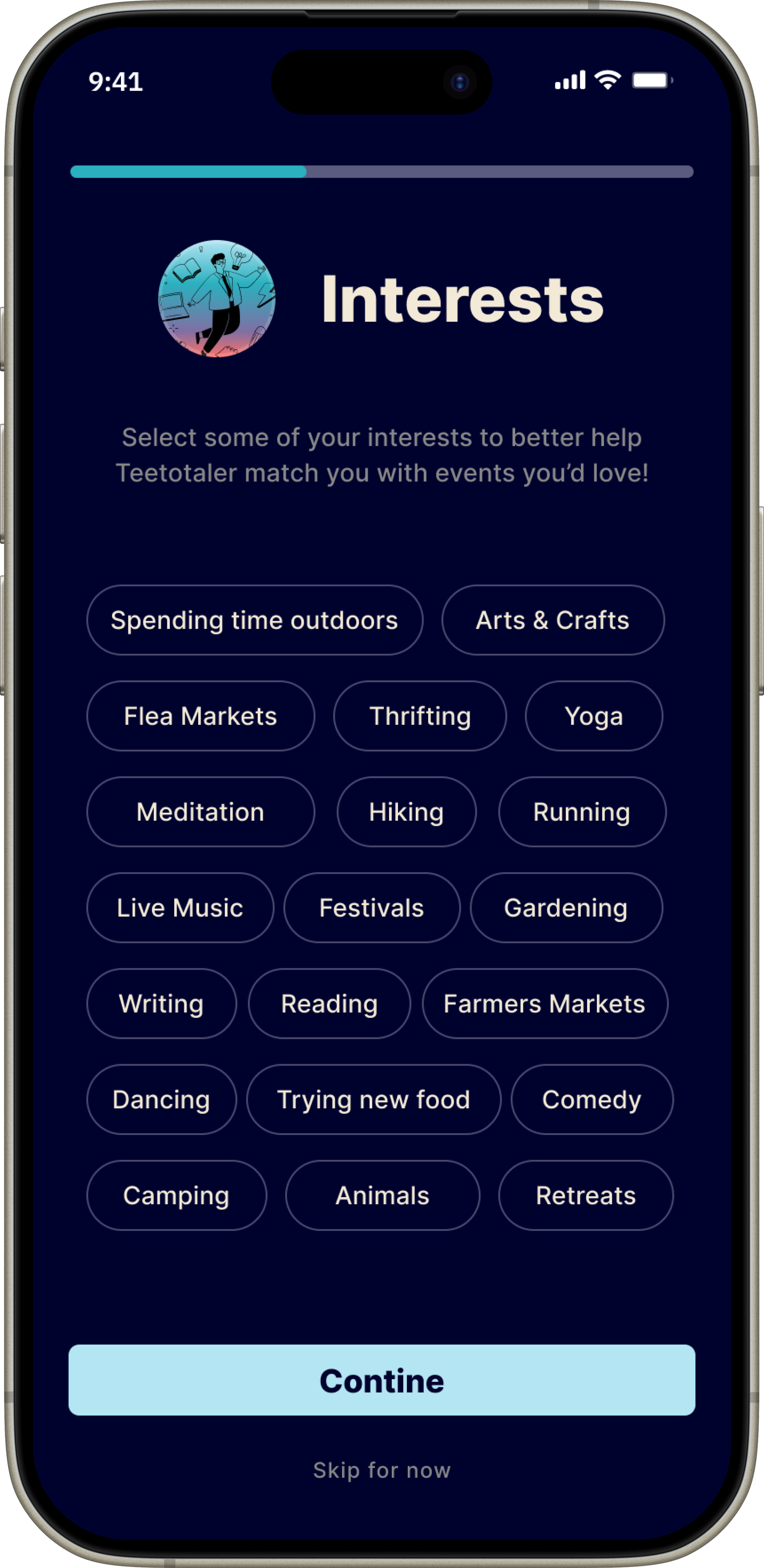
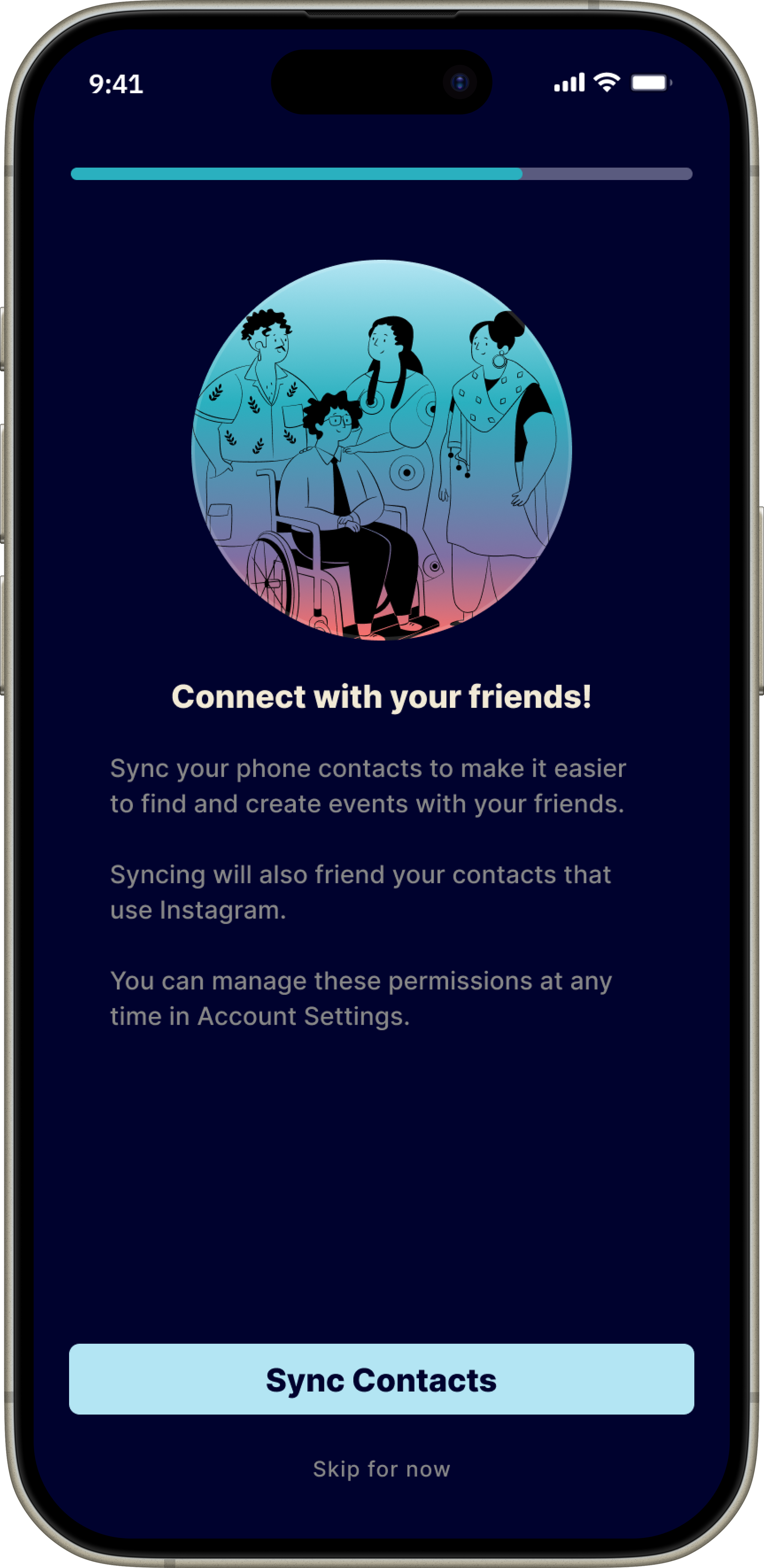
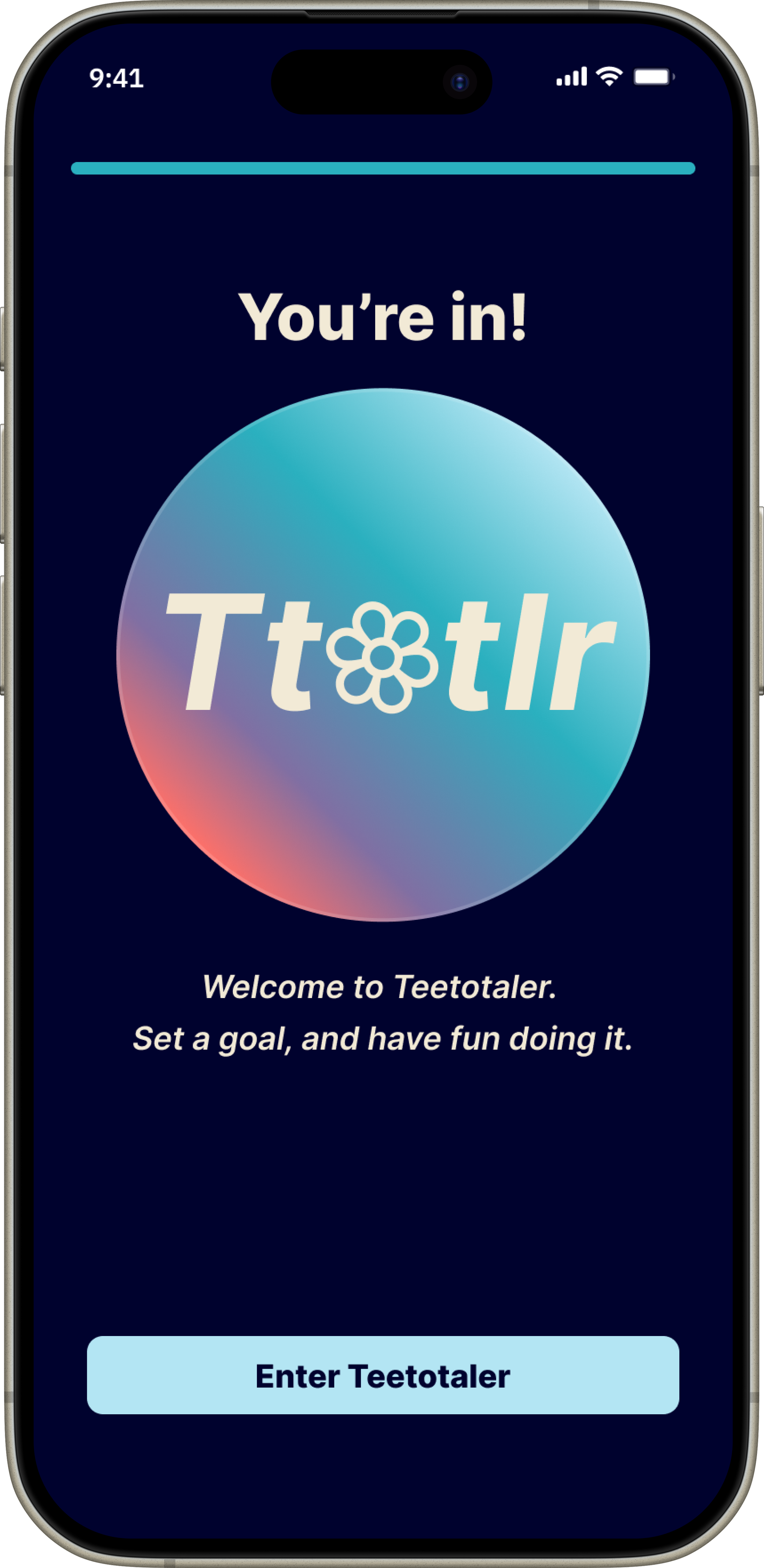
In these early prototypes, I replaced the original AI-powered “Goal Wizard” with a simpler, more intuitive onboarding flow using built-in prompts. Users can now select from pre-set goals, interests, and preferences without feeling overwhelmed at sign-up.
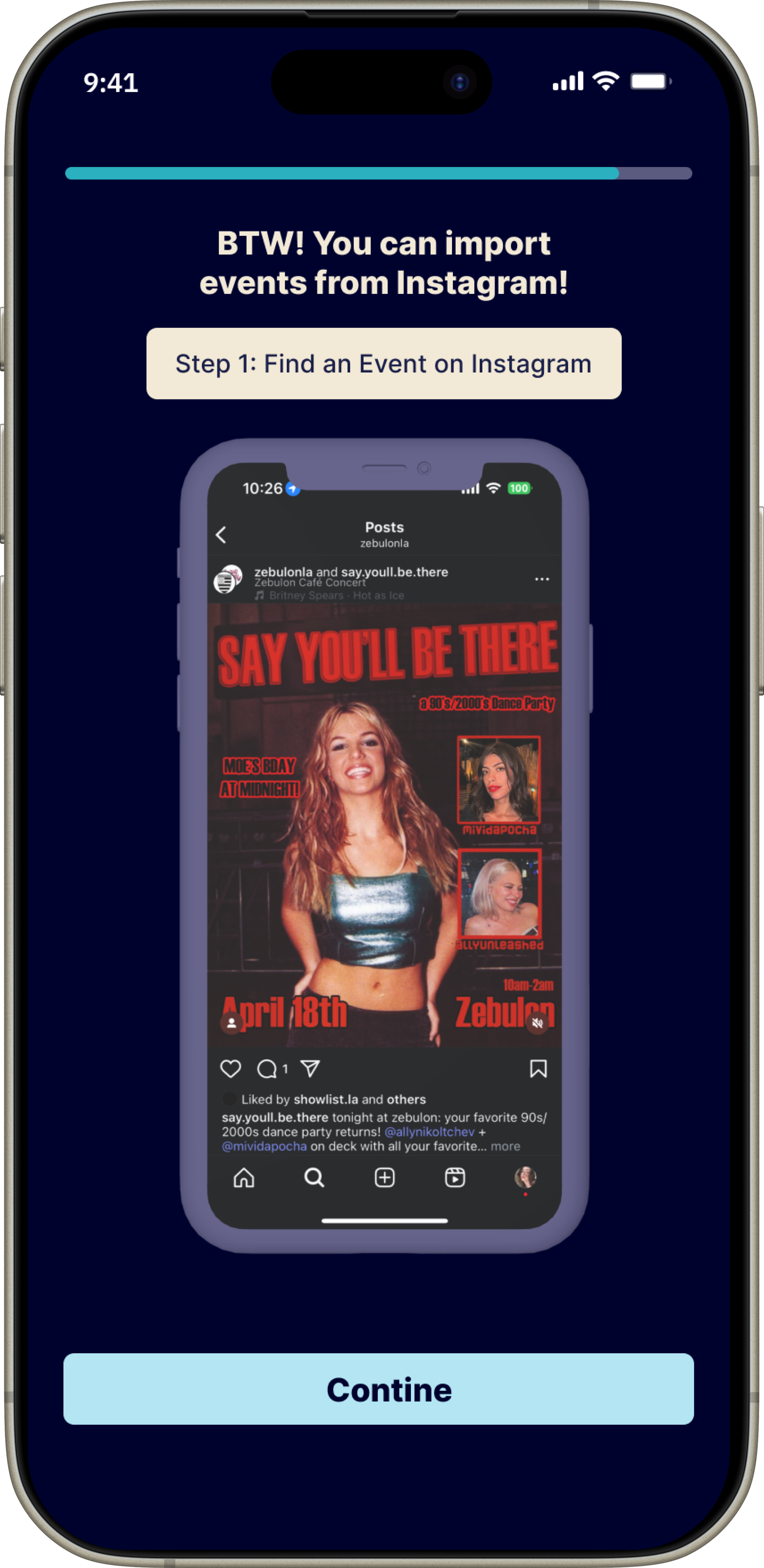
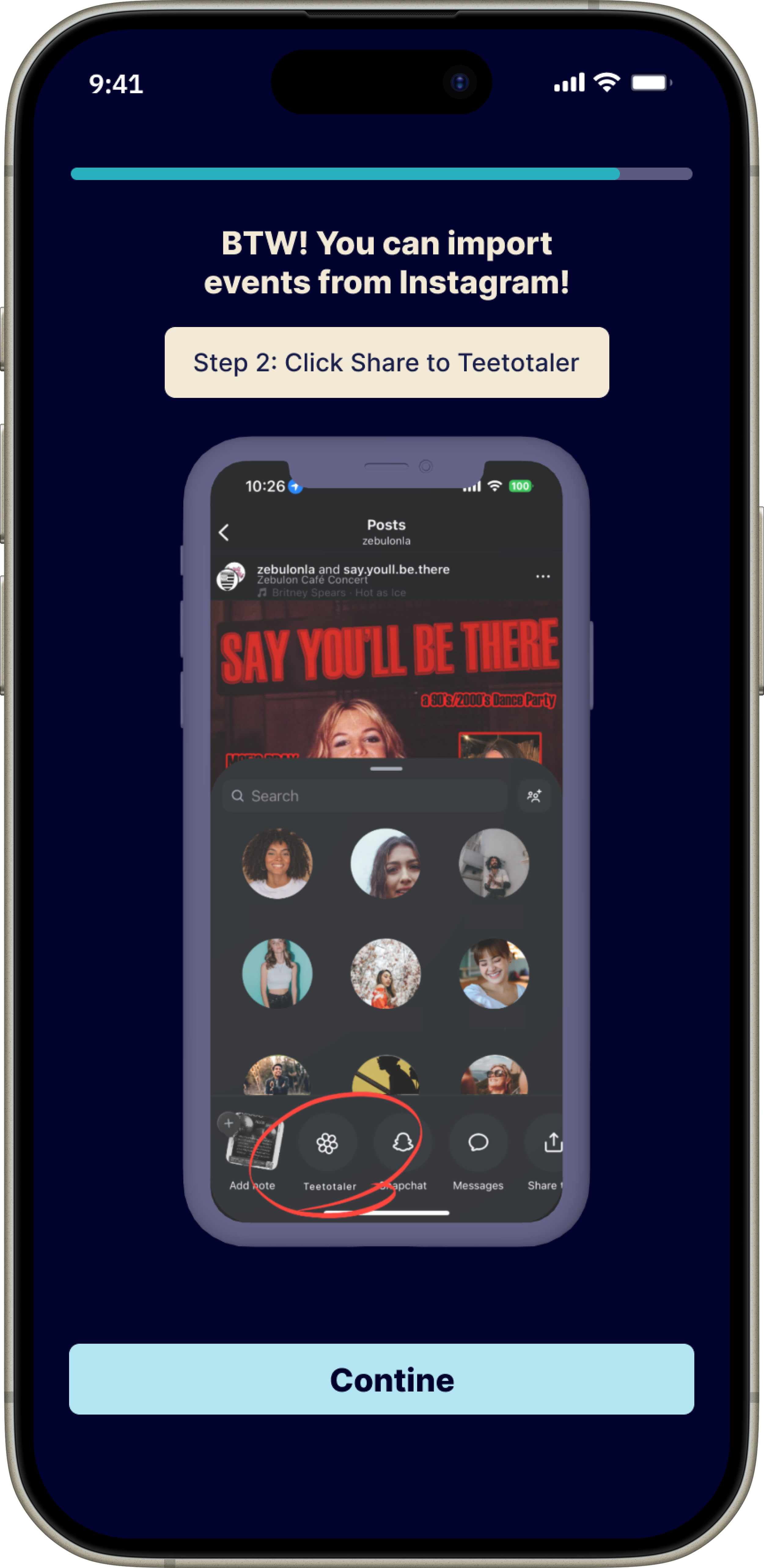
To minimize friction at acquisition for the API integration, I replaced having to link one's Instagram account at sign-up with being able to import events directly from Instagram into Teetotaler.
When a user taps "Share" under a post, Teetotaler (if installed) will appear as a sharing option. From there, the app will generate an event page and automatically add it to the user’s in-app calendar.
-
![]()
01 of 08
-
![]()
02 of 08
-
![]()
03 of 08
-
![]()
04 of 08
-
![]()
05 of 08
-
![]()
06 of 08
-
![]()
07 of 08
-
![]()
08 of 08
Accessibility:
Color Hierarchy
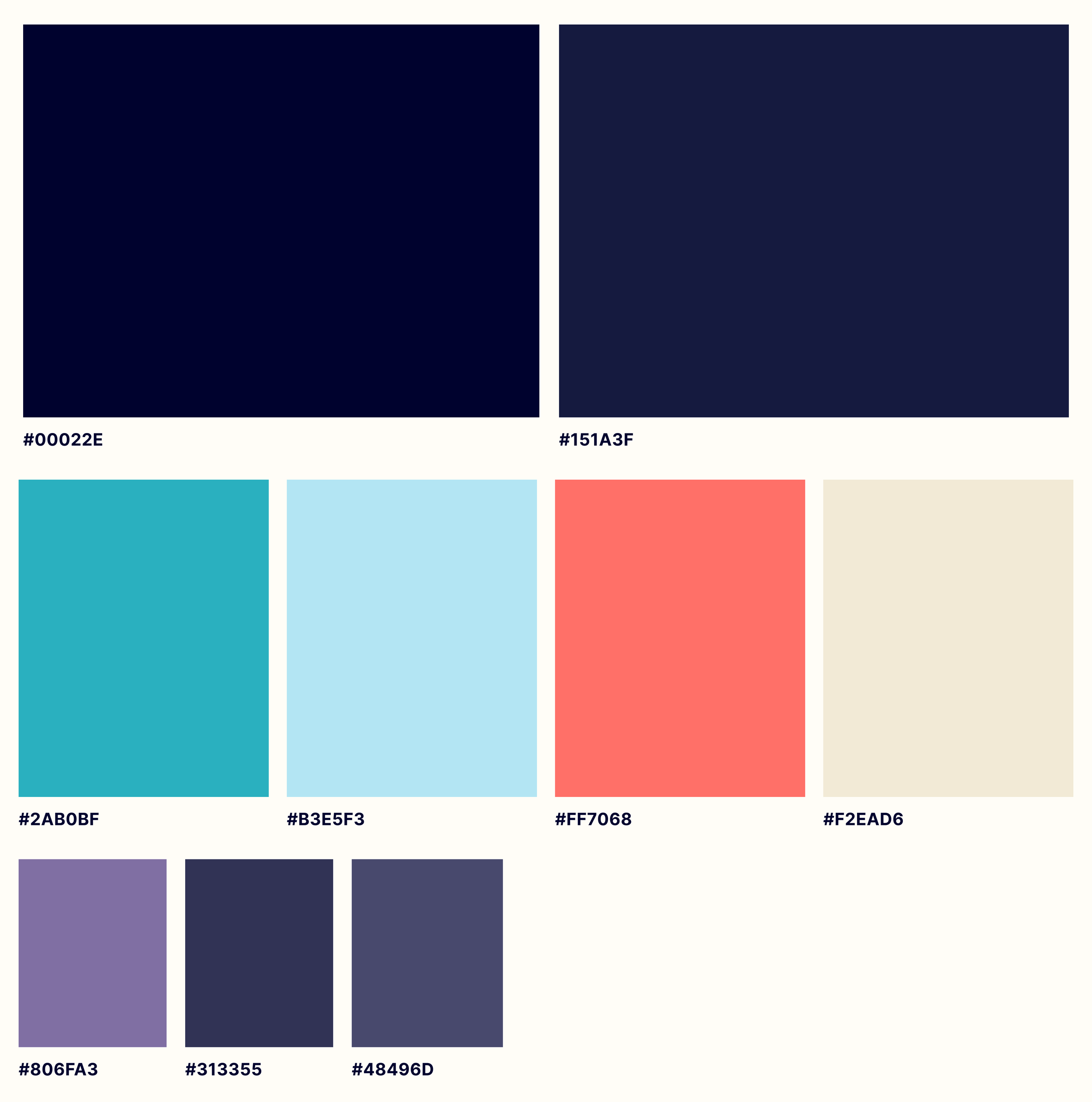
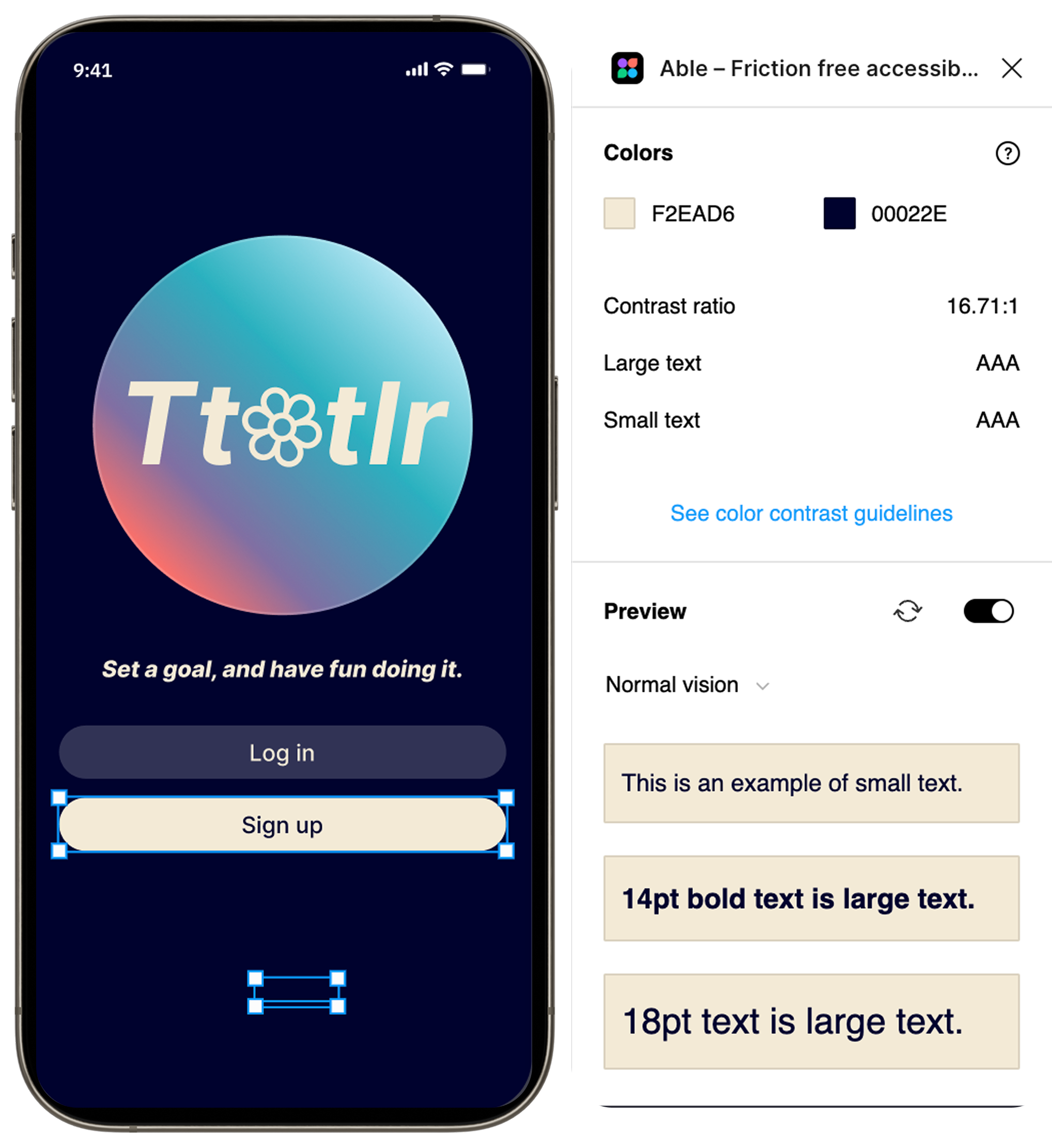
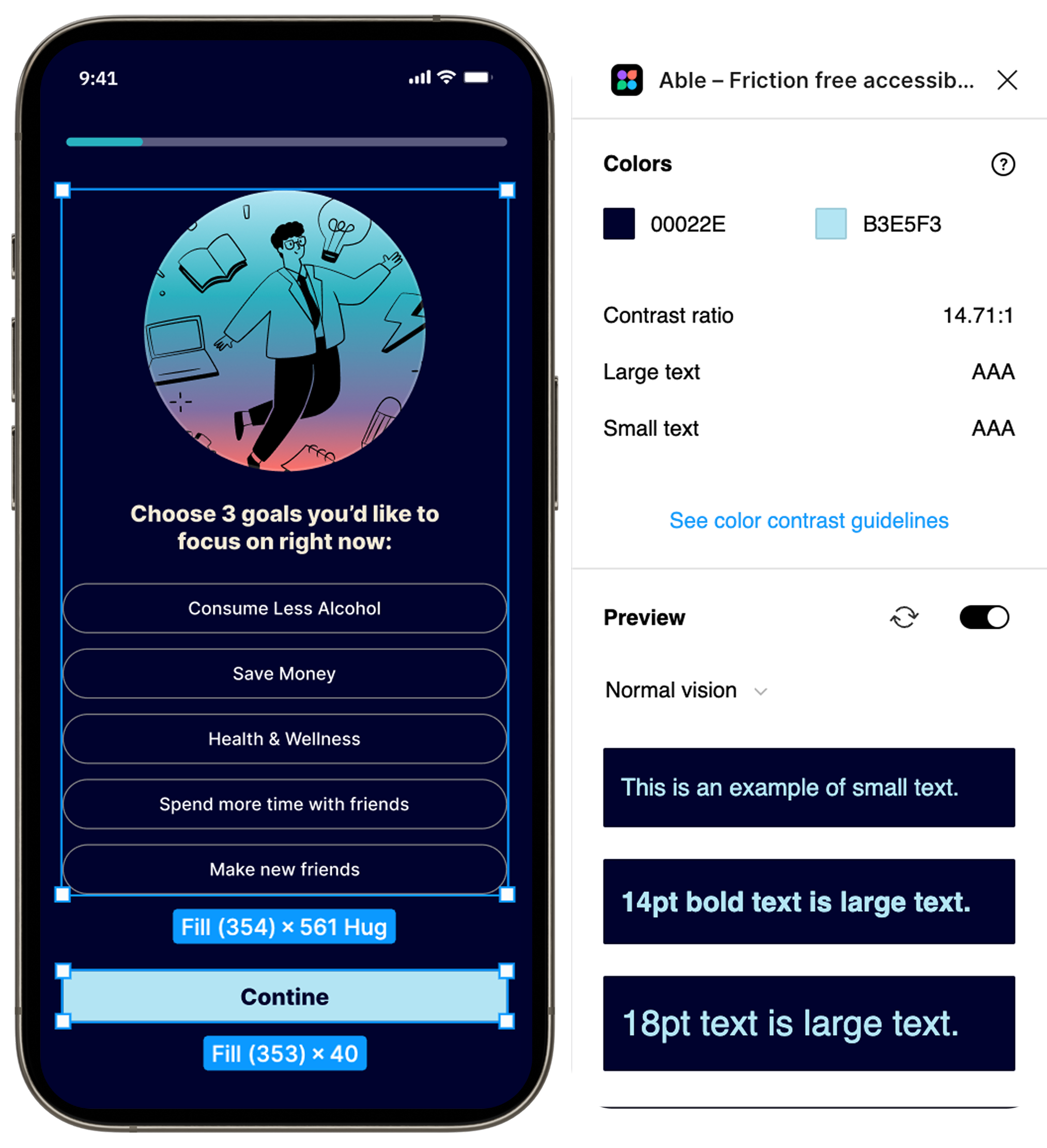
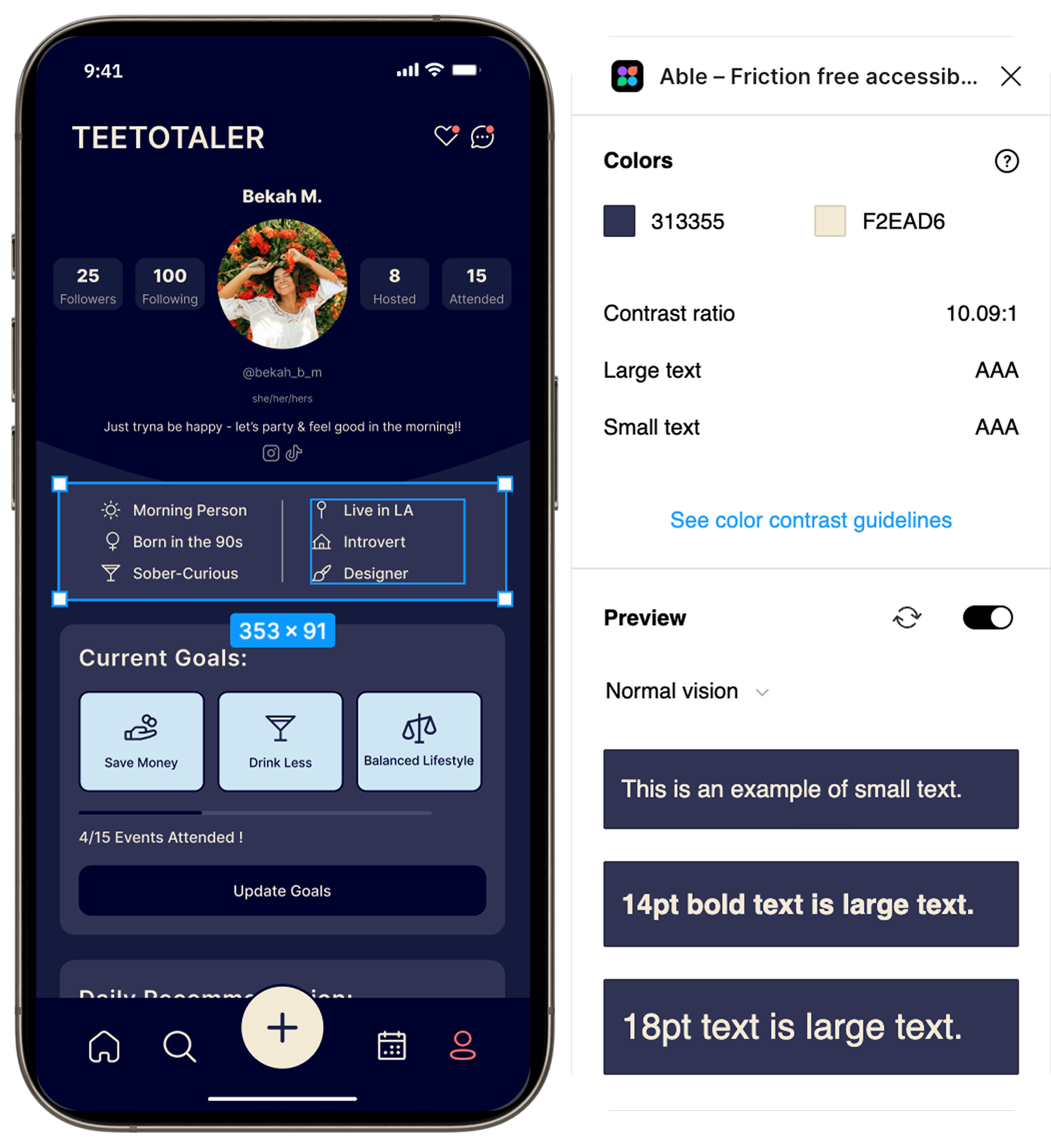
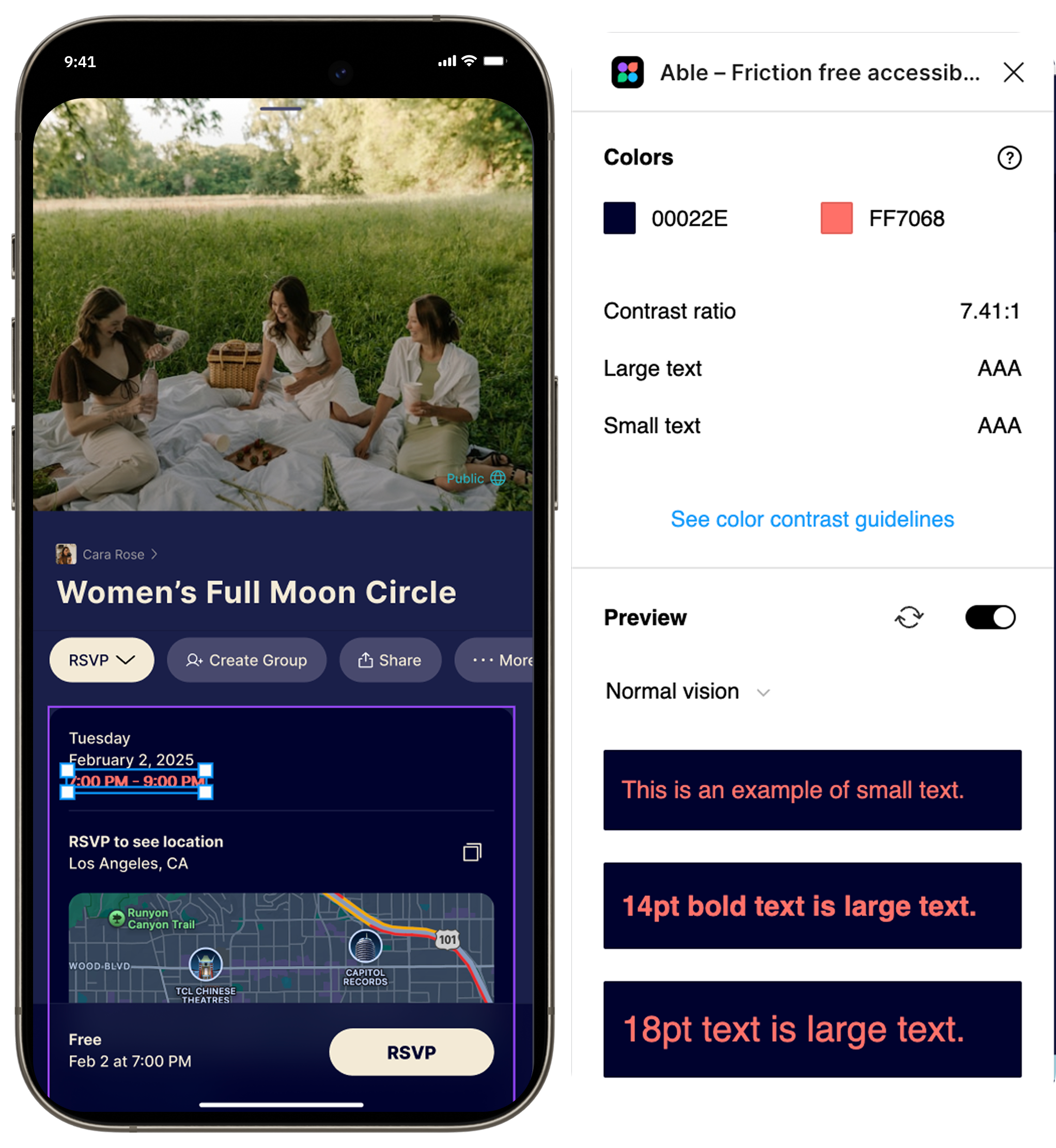
While this was the palette and hierarchy I landed on early in my designs, once my first prototype was complete, I had to ensure that the colors I chose were visible and accessible to those with visual impairments.
Contrast Check
I did a series of contrast assessments via Figma, testing my primary color pairings until I got a unanimous AAA across the board. I didn't want to use any inaccessible design choices that would exclude users with visual impairments. These tests helped to confirm that my current color hierarchy could be accessed by all users.
USABILITY TESTING
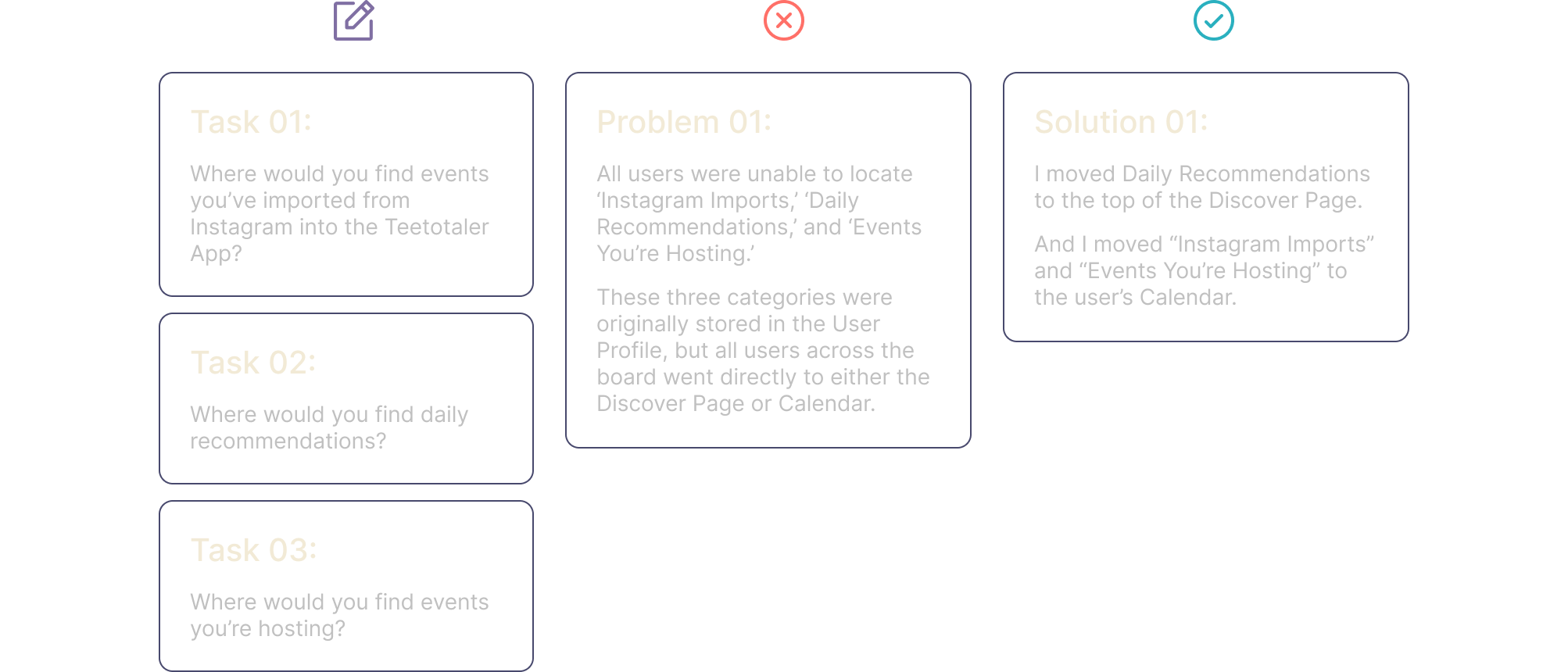
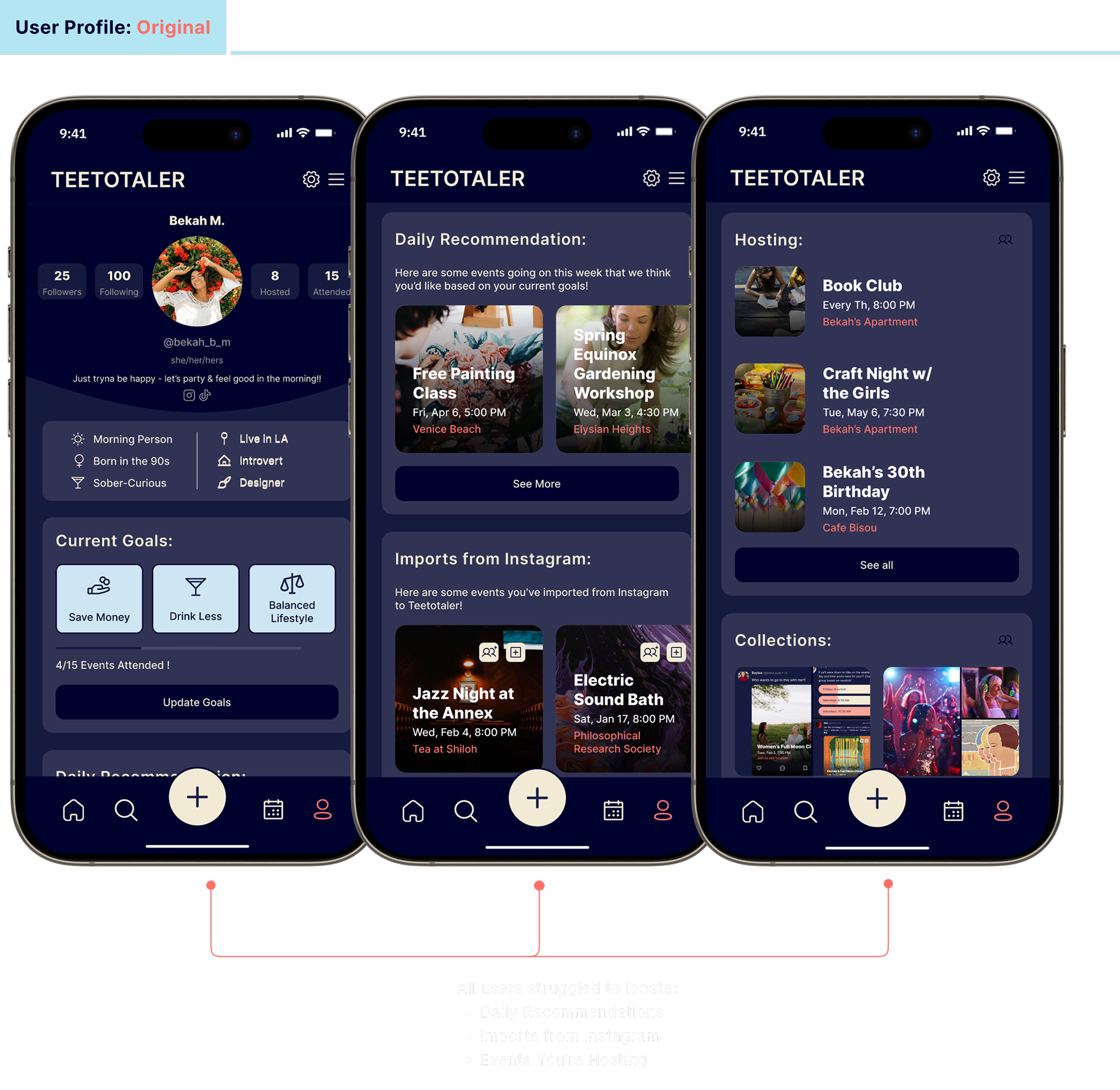
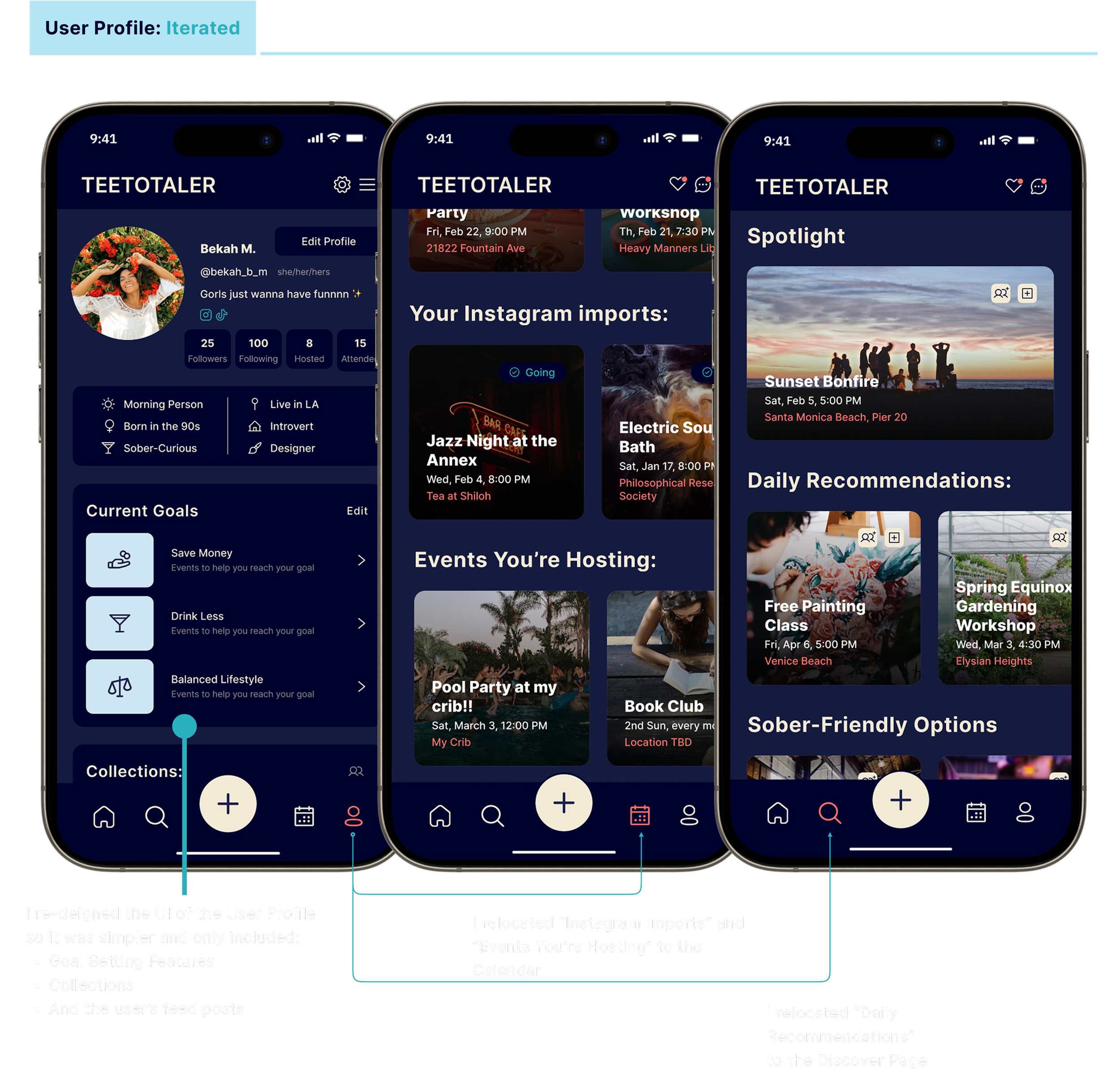
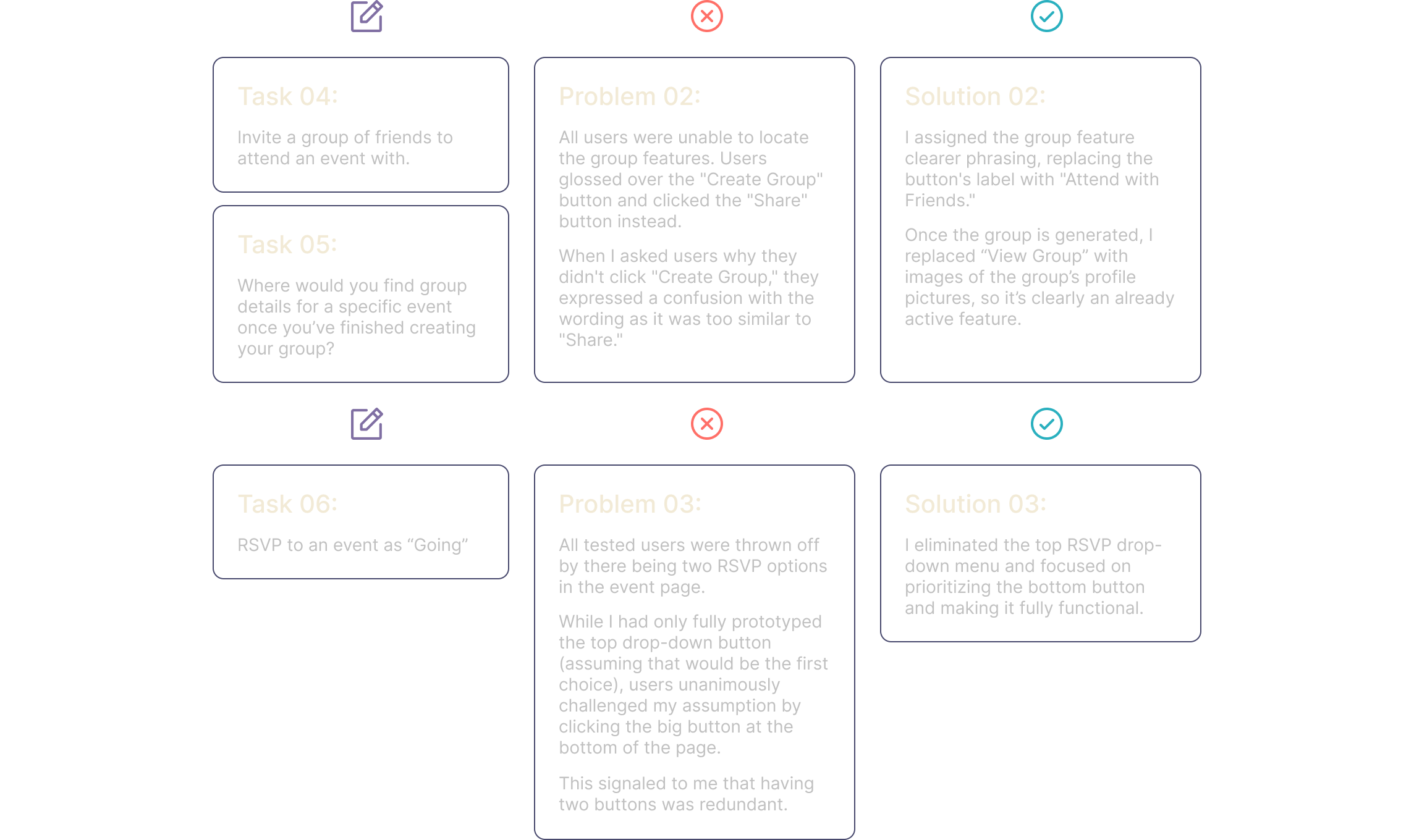
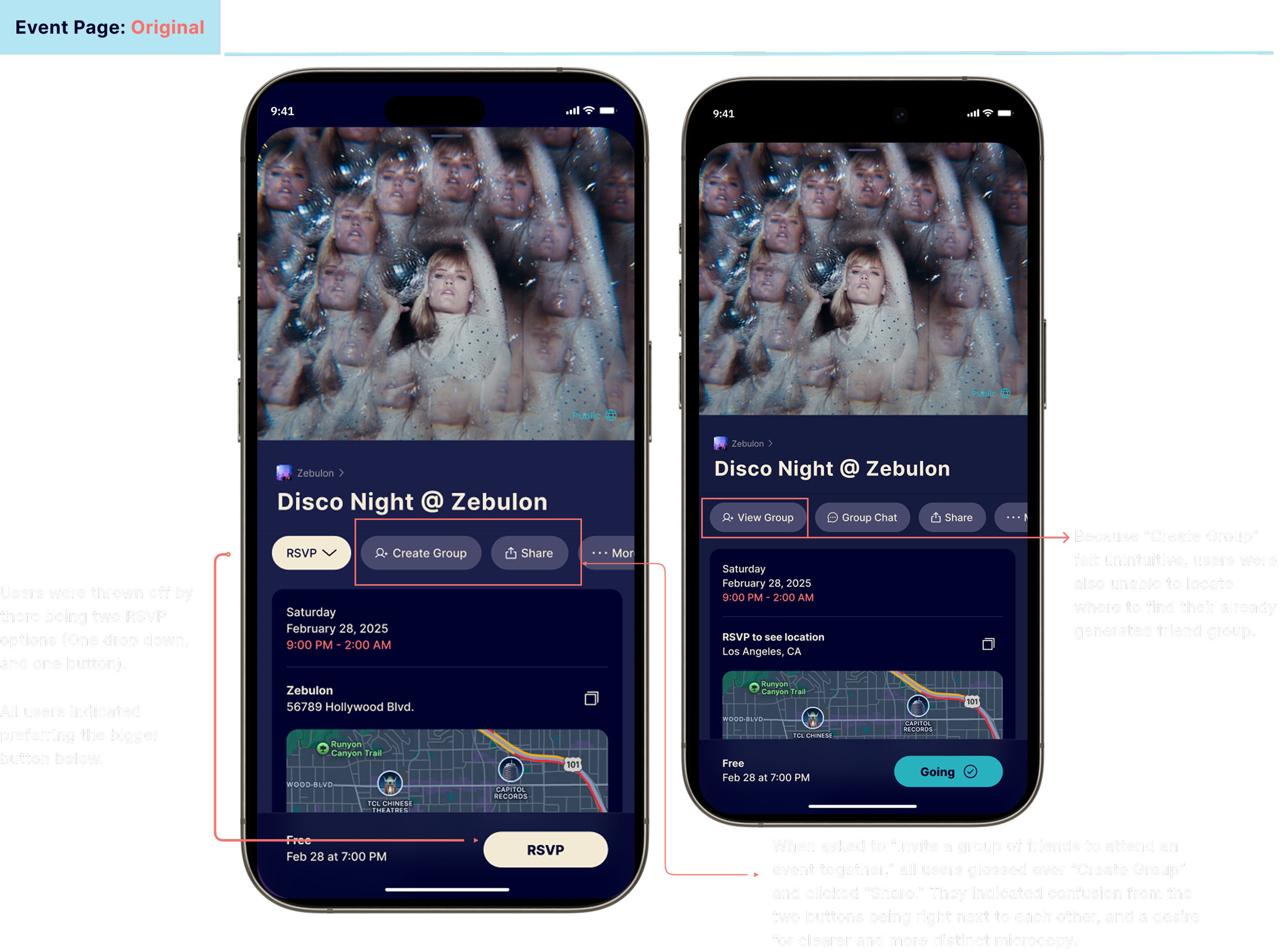
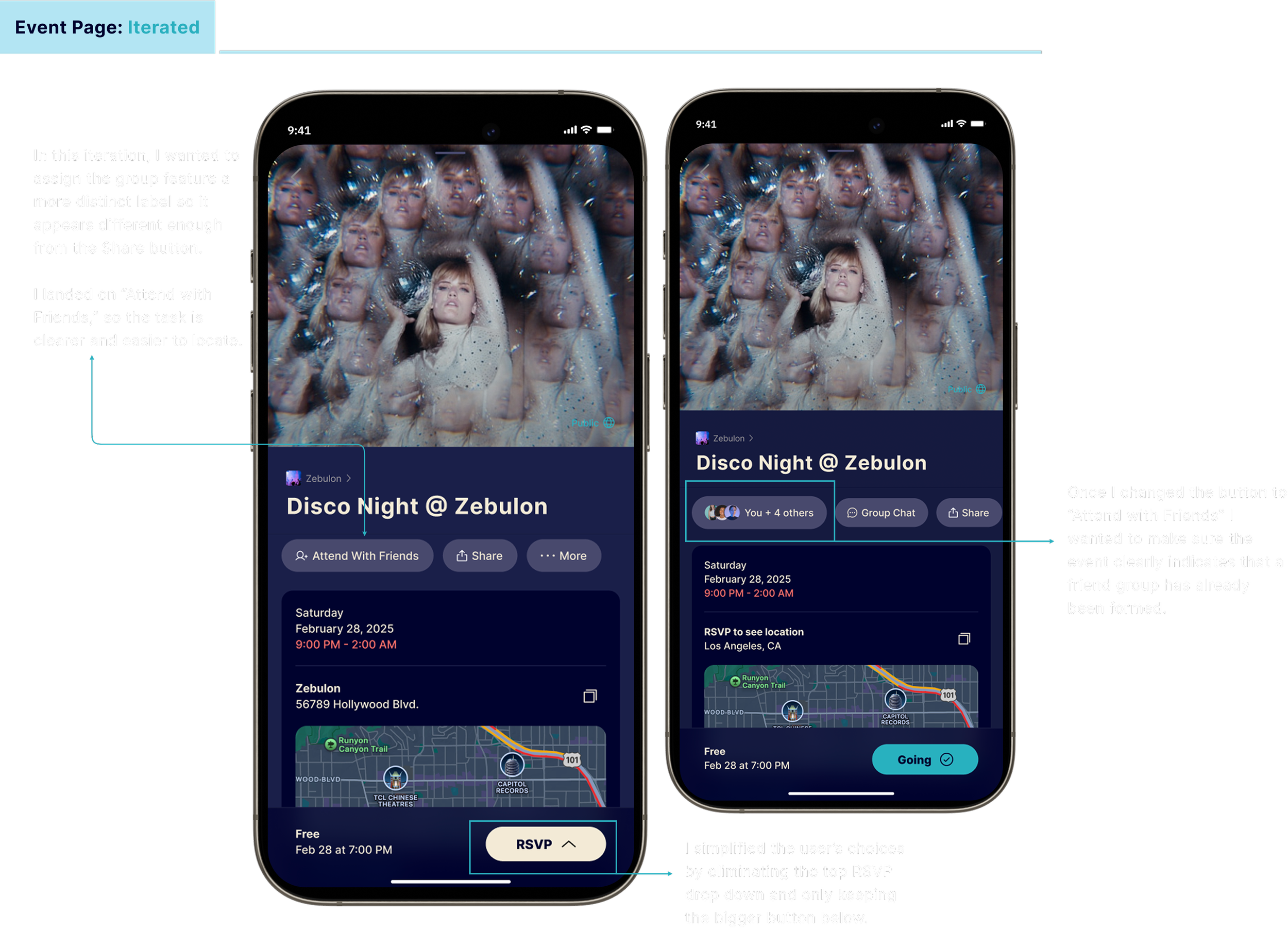
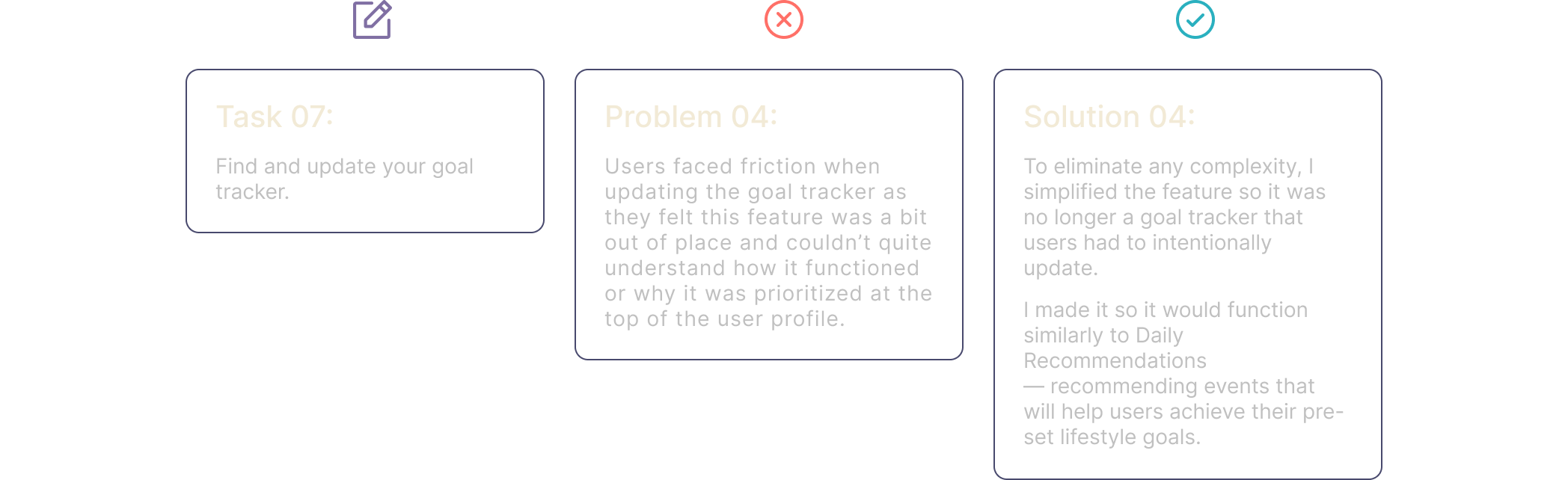
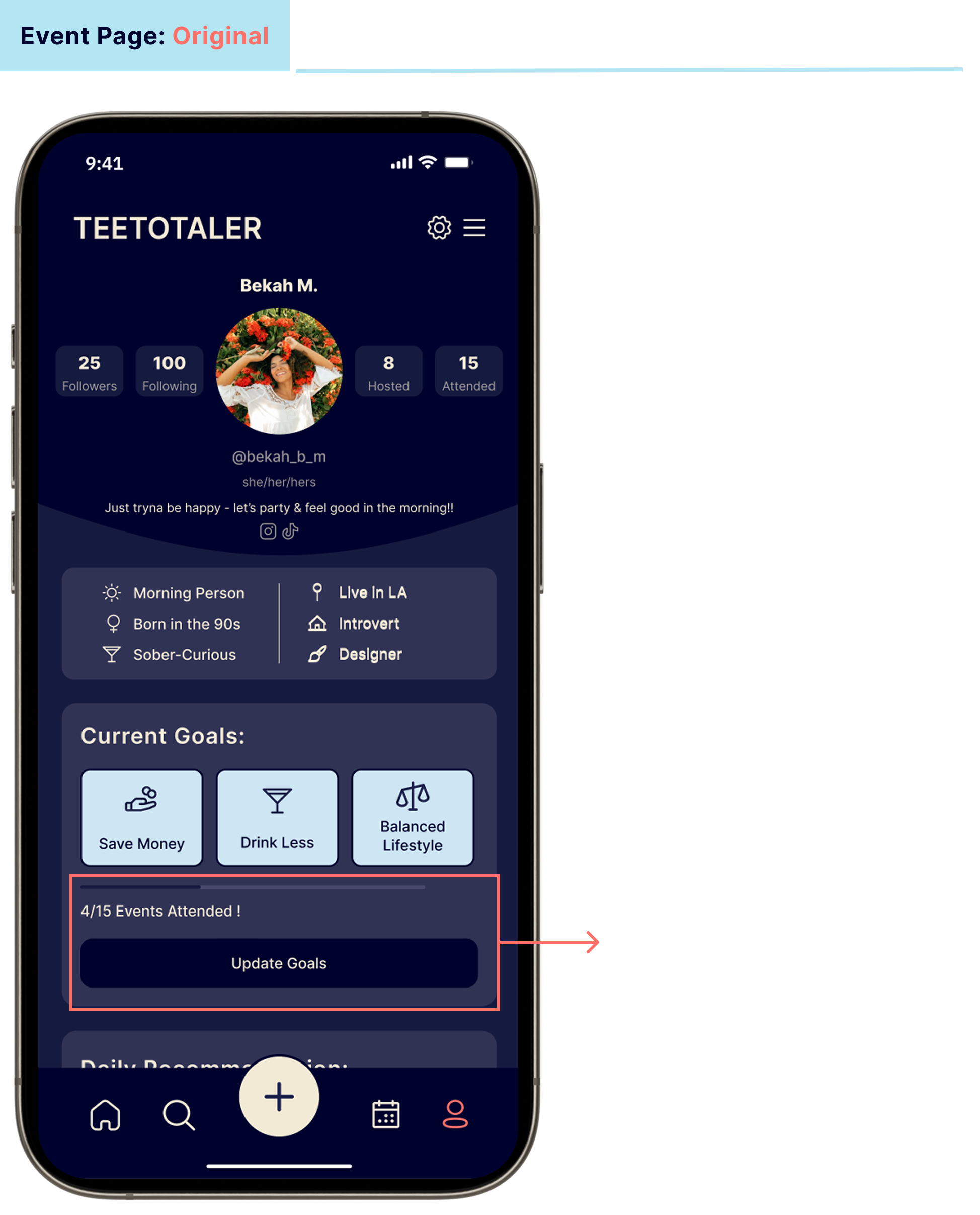
Using my fully-functional, high-fidelity prototype in Figma, I recruited 4 subjects from my surveys and interviews and did in-person, moderated, Think-Out-Loud usability tests.
Each test took 15 minutes, and I asked the users to complete between 10-15 tasks, depending on how they moved through the app, the probing questions I asked based on their choices, and the conversations that followed.
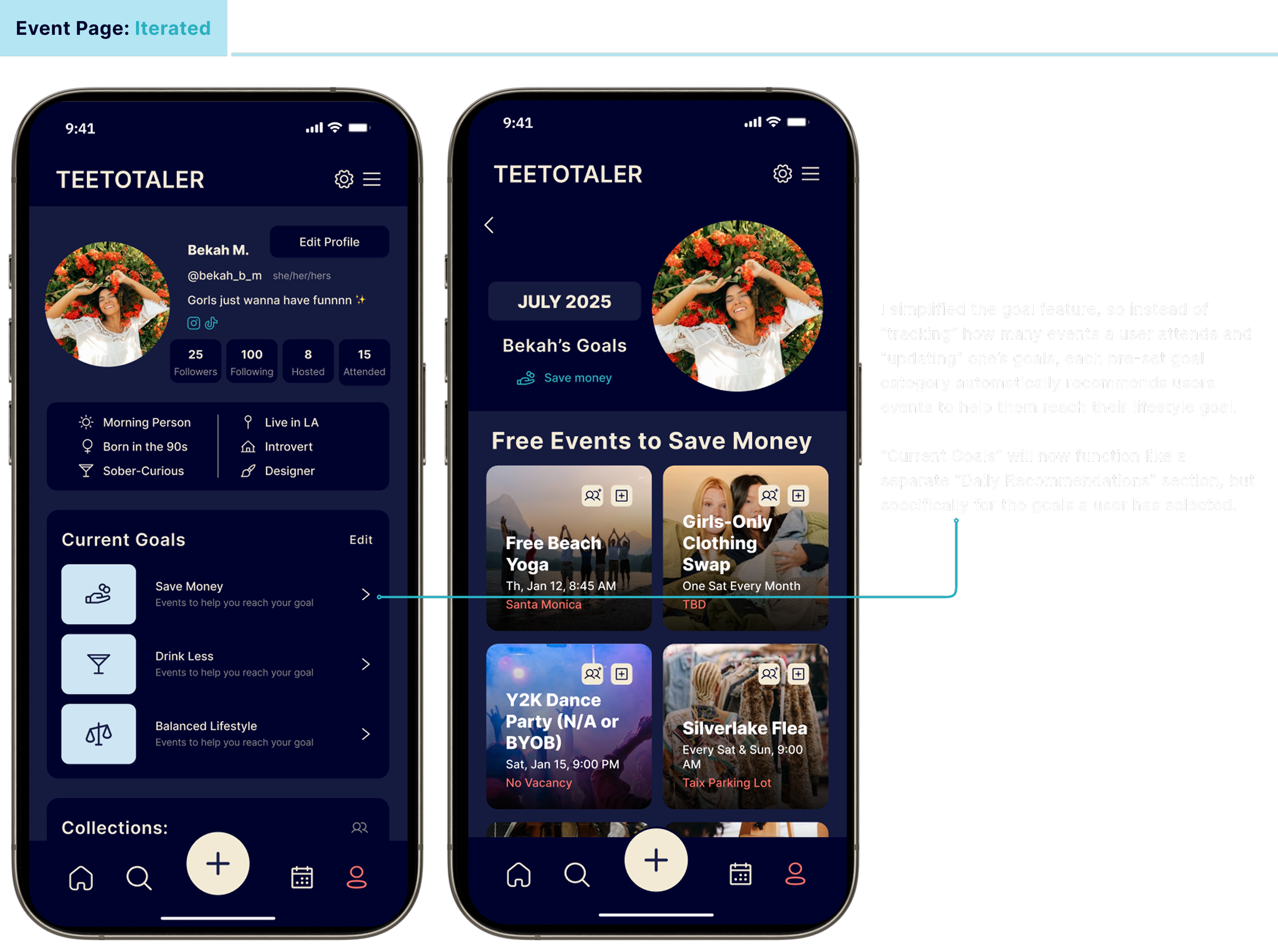
Final Mockups
-
![]()
01 of 08
-
![]()
02 of 08
-
![]()
03 of 08
-
![]()
04 of 08
-
![]()
05 of 08
-
![]()
06 of 08
-
![]()
07 of 08
-
![]()
08 of 08
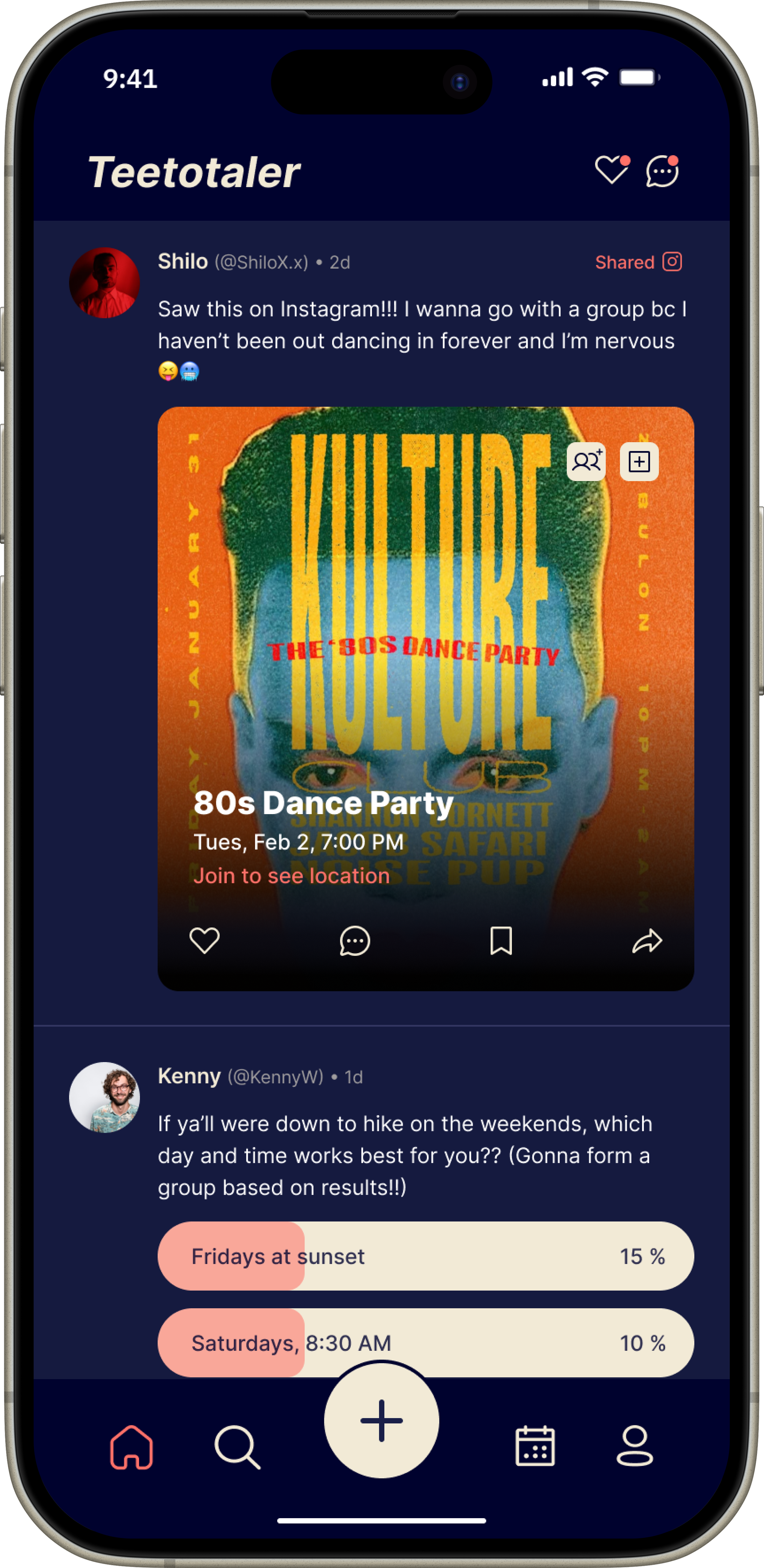
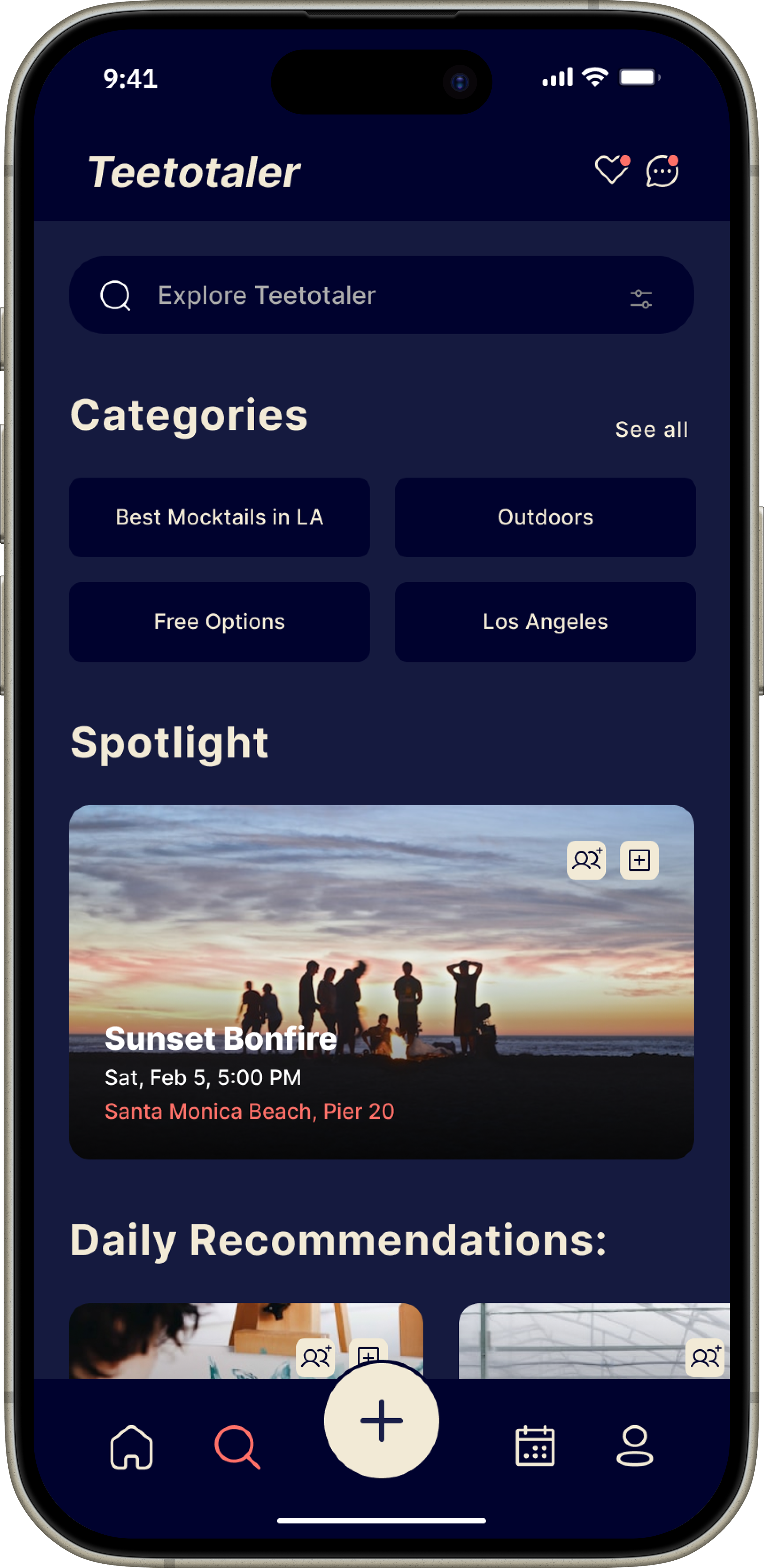
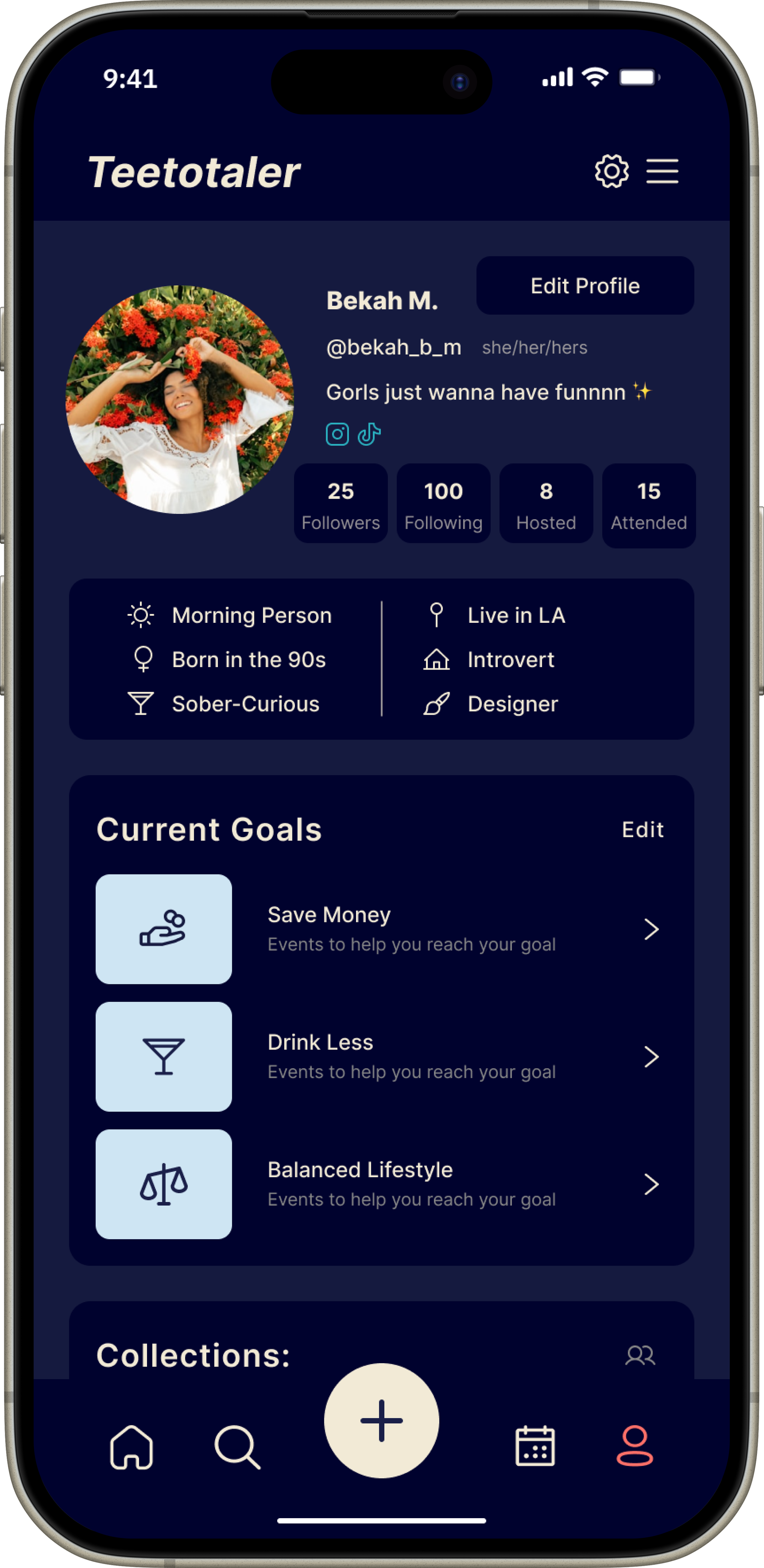
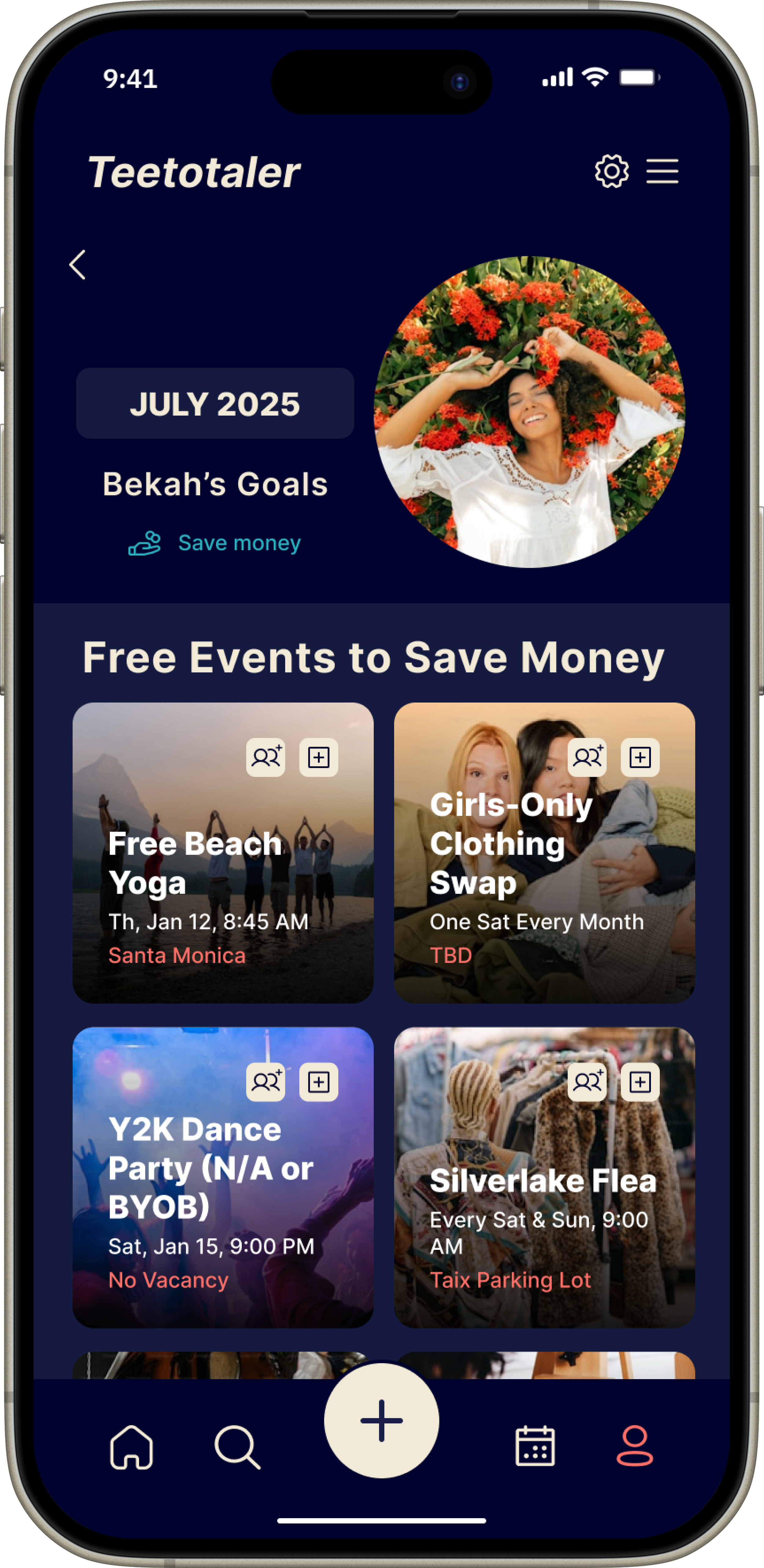
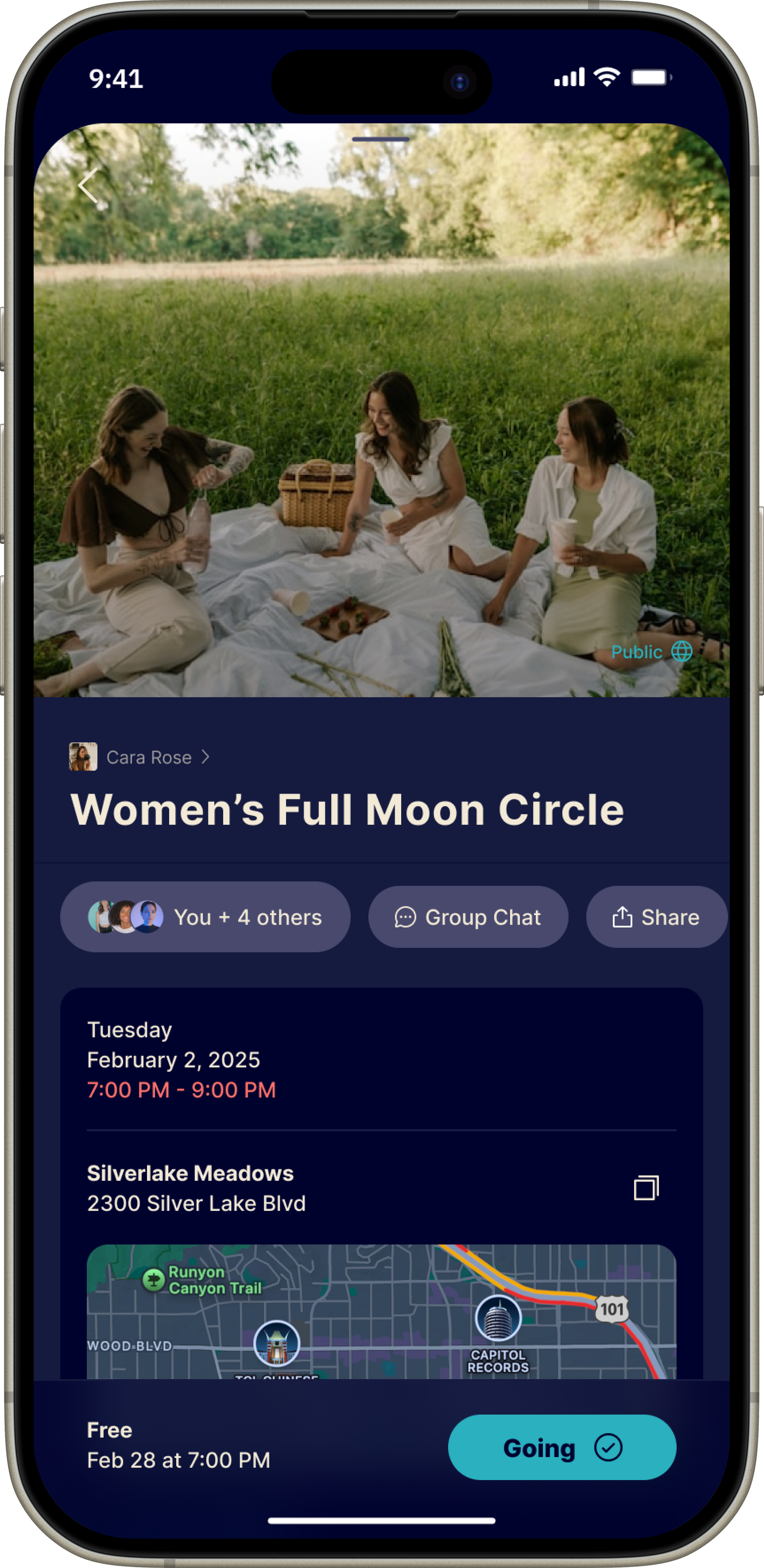
Next steps
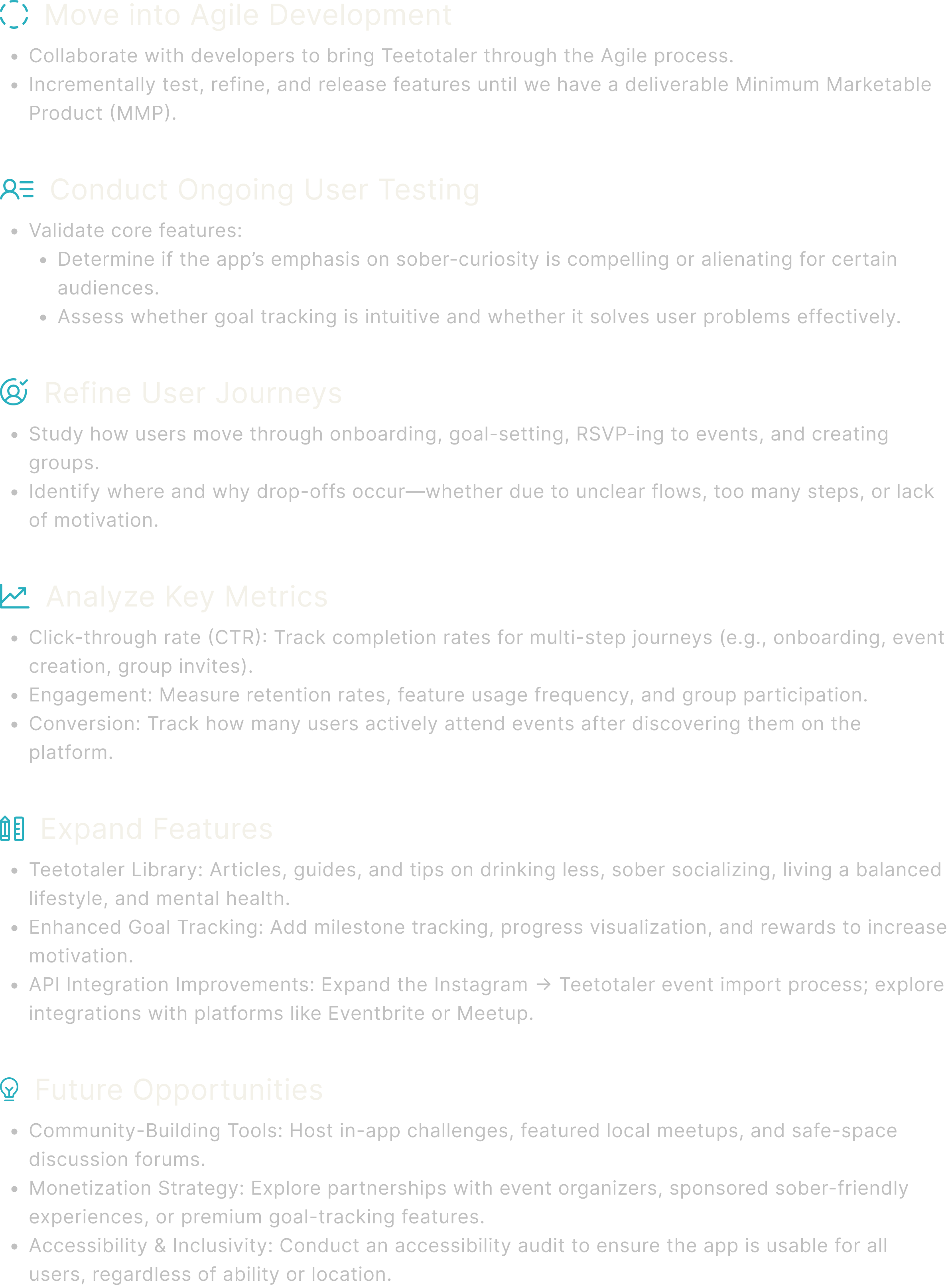
While I’ve created a bare-bones conceptual MVP through an in-depth, user-centered design process, there is significant opportunity to iterate, refine, and build Teetotaler into a fully functional product. From here, I would:
Learnings
Overall, I’m proud of the results of this challenging yet rewarding design journey and the growth it sparked in my skills as a UX designer.
This project taught me the importance of not getting discouraged when research invalidates initial assumptions. Instead, I learned to follow the evidence wherever it leads—even if it’s not what I expected.
For example, my first survey revealed that sober individuals in recovery didn’t need a sober events app, which prompted me to reframe my audience toward sober-curious users seeking to drink less through goal-aligned, social experiences.
From there, I adopted an incremental, user-centered approach, working ideas through exercises like card sorting, affinity mapping, site mapping, and task flows to uncover needs and solutions I hadn’t initially considered. These activities helped clarify my content inventory, hierarchy, and interface design before committing to complex builds.
Wireframing played a key role in translating these insights into workable solutions— I learned to get all my big-picture ideas out of my system during this stage before committing to them in Prototyping. By sketching and iterating, I could explore both big-picture concepts and the small, in-between user journeys that shape the overall experience.
This entire process—from research, ideation, and wireframing to prototyping—reinforced a core principle: designing intuitive, user-centered products matters far more than focusing solely on visual appeal.