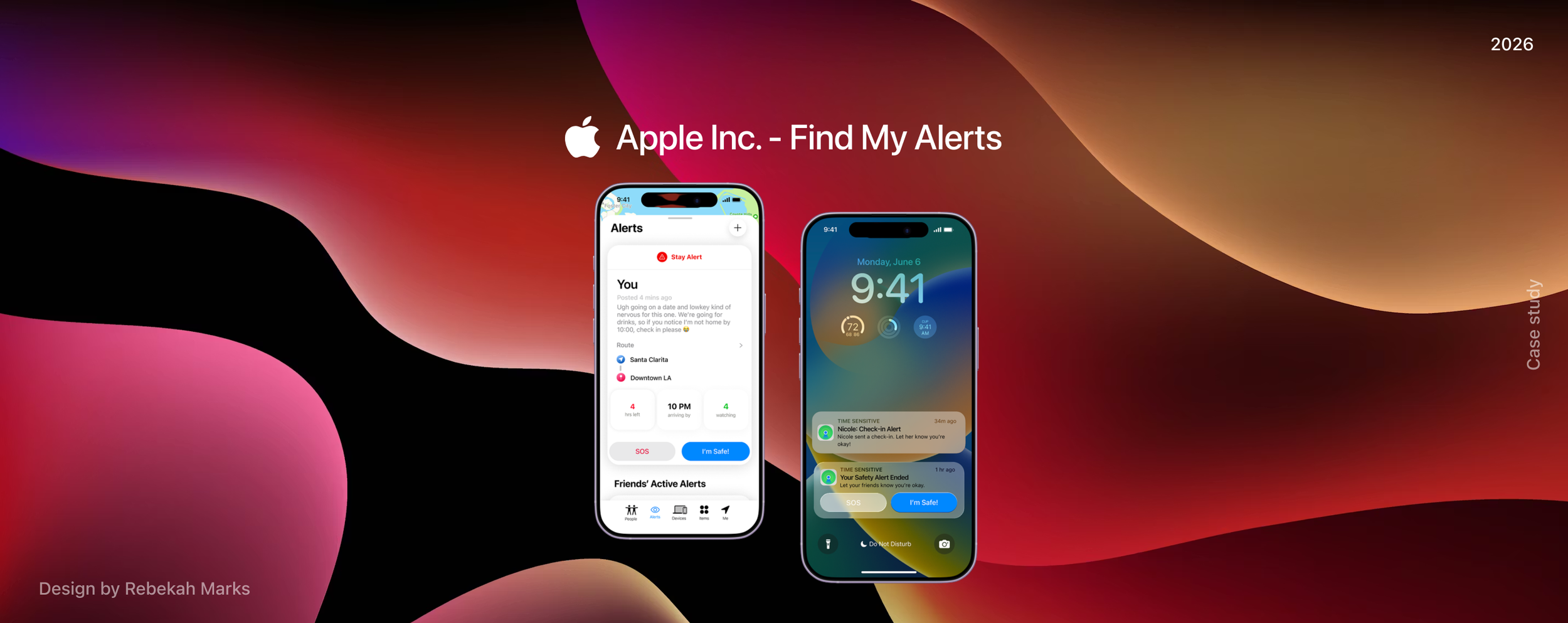
Adding alerts to
Apple’s Find My
My best friend and I use FindMy Friends almost religiously. We know each other’s schedules, check in on each other’s movements, and quietly keep tabs to make sure the other is safe. What might look like over-communication is actually rooted in something many women deeply understand: it can feel unsafe to move through the world alone.
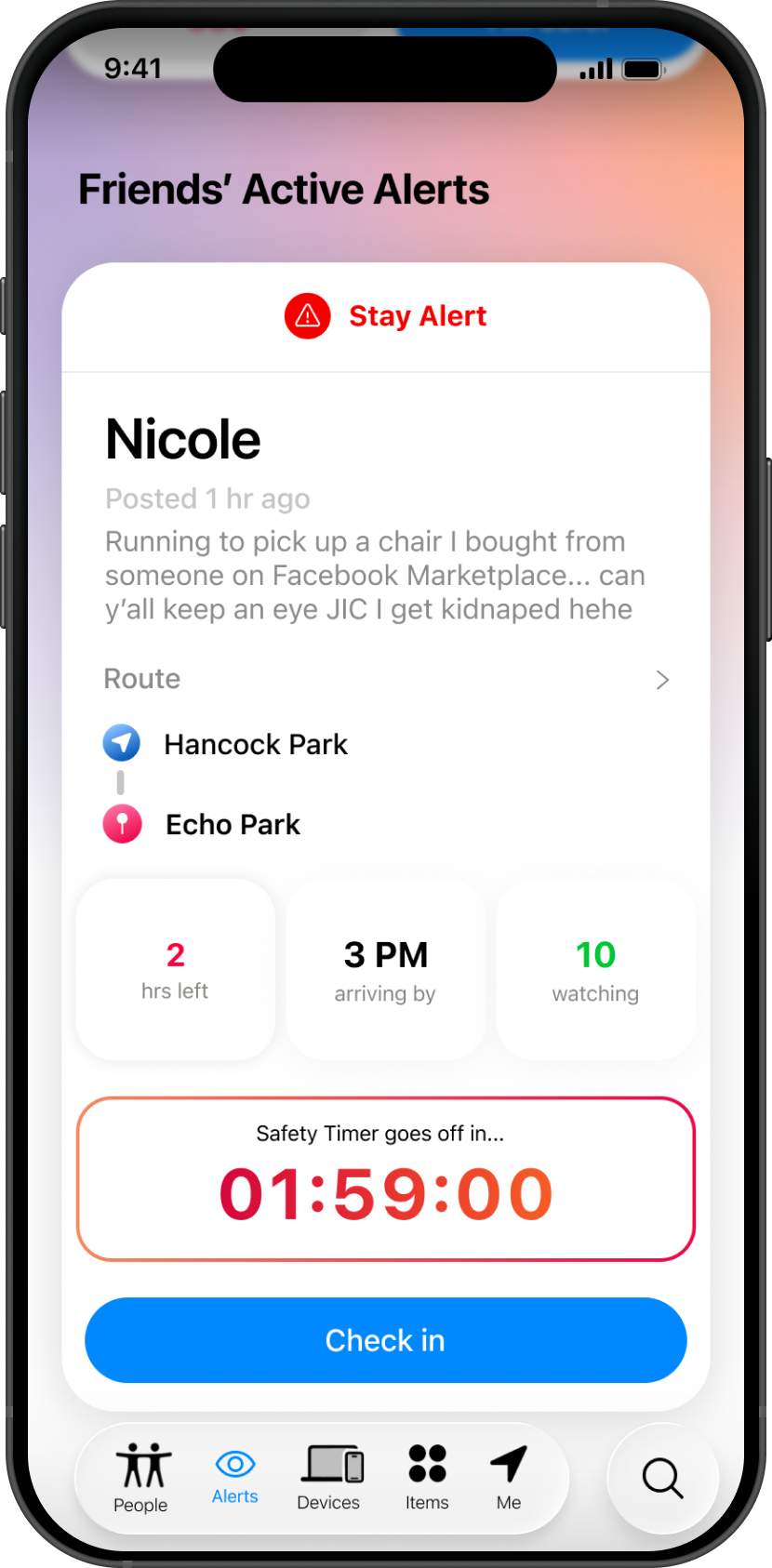
It’s not unusual for me to get a text like, “On my way to pick up a chair from Facebook Marketplace—can you keep an eye on my location, just in case I get kidnapped lol.” The humor softens it, but the intention is real. This kind of behavior isn’t unique to us: It’s a shared, normalized safety ritual among women, especially in urban environments.
DATA SNAPSHOT:
Why women?
Why women? Preliminary, desk-side research from 2024–2025 supports my lived experience: women use location-sharing tools not just for convenience, but for reassurance, accountability, and personal safety.
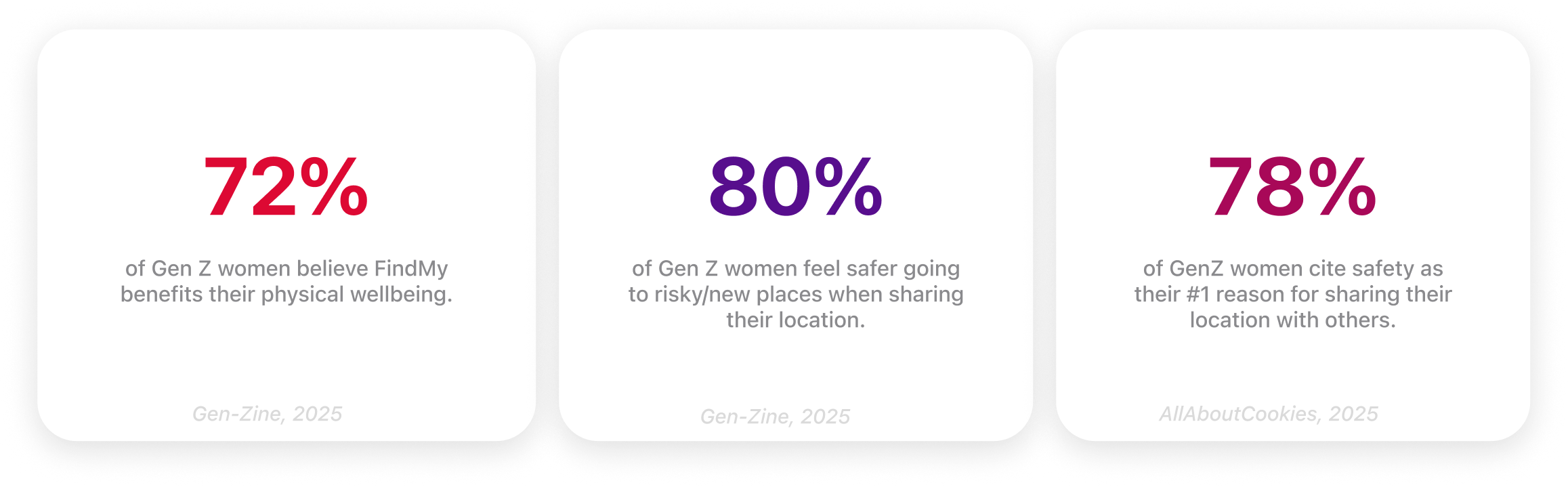
Location sharing has evolved beyond convenience; it's become a quiet but critical layer of emotional reassurance, especially for women. My experience isn't unique — Millennial and Gen Z women rely on their inner circles as a real-time safety net.
And, unfortunately, FindMy is reactive rather than proactive, failing to deliver a proactive safety feature that automatically escalate when someone may be in danger. Consequently, this forces users to recognize potential safety concerns on their own.
Closing the security gap
Apple's current ecosystem creates a fragmented safety flow. Friends share location through FindMy, but still rely on separate texts to provide context — when they've arrived, who they're meeting, or if plans have changed. The person "watching" is left monitoring a moving dot, waiting anxiously for a follow-up.
A passive dot doesn't communicate "I'm okay." That's the gap.
The opportunity
Existing solutions (Life360, Find Hub, etc.) are designed for parents, children, or broad audiences — none are purpose-built with women's safety as a primary use case. Additionally, the current solutions are behind a paywall.
My solution introduces a social feed and contextual layer to FindMy's existing experience, which would close the security gap for women and provide a feature that’s built into the Apple ecosystem for free.
who I’m
designing for
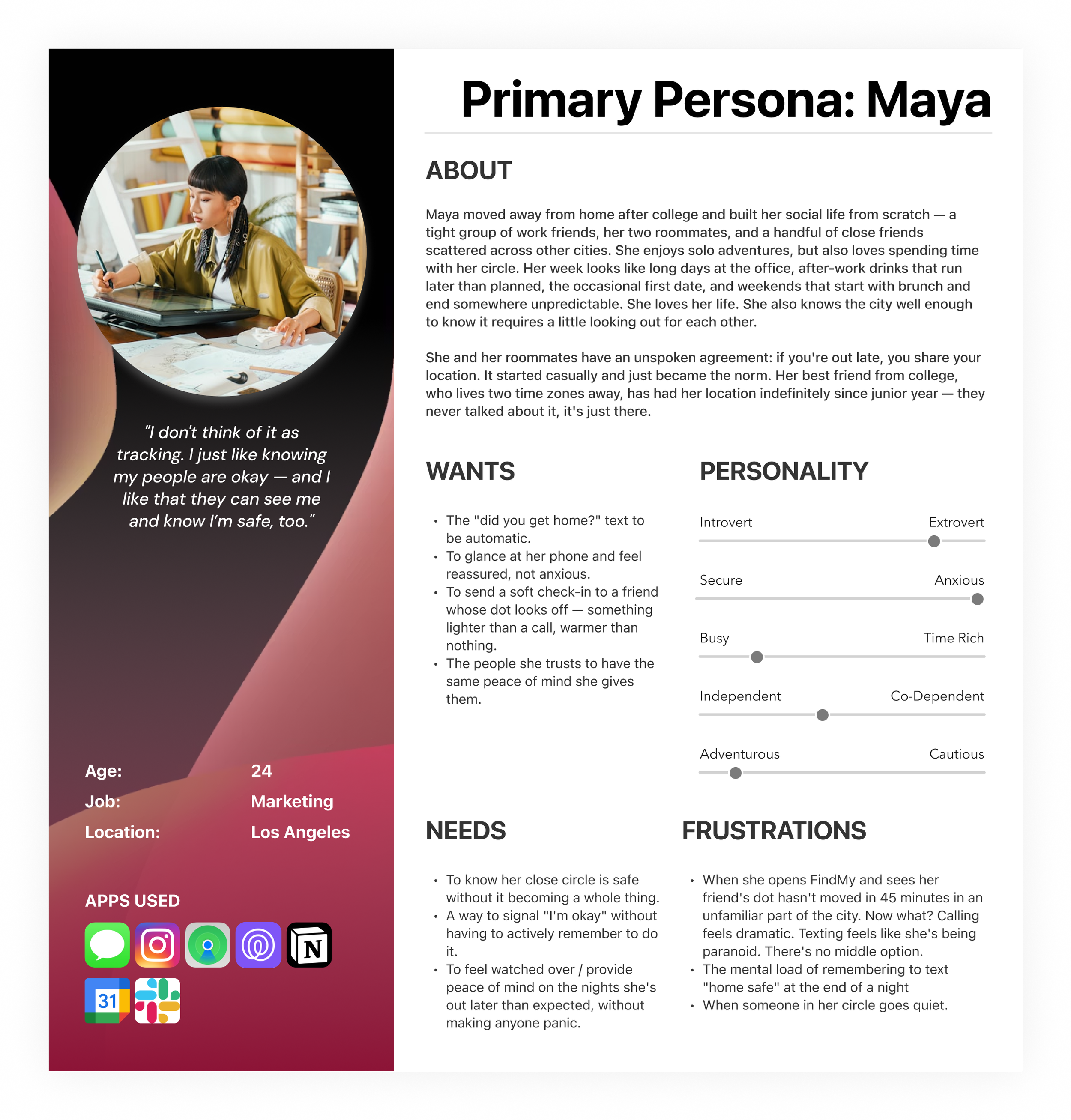
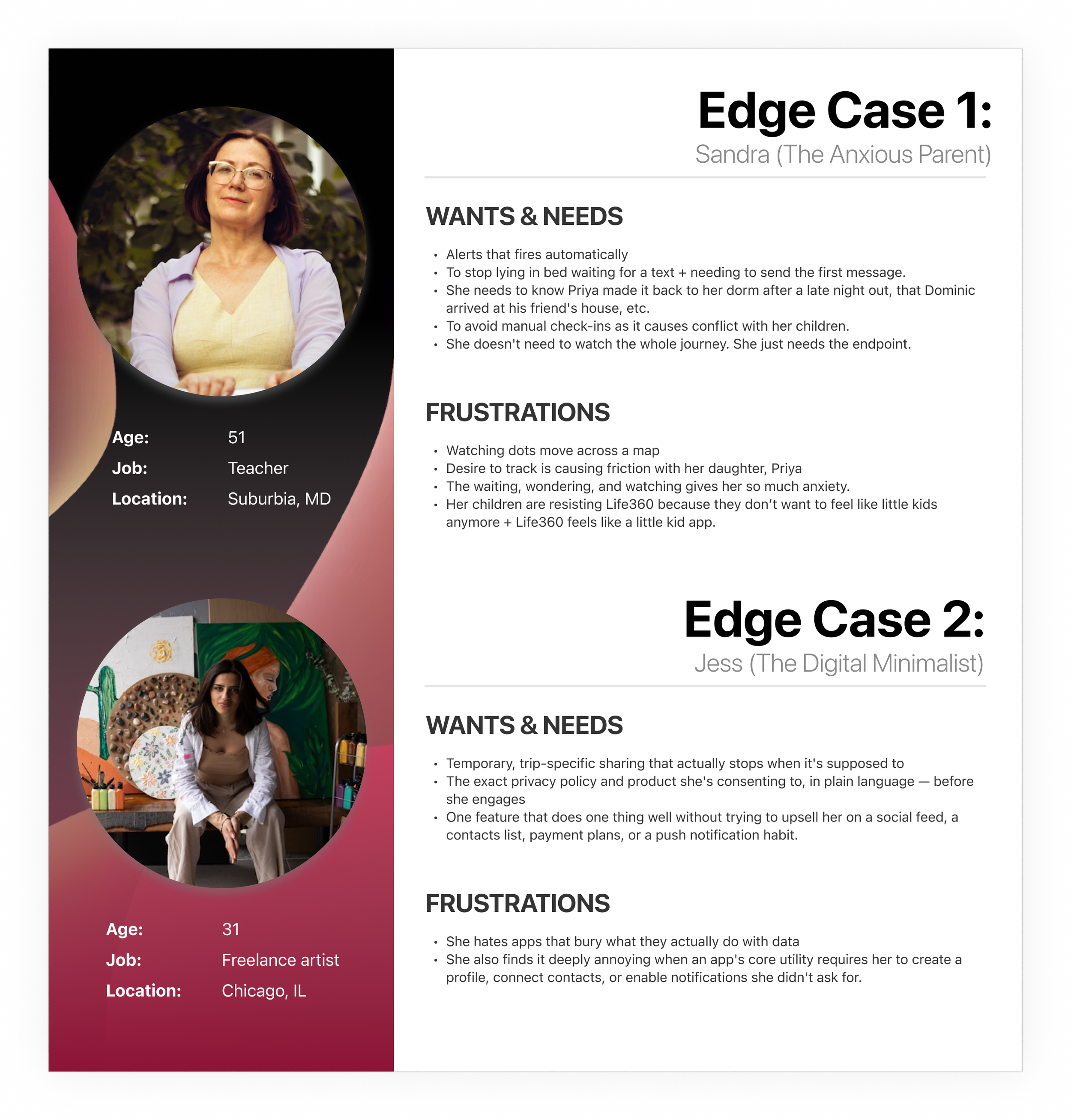
Every design decision traces back to two user segments: my primary user and the edge case personas that challenges my assumptions.
Keeping both in mind means I'm designing with intention — not just for the obvious use case, but for the full range of people who might rely on this feature. Meet Maya, Sandra, and Jess!
Competitive analysis:
what’s the draw?
Building upon our personas by digging deeper into competitive research, one thing becomes clear: the demand signal is not speculative. The demand for a location-tracking social feed is backed by a measurable and rapidly growing market, driven by real-world threats that women face daily.
The Alert tab would give Apple a first-party, native foothold in a space currently dominated by third-party apps like Life360.
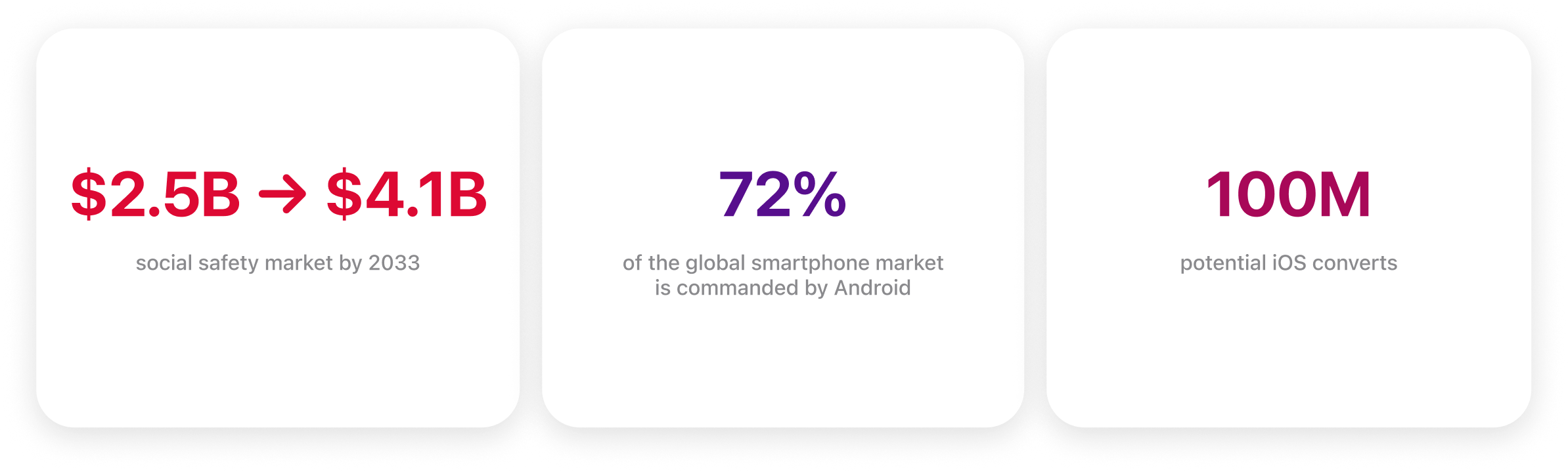
These numbers point to a clear strategic opportunity. With a rapidly expanding social safety market, and growing safety concerns amongst women, Apple has the opportunity to design a highly desired, safety-first feature—designed with women in mind—that Android’s ecosystem cannot replicate. This could lead to iOS converts and closing the motivational loop.
Conclusion?
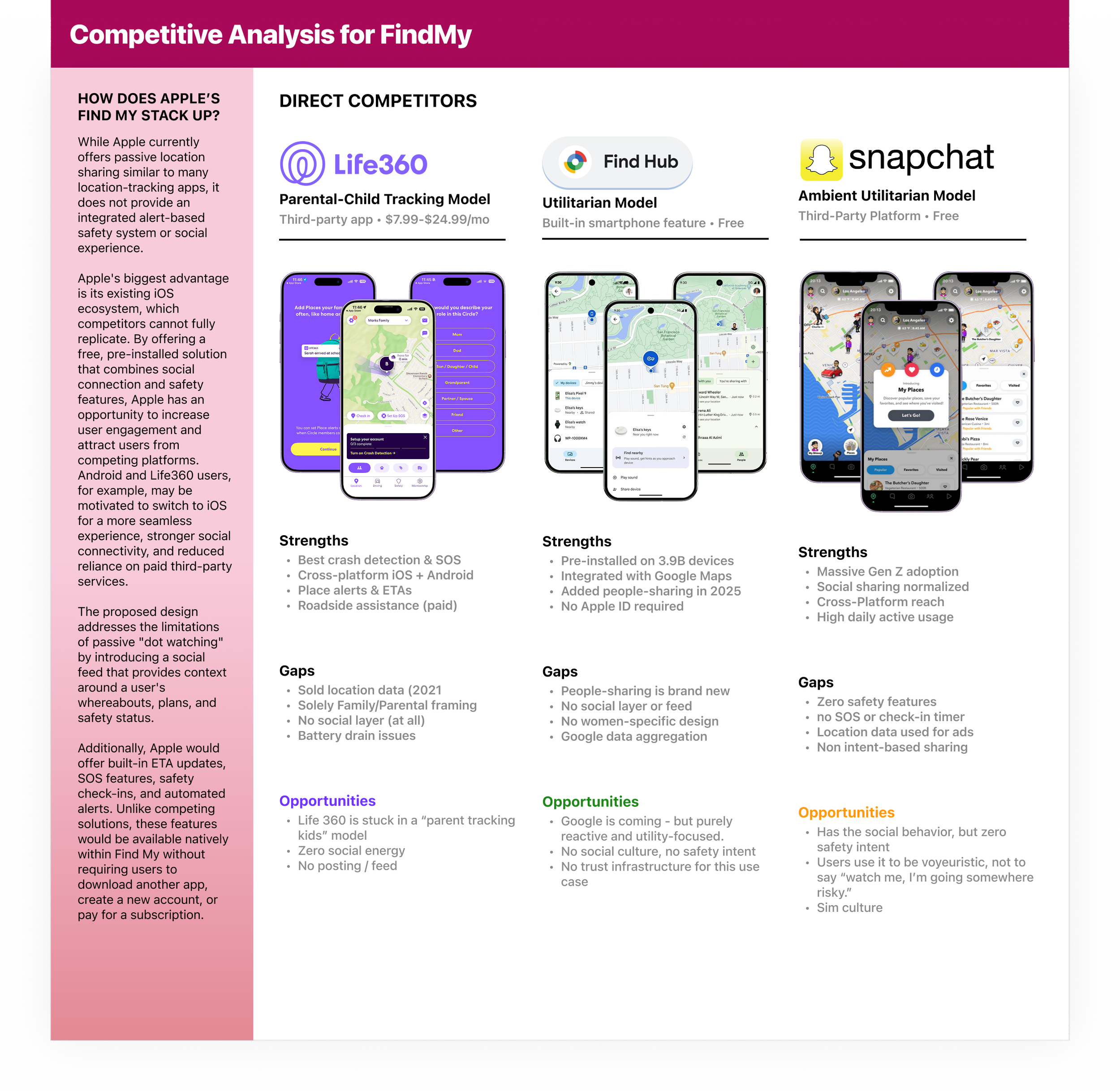
This signals that Apple’s FindMy is uniquely positioned to serve all three of our user segments. Maya, Sandra, and Jess would all benefit from a free, pre-installed option — no upsells, extra downloads, manual watching / texting, and zero added friction. Every existing competitor requires at least one of those things, which is exactly what alienates the users I'm designing for.
This points to two clear whitespace opportunities:

DIGGING INTO THE
USER JOURNEY
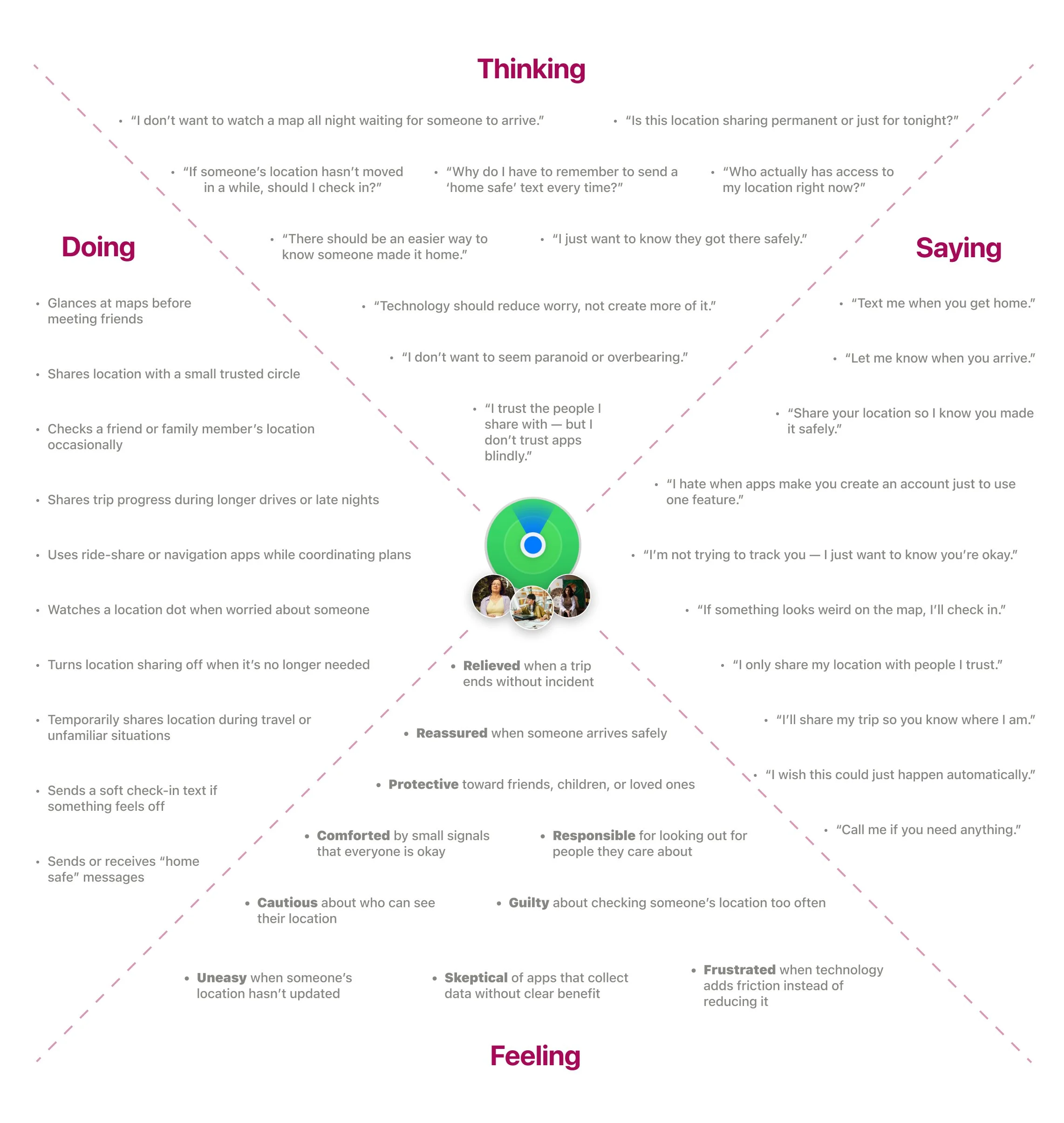
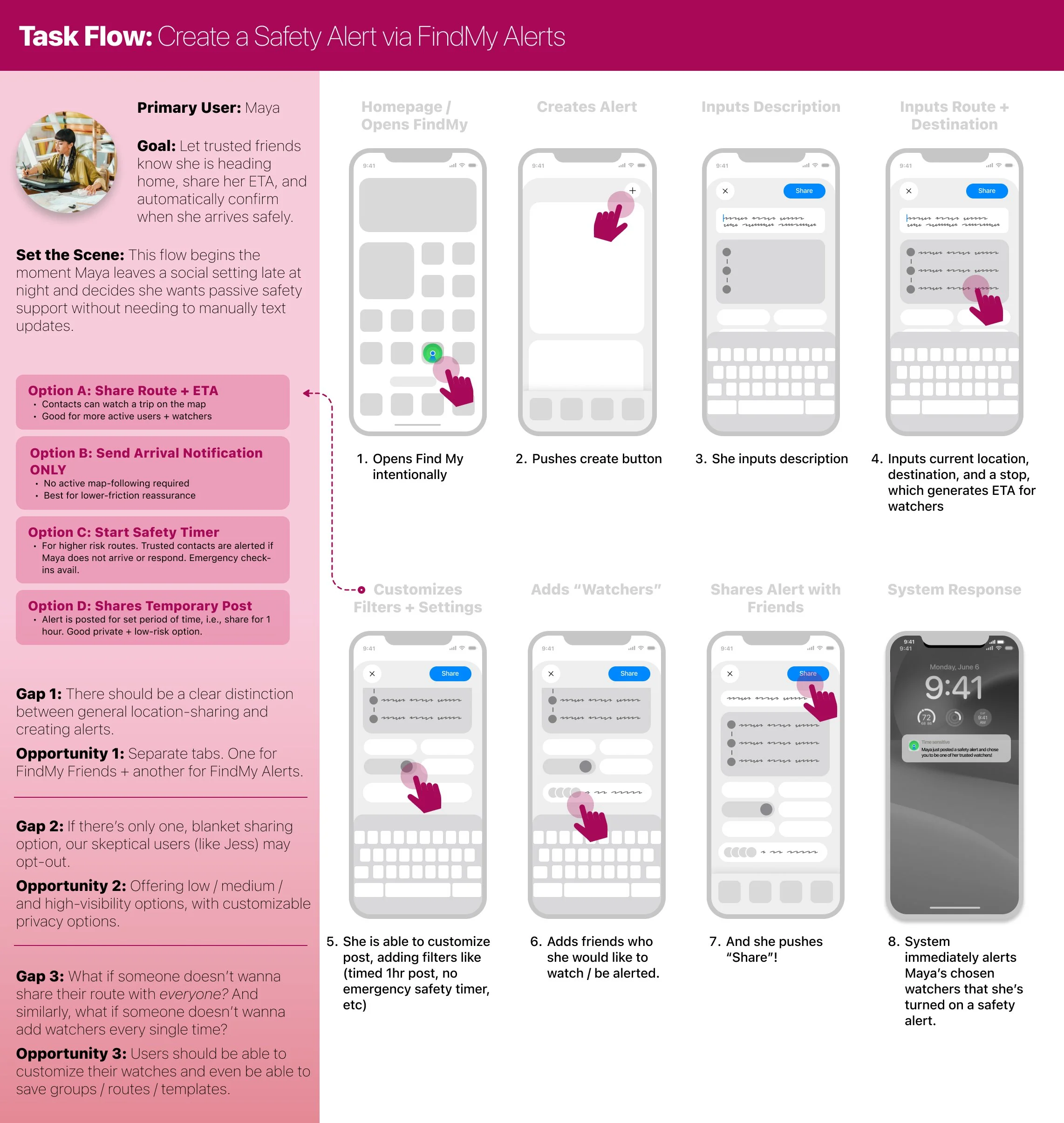
After synthesizing my research, I used an empathy map and task flow to translate qualitative insights into product decisions. These frameworks helped identify pain points, emotional moments, and breakdowns across the end-to-end experience while revealing opportunities to reduce friction and build long-term user trust. Rather than designing individual screens in isolation, they allowed me to prioritize solutions that addressed users' underlying needs.
This process ultimately informed three key features:
An emergency Safety Timer
Expanded privacy controls
Proactive check-in alerts
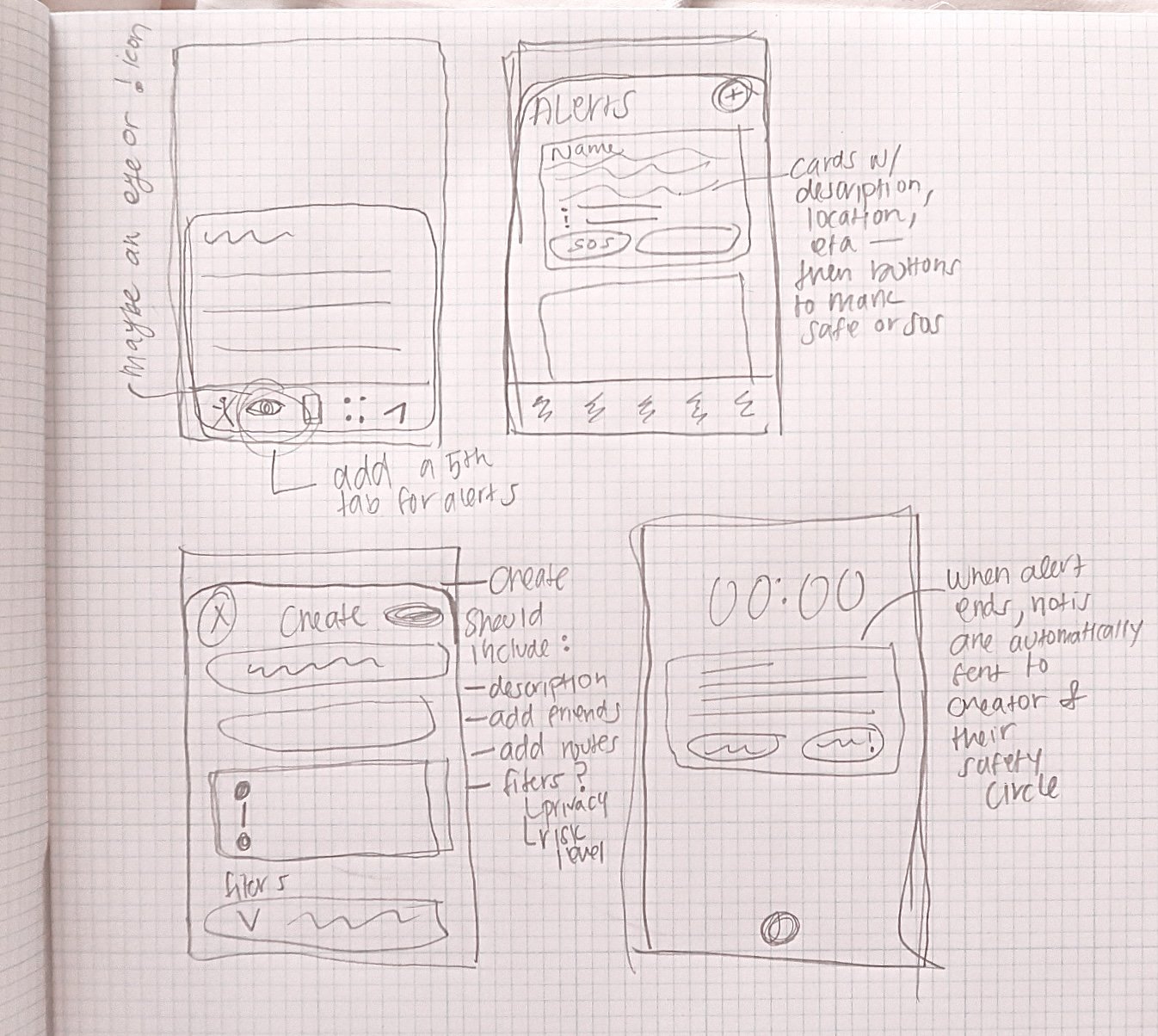
Ideating AND sketching
Because this concept was designed as an extension of Apple's existing ecosystem, I wanted every interaction to feel native to iOS. I began with hand-drawn sketches, allowing me to rapidly iterate on ideas while becoming more familiar with Apple's design patterns and exploring how each feature could integrate seamlessly into the Find My experience.
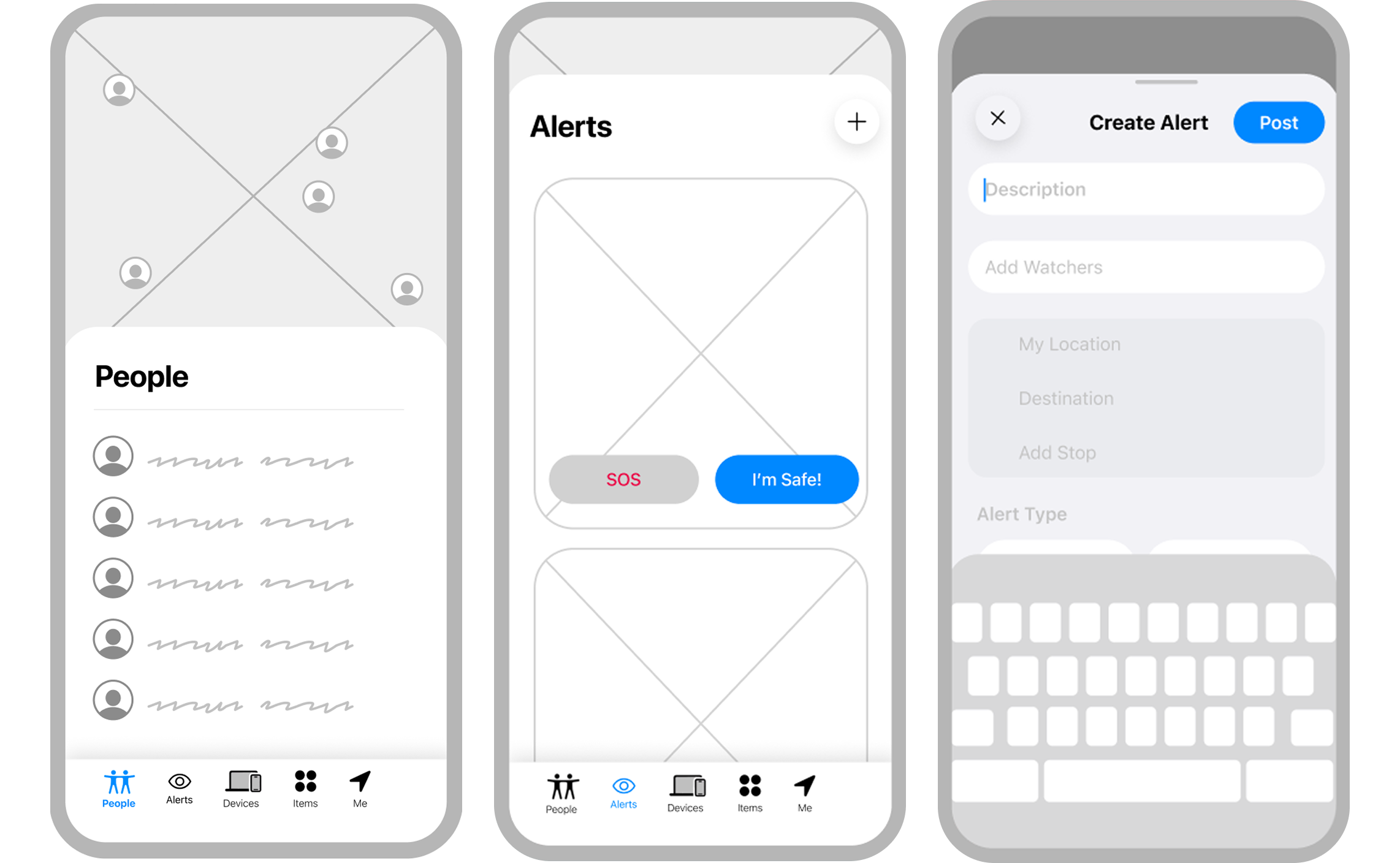
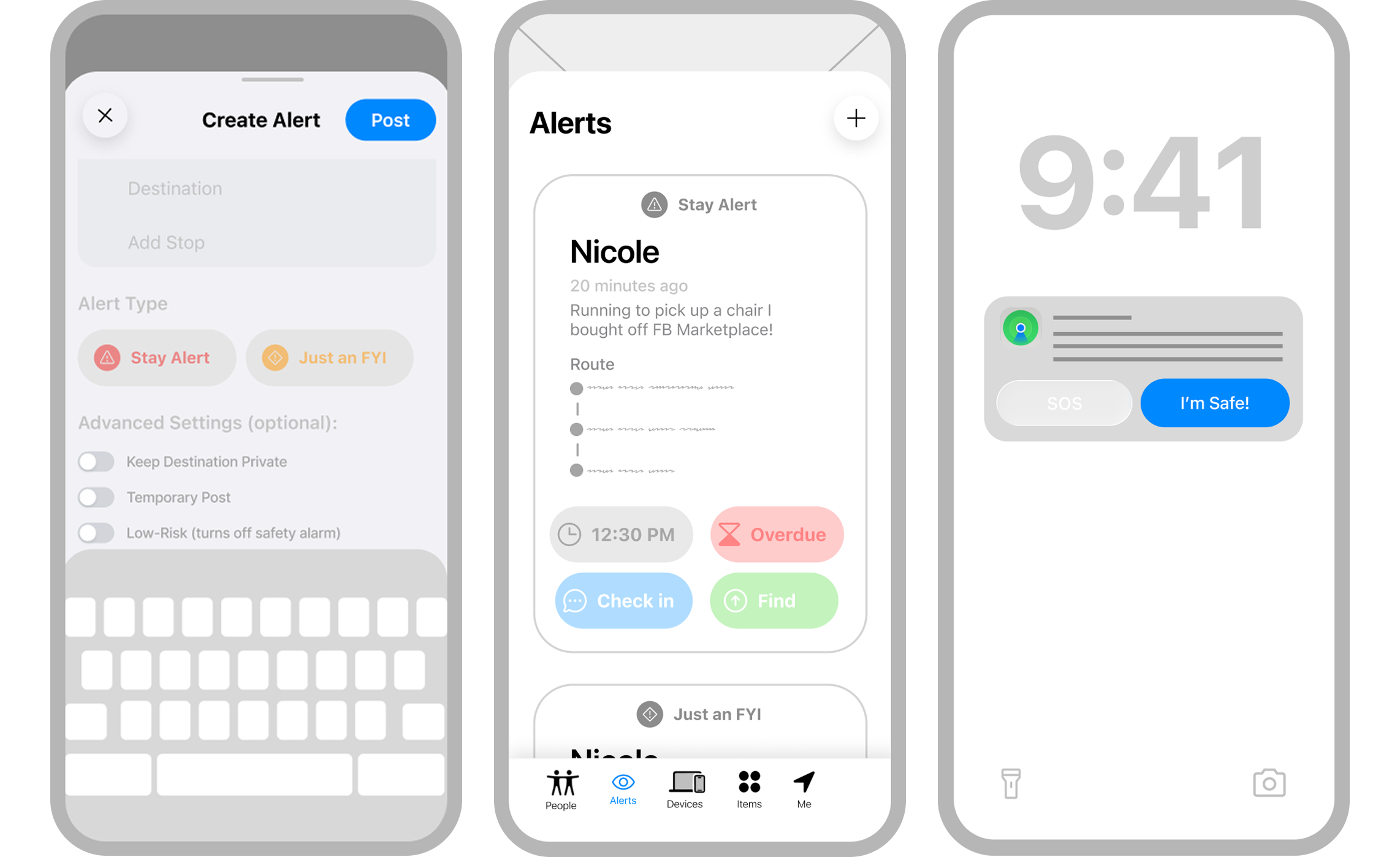
Low-fidelity wireframes
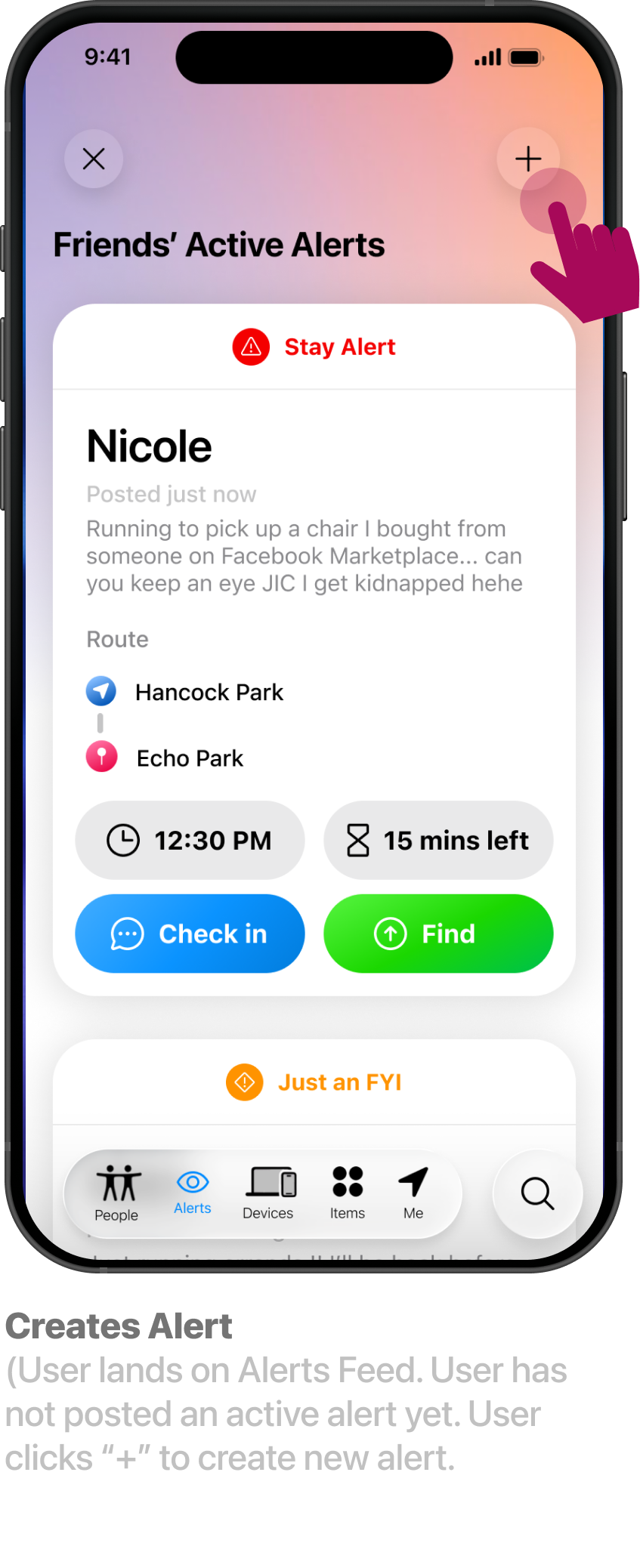
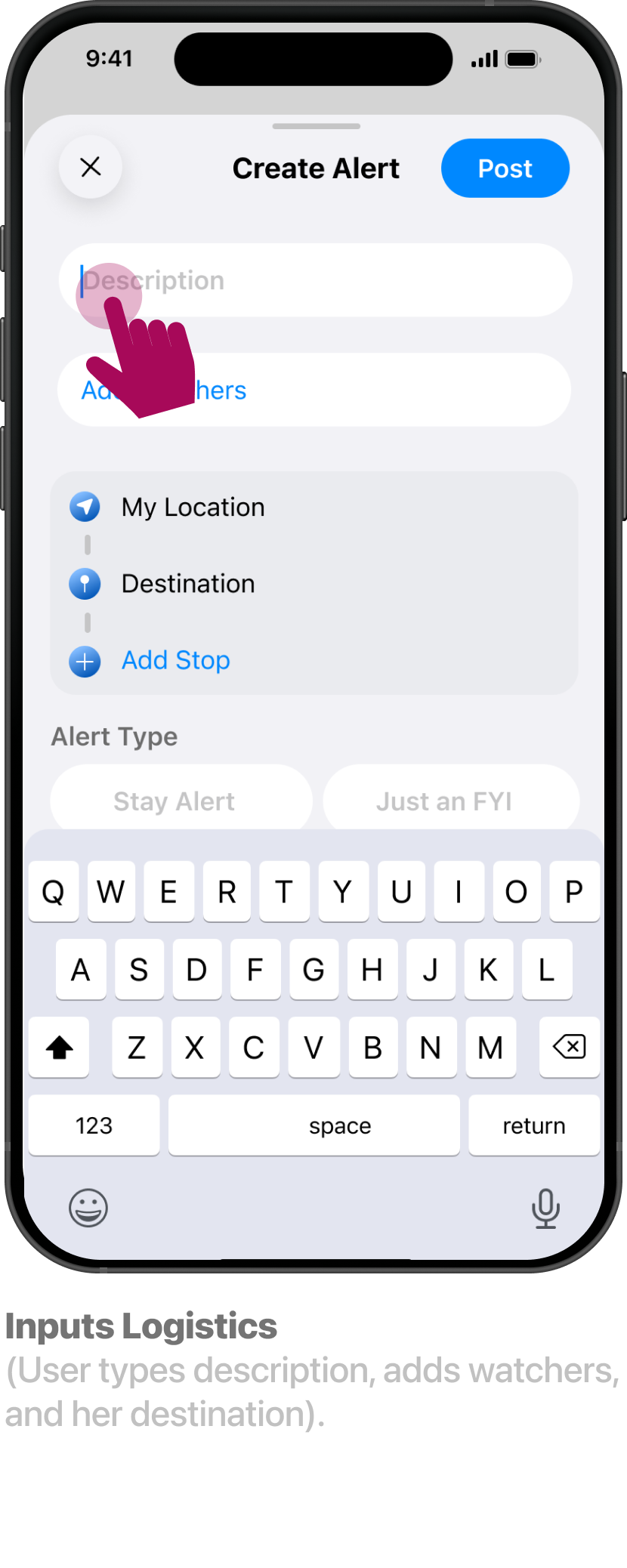
Low-fidelity wireframes enabled rapid iteration while keeping the focus on functionality over visual design. I concentrated on three key workflows: the Alerts feed, alert creation, and safety notifications.
This process also revealed several product decisions. Users needed more control over privacy, leading to customizable visibility, location-sharing, and notification settings. I also prioritized SOS and Check-In actions through stronger visual hierarchy, ensuring the most critical safety features remained immediately accessible.
Hi-Fidelity Prototype Flow
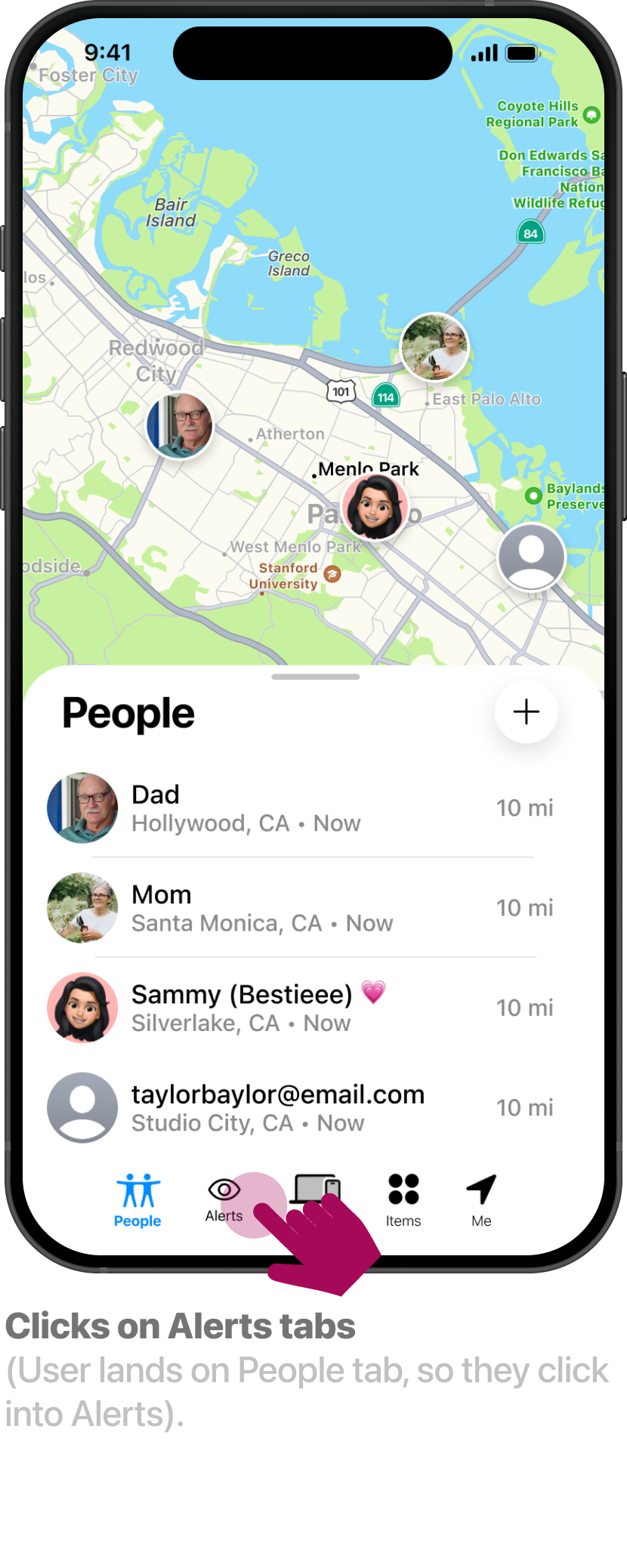
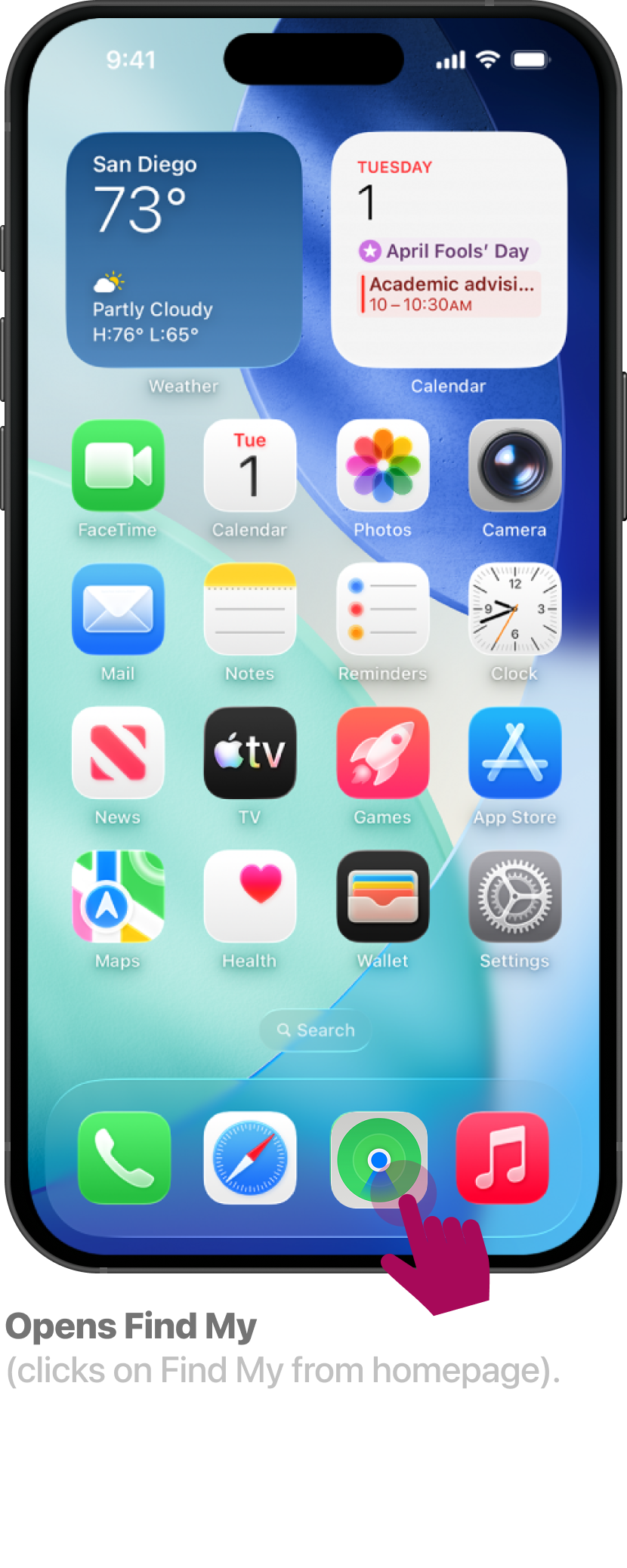
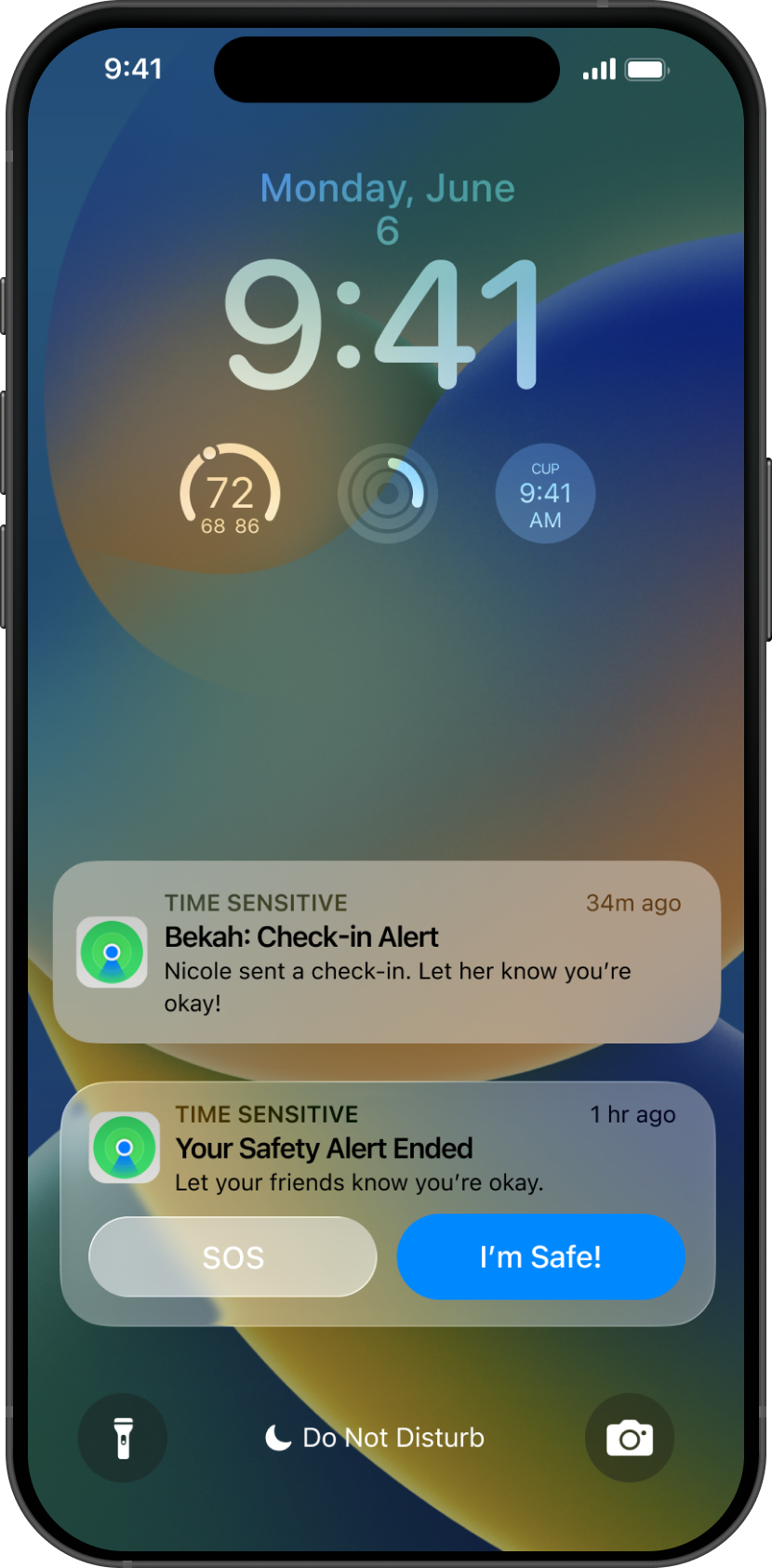
Transitioning from low-fidelity wireframes to a high-fidelity prototype made it possible to evaluate the complete end-to-end experience rather than isolated screens. Expanding the prototype allowed key user flows to be fully explored, including browsing the Alerts feed, creating an alert, receiving safety notifications, and the critical edge case of an alert expiring. Prototyping these interactions ensured the experience remained cohesive across both routine and high-stakes safety scenarios.
-
![]()
01 /10
-
![]()
02/10
-
![]()
03/10
-
![]()
04/10
-
![]()
05/10
-
![]()
06/10
-
![]()
07/10
-
![]()
08/10
-
![]()
09/10
-
![]()
10/10
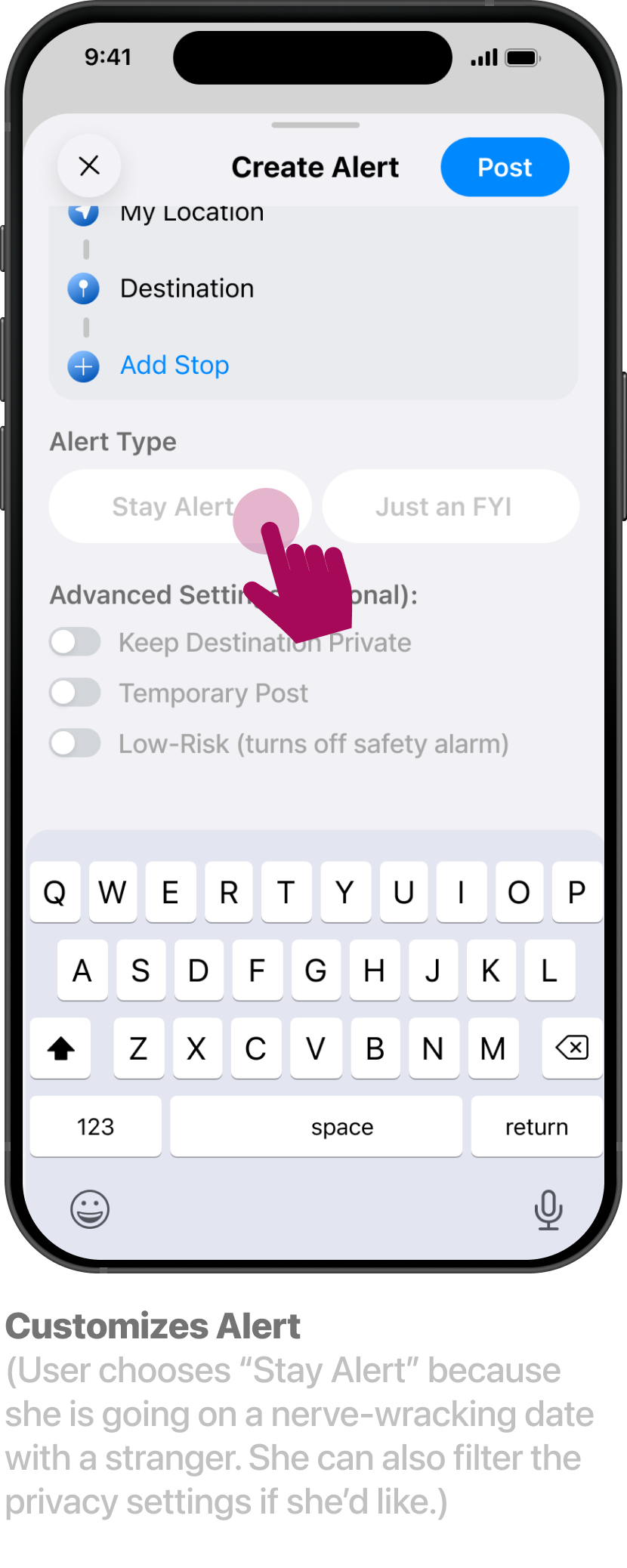
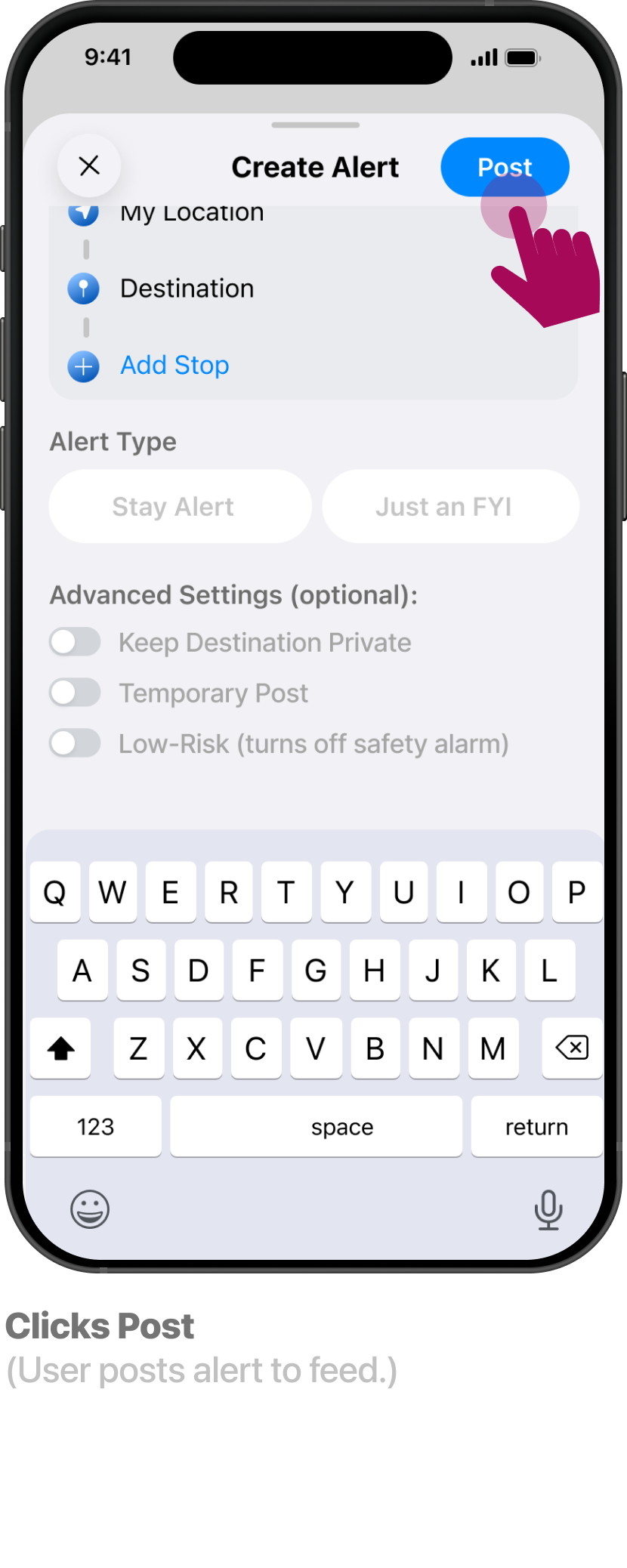
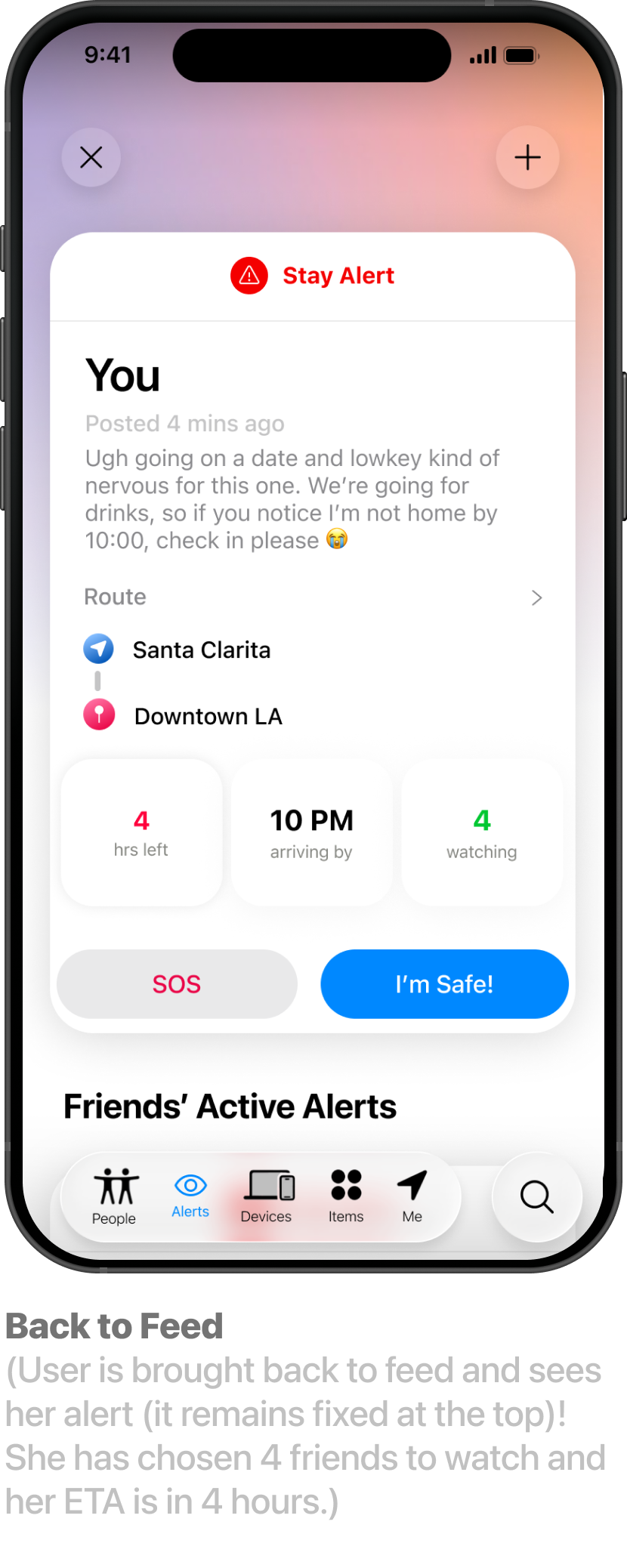
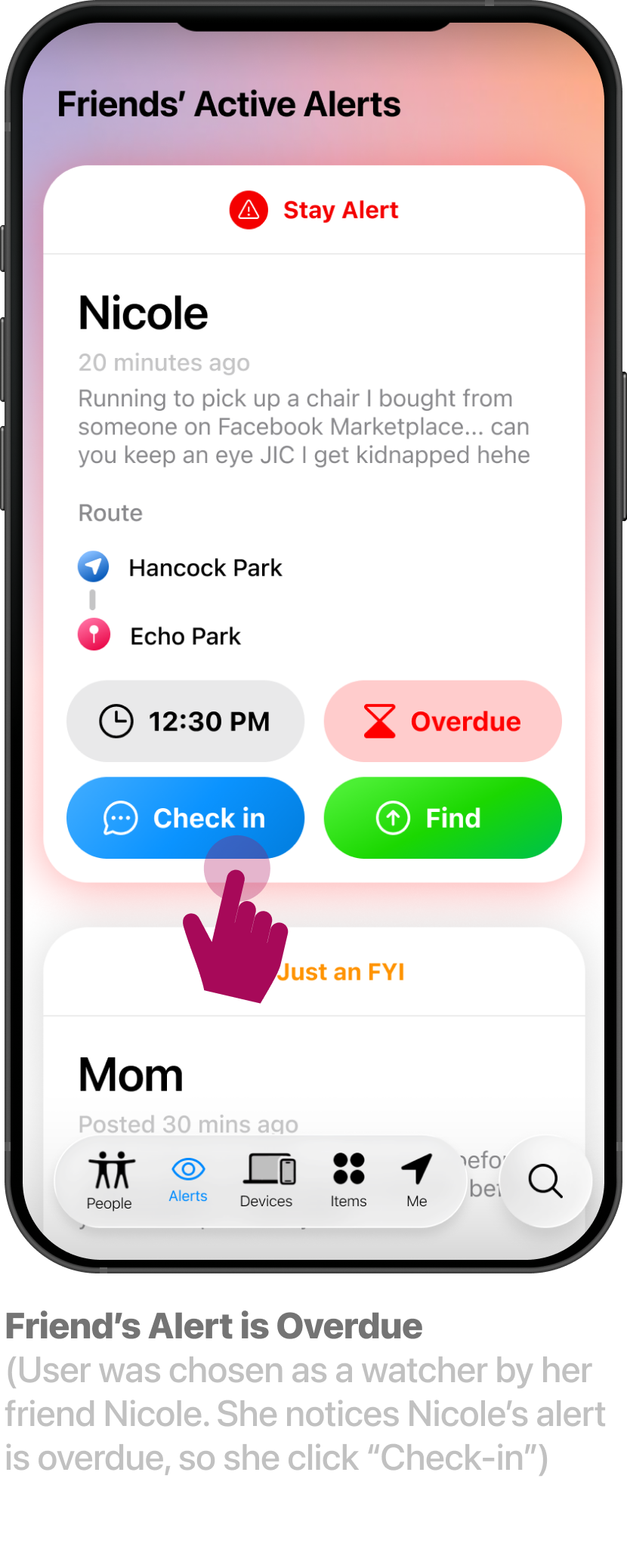
Post-User Testing Refinements
During usability testing, I identified three key opportunities to improve the experience: users needed a clearer understanding of how the safety alerts tab would work, greater control over their privacy setting, and more obvious visual cues during time-sensitive safety scenarios.
In response, I made three core design iterations:
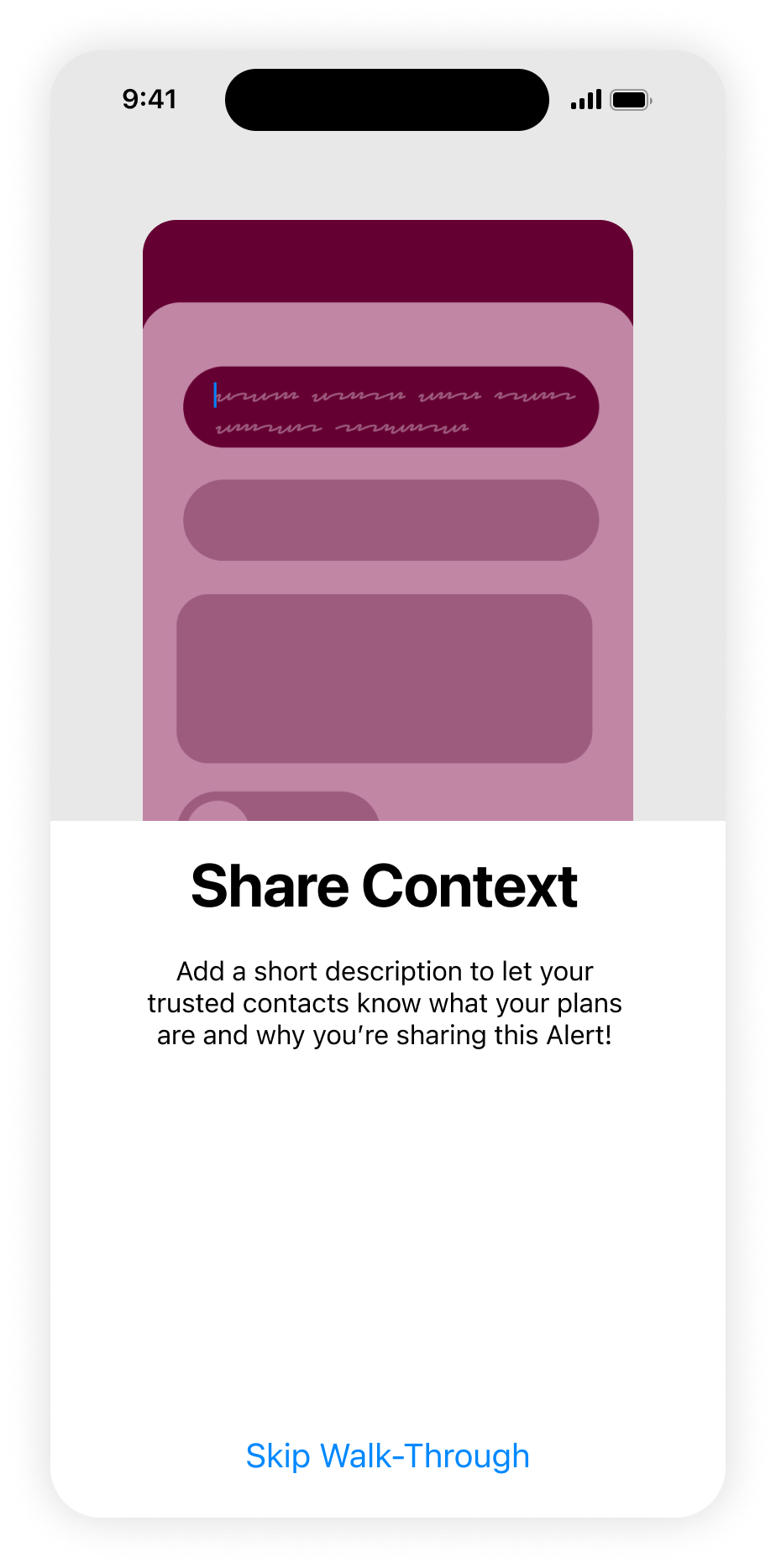
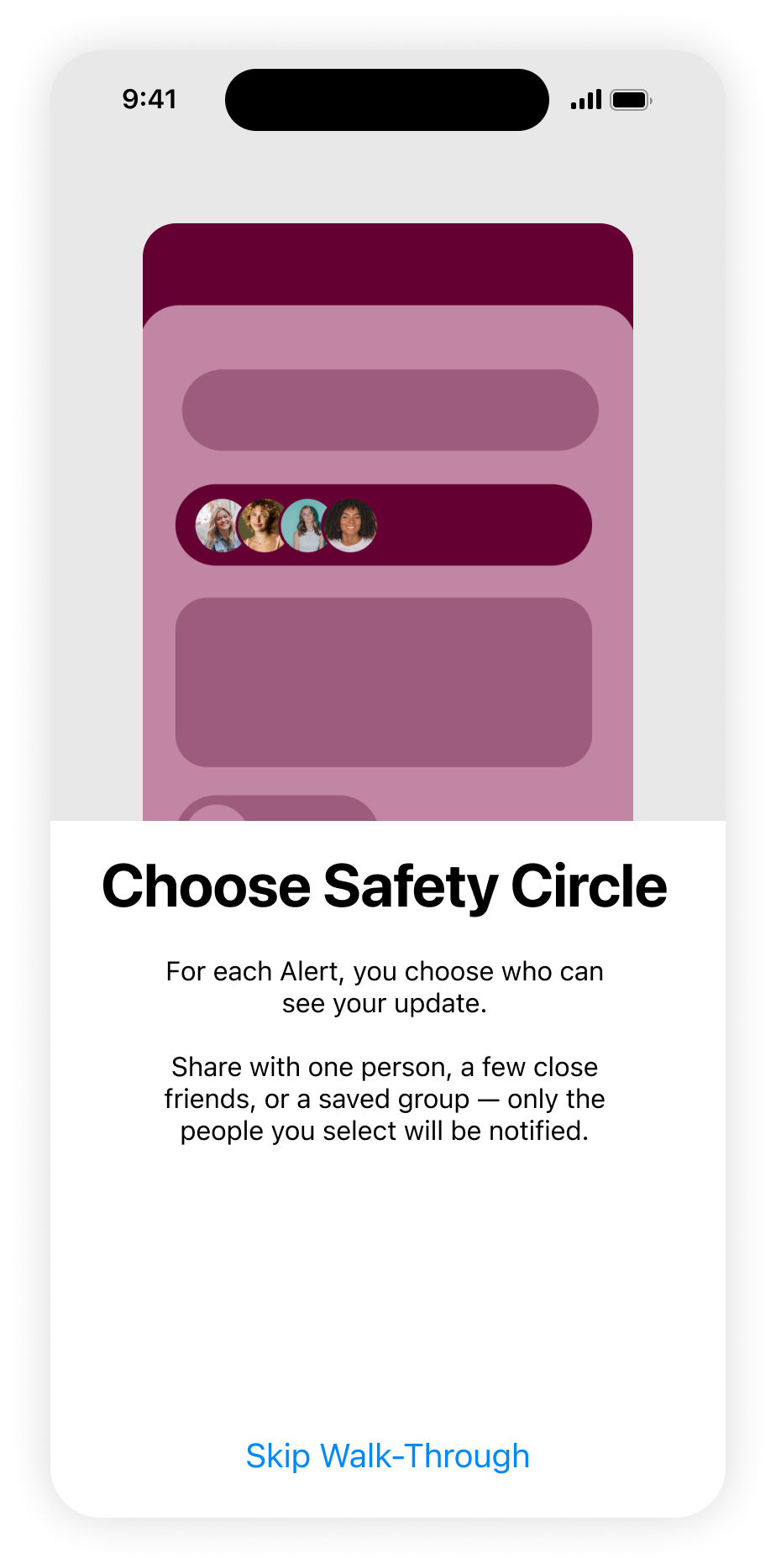
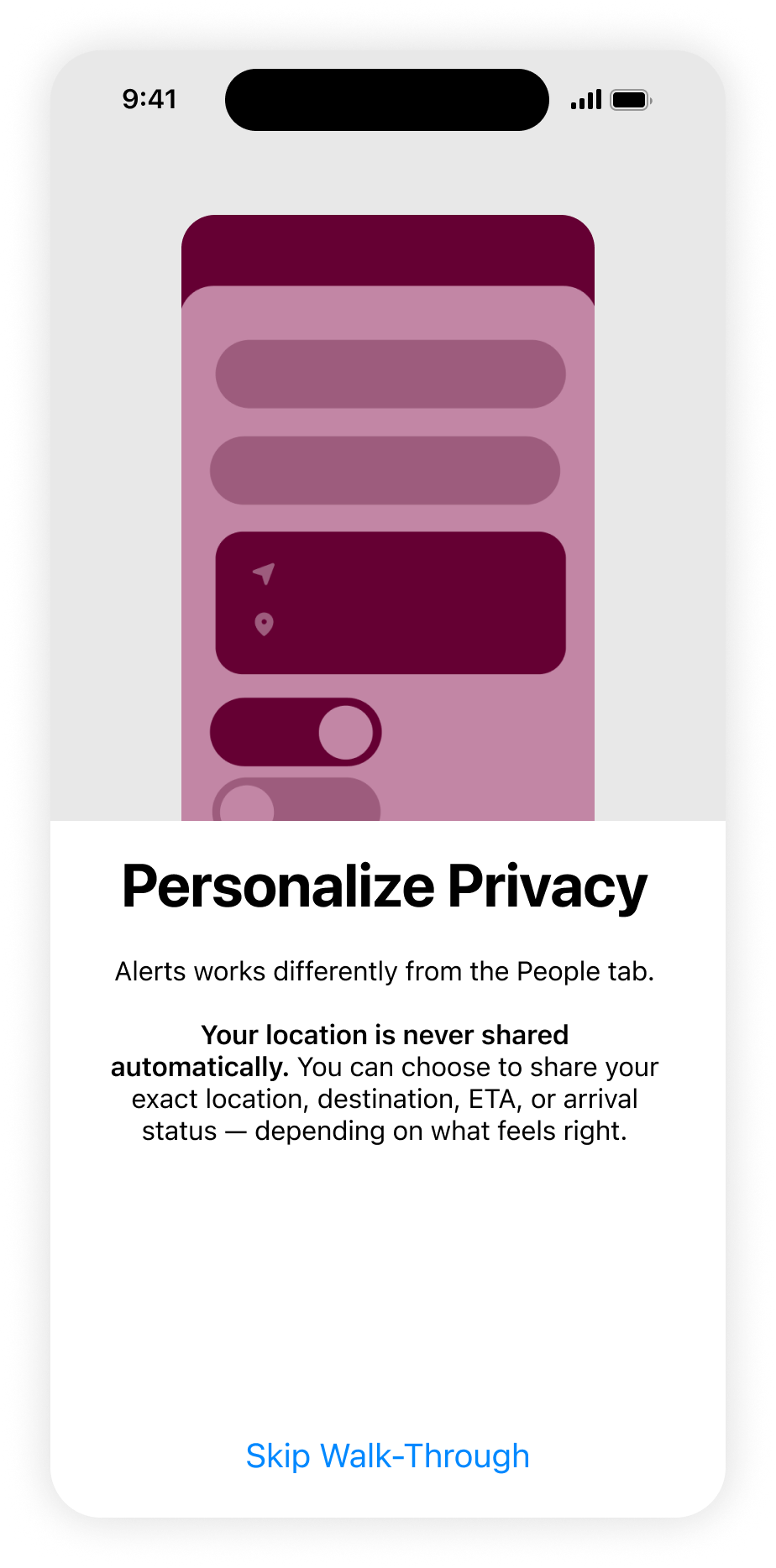
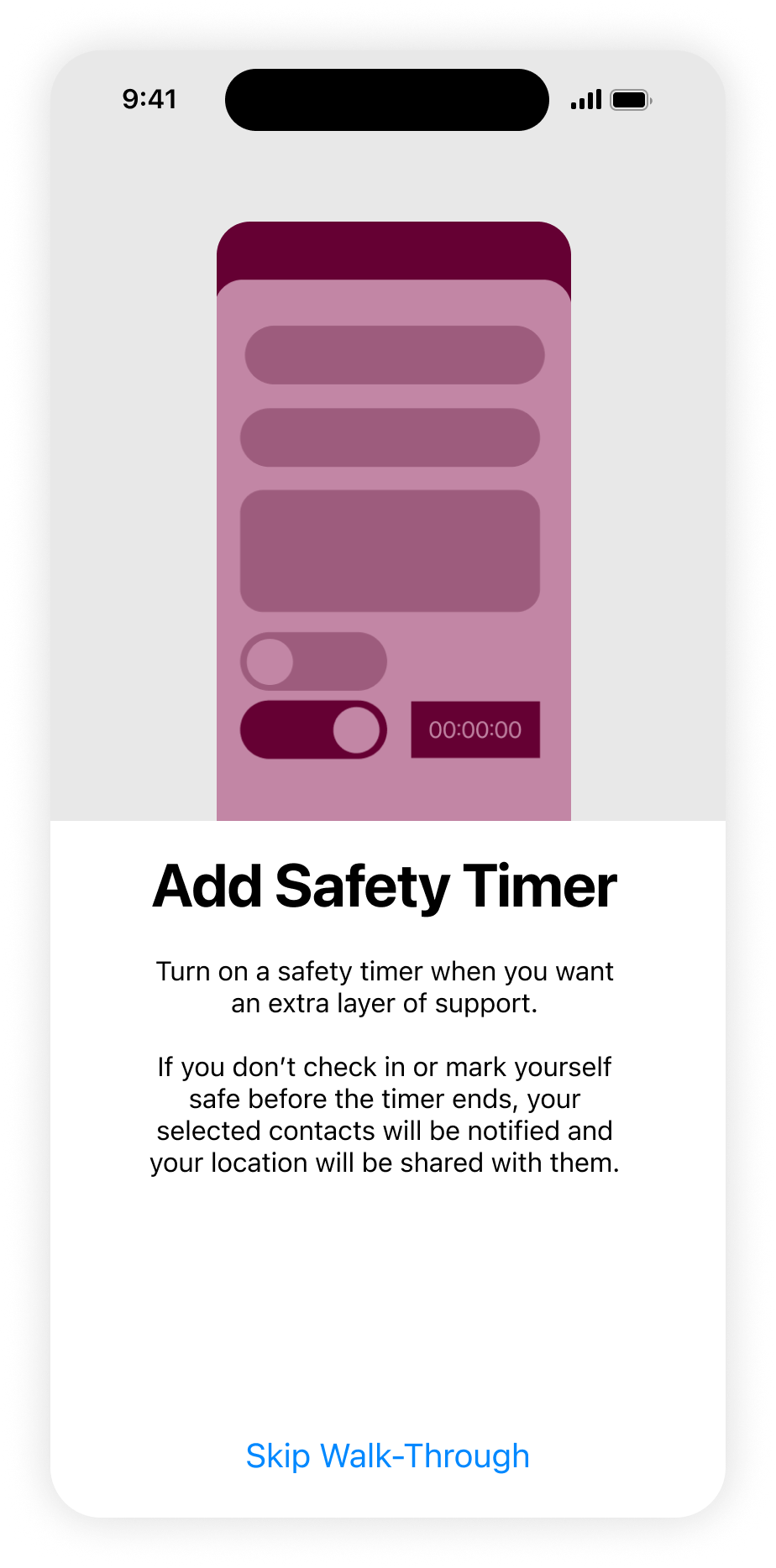
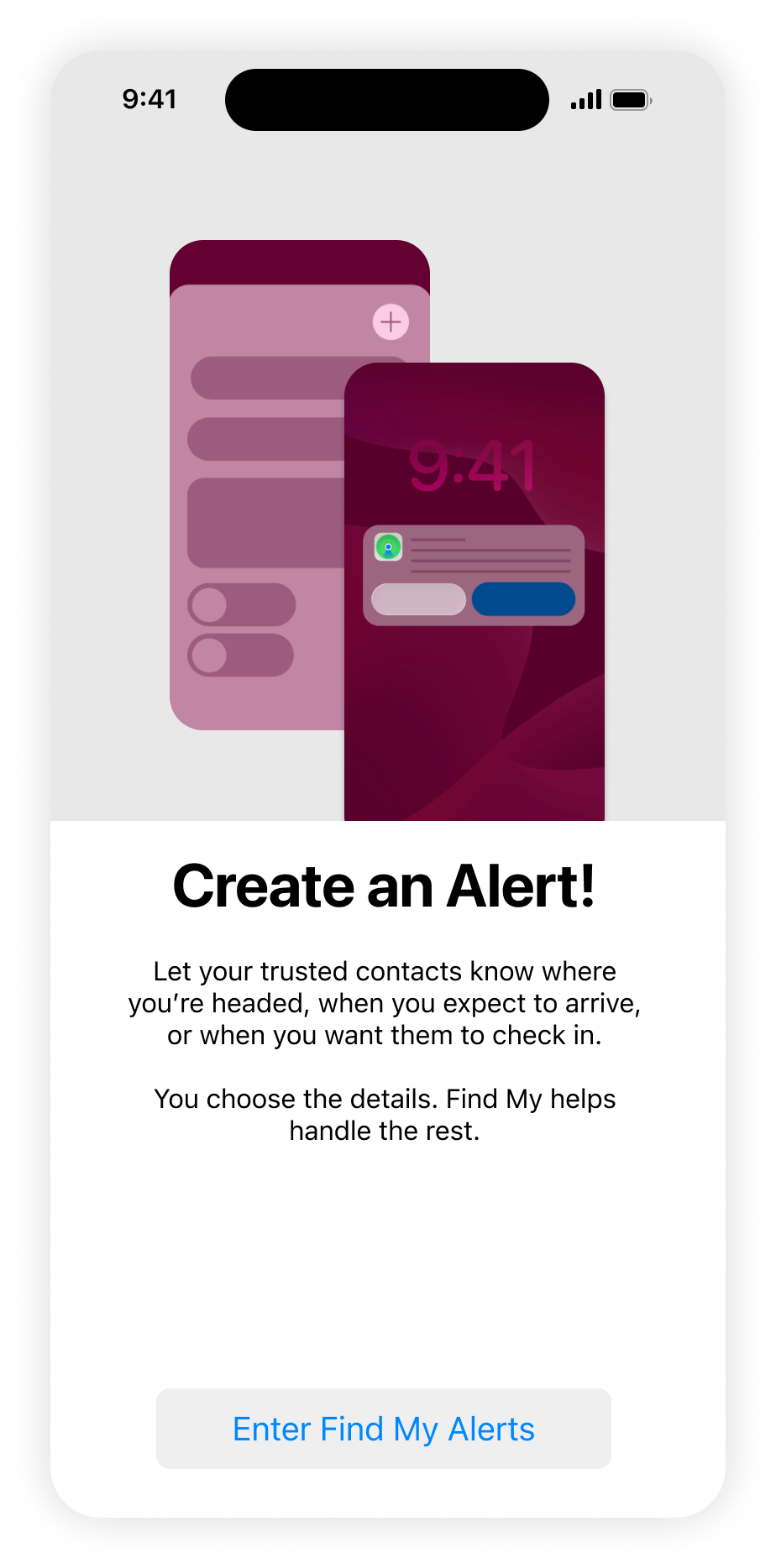
I introduced a first-time onboarding flow to explain the Alerts tab and its functionality.
I expanded the privacy settings to give users more control over when and how their location is shared.
I redesigned the safety alert state to make missed check-ins immediately recognizable through a prominent, high-visibility warning.
Together, these three changes improved discoverability, increased user trust, and strengthened the clarity of the app's most critical safety interactions.
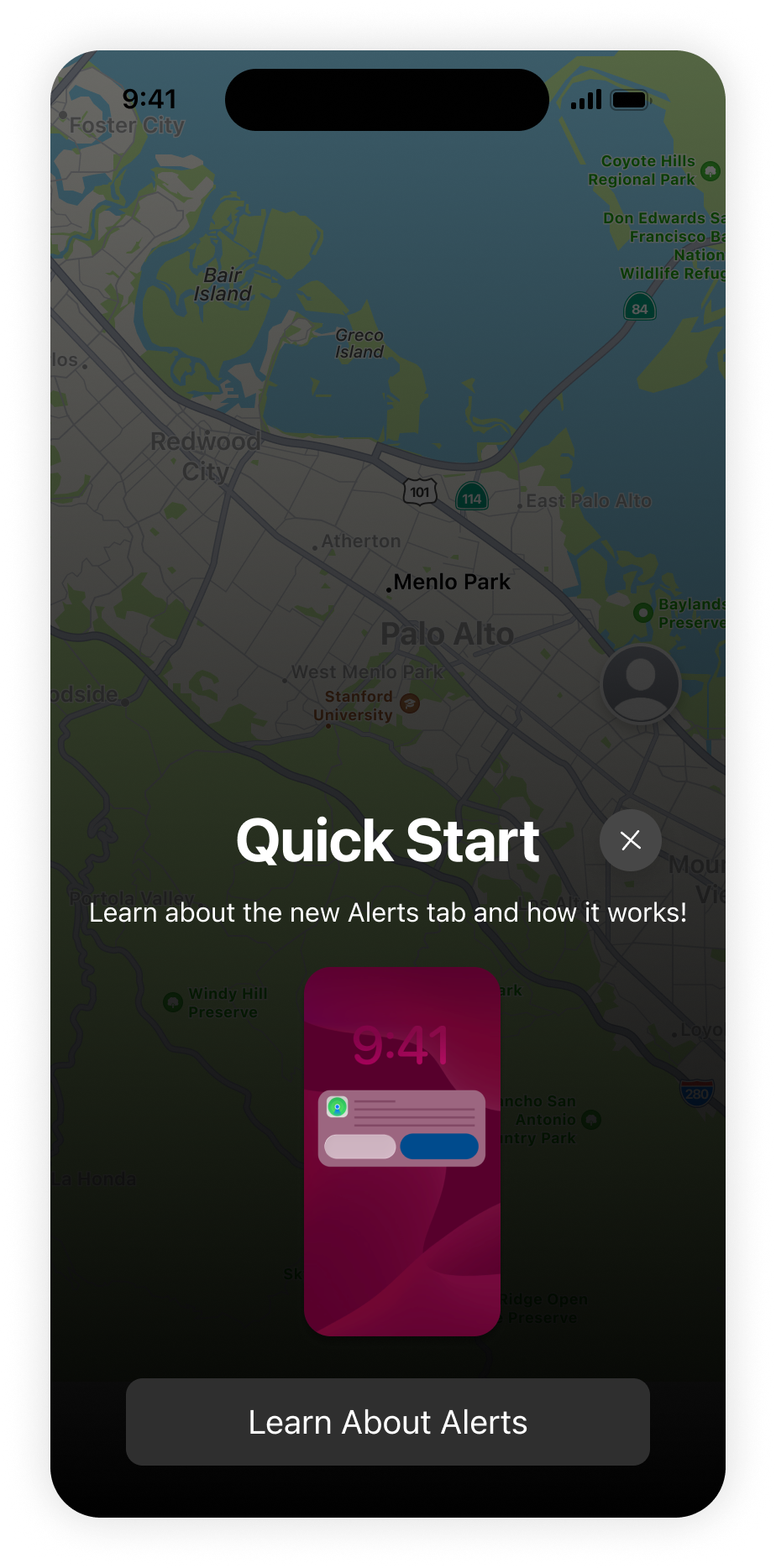
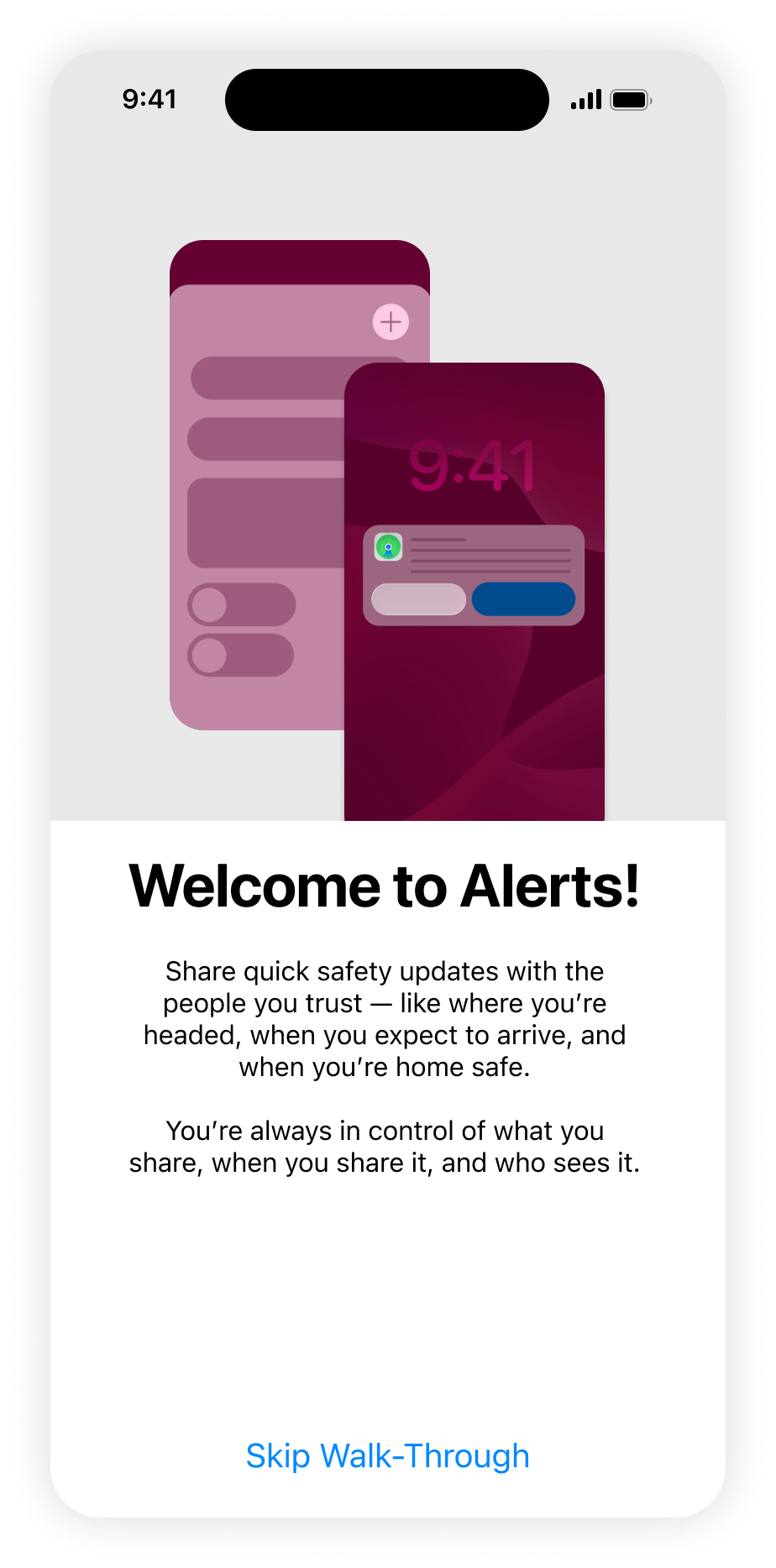
Iteration #1: quick start SOlution
My primary goal was to help users understand that the Alerts tab does not function like Find My Friends, where contacts continuously monitor one another's real-time location.
Instead, Alerts is designed to provide contextual safety updates without requiring constant location sharing or manual check-in texts. I introduced a guided onboarding flow to explain how to create and customize an alert, what each setting does, and how users remain in control of what information they share.
-
![]()
01 of 07
-
![]()
02 of 07
-
![]()
03 of 07
-
![]()
04 of 07
-
![]()
05 of 07
-
![]()
06 of 07
-
![]()
07 of 07
Iteration #2: Privacy Settings
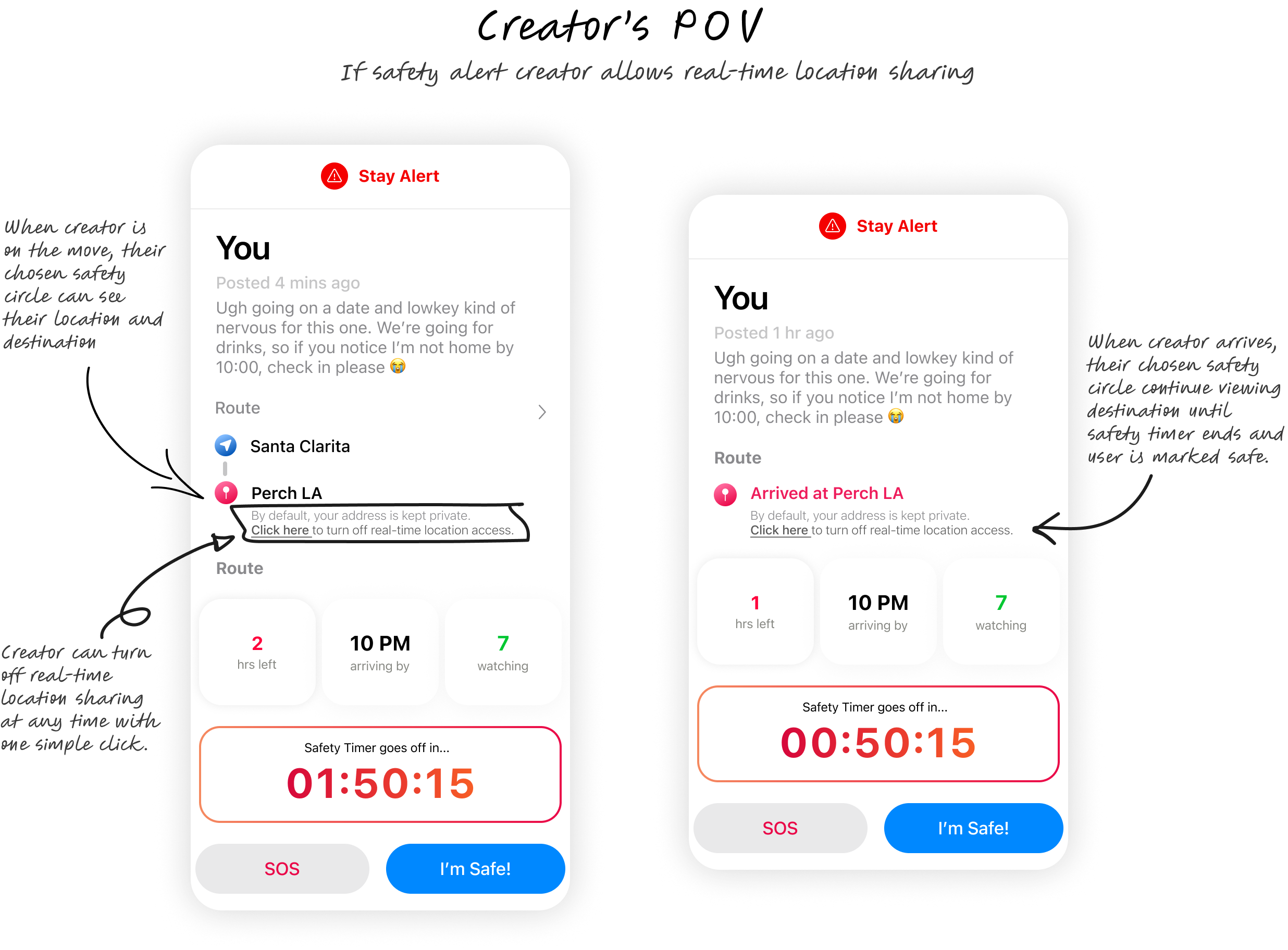
Usability testing reinforced a tension that first emerged while developing my edge-case persona, Jess—a privacy-conscious user who values personal safety but is hesitant to share her real-time location. This raised an important design challenge: How might users feel in control of their personal data without compromising the product's ability to keep them safe?
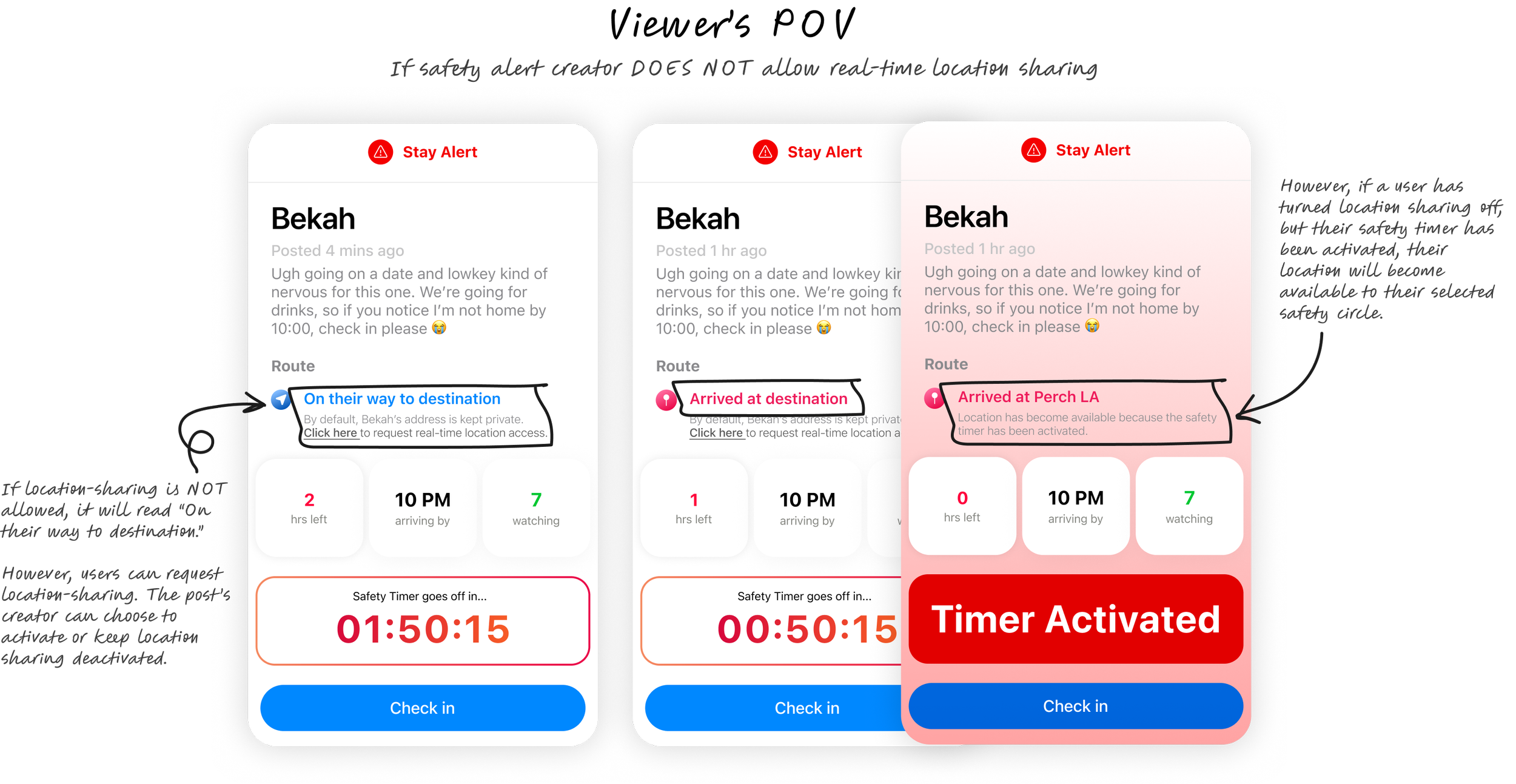
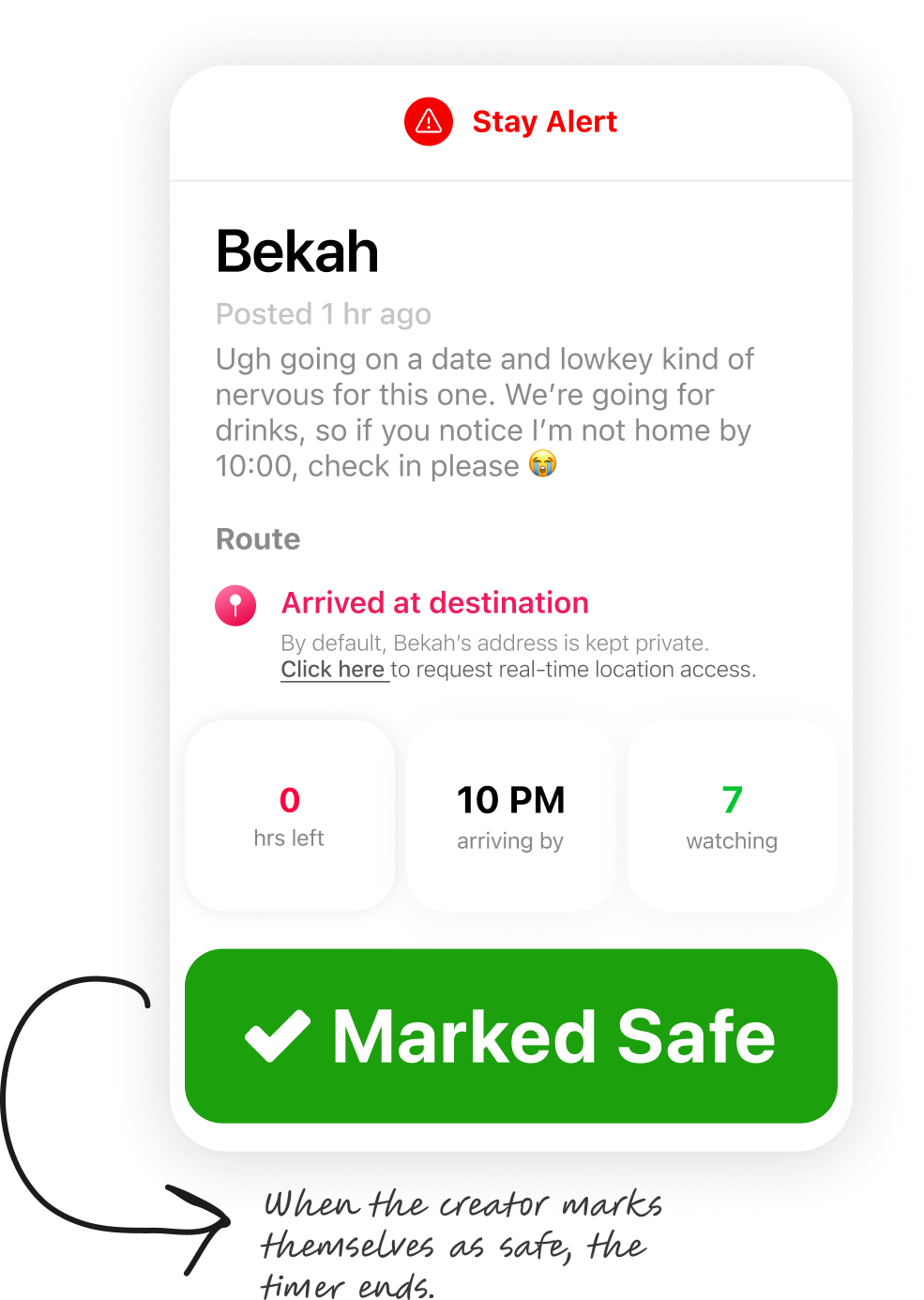
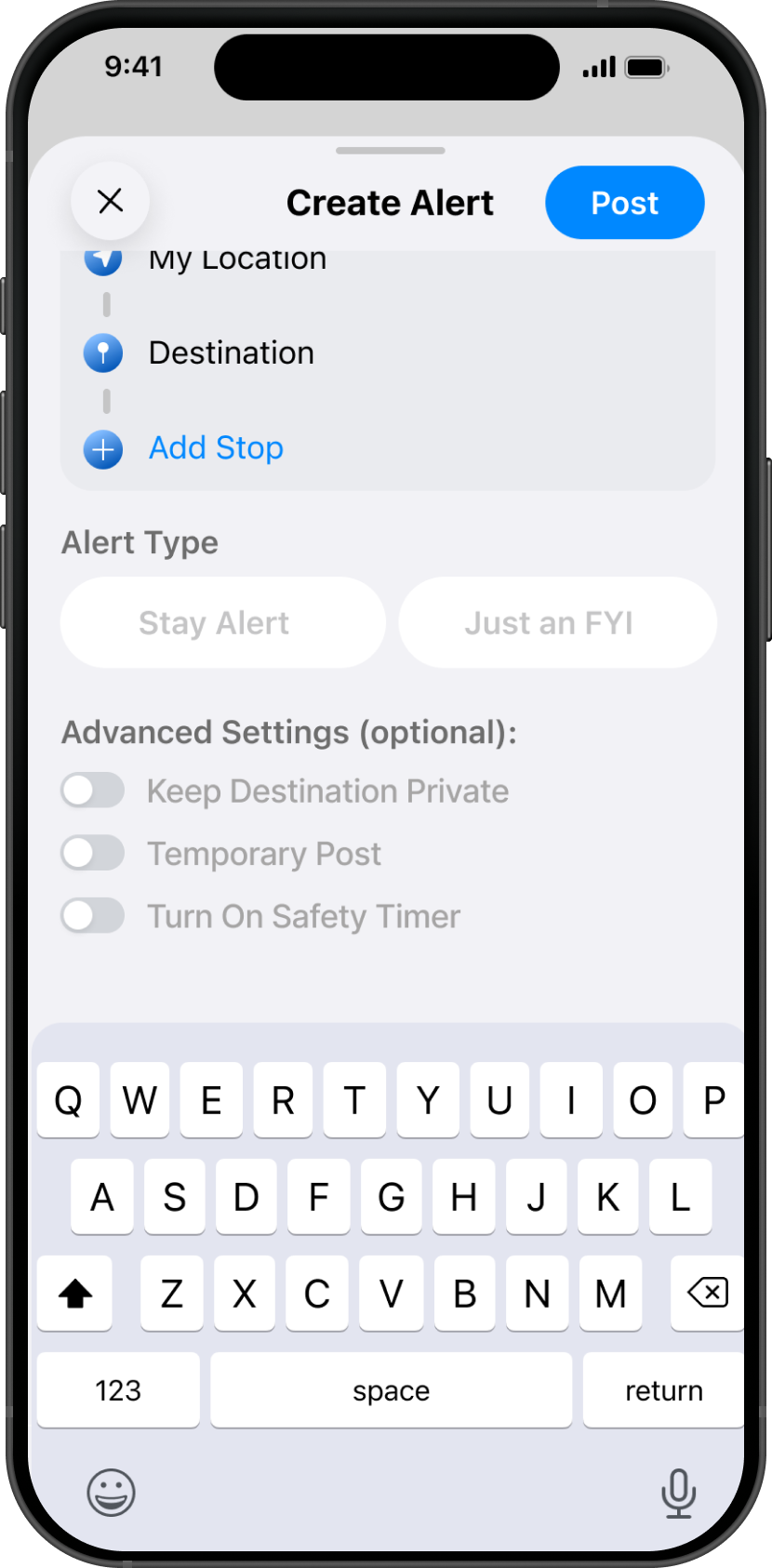
To better accommodate users with varying privacy preferences, I expanded the location-sharing controls to make them more transparent and flexible. Users can now choose whether to enable live location sharing with a simple toggle, allowing them to alert their safety circle without revealing their exact whereabouts during lower-risk situations.
At the same time, I wanted to ensure these privacy choices wouldn't undermine the product's primary purpose during an emergency. If a Safety Timer expires and the alert creator fails to mark themselves safe, designated watchers can request access to the user's live location. If the user remains unresponsive after a defined period, their destination and live location are automatically shared with their safety circle, ensuring that privacy is respected under normal circumstances while enabling timely intervention when a potential safety concern arises.
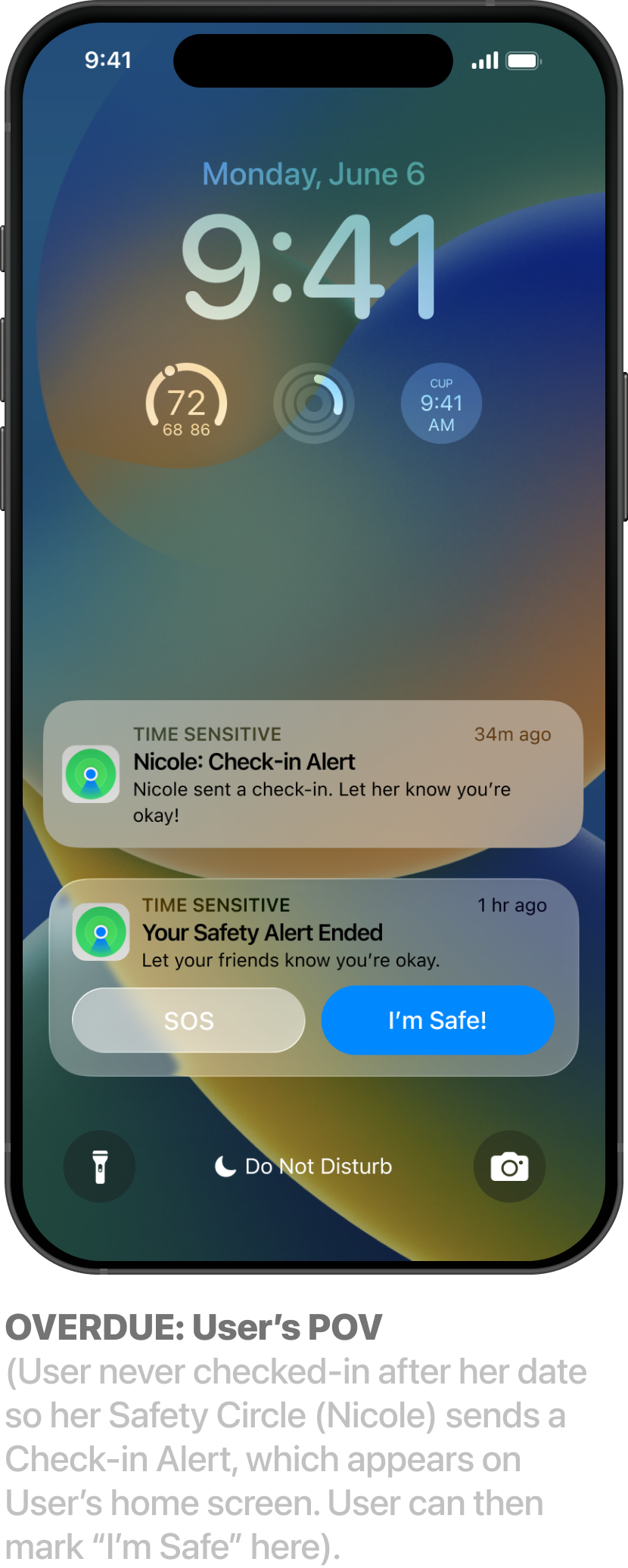
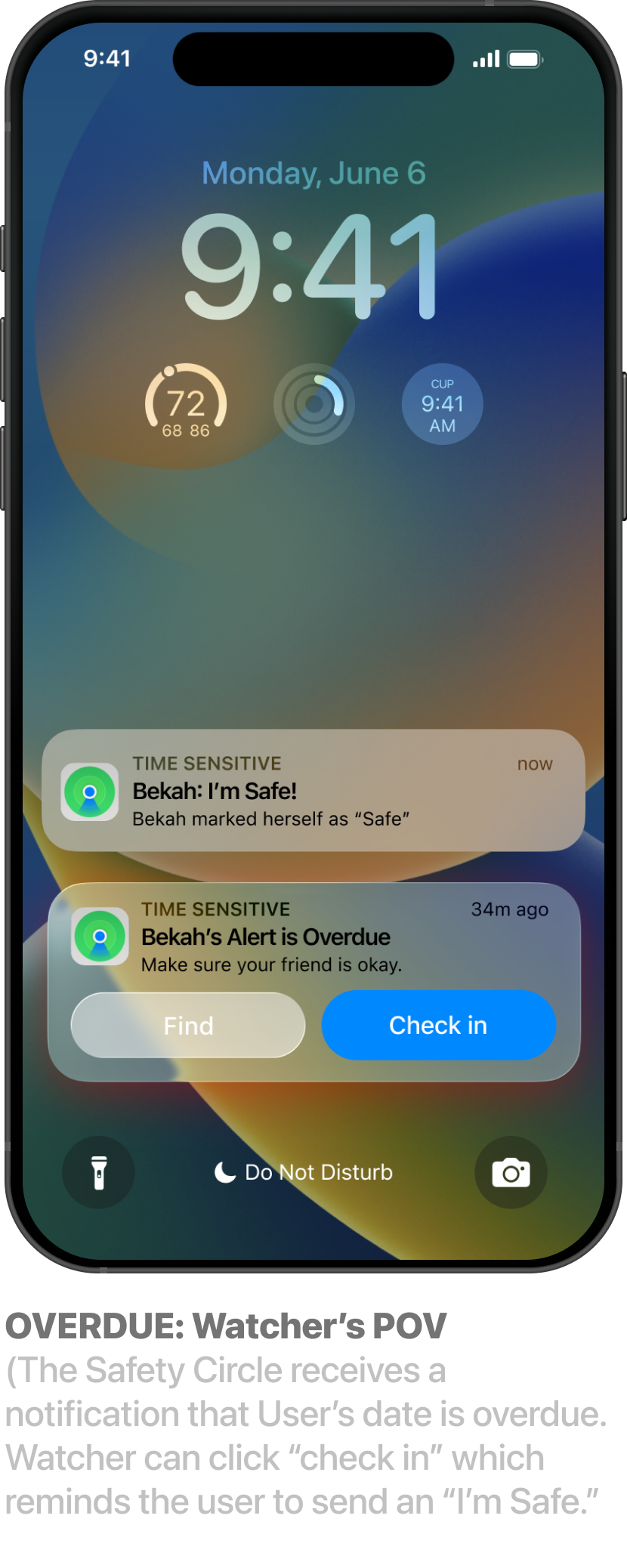
Iteration #3: High-Visibility Safety Alert
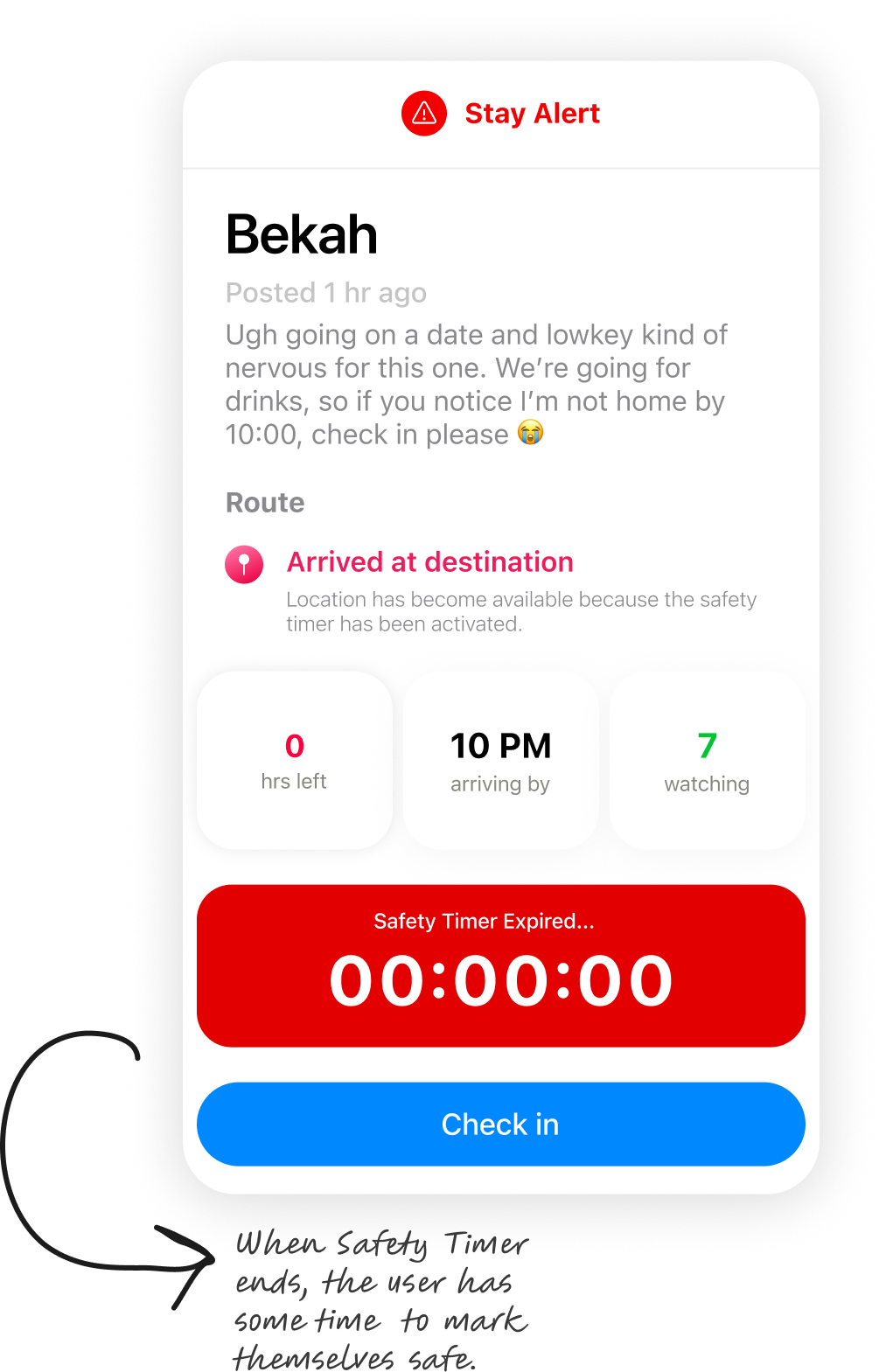
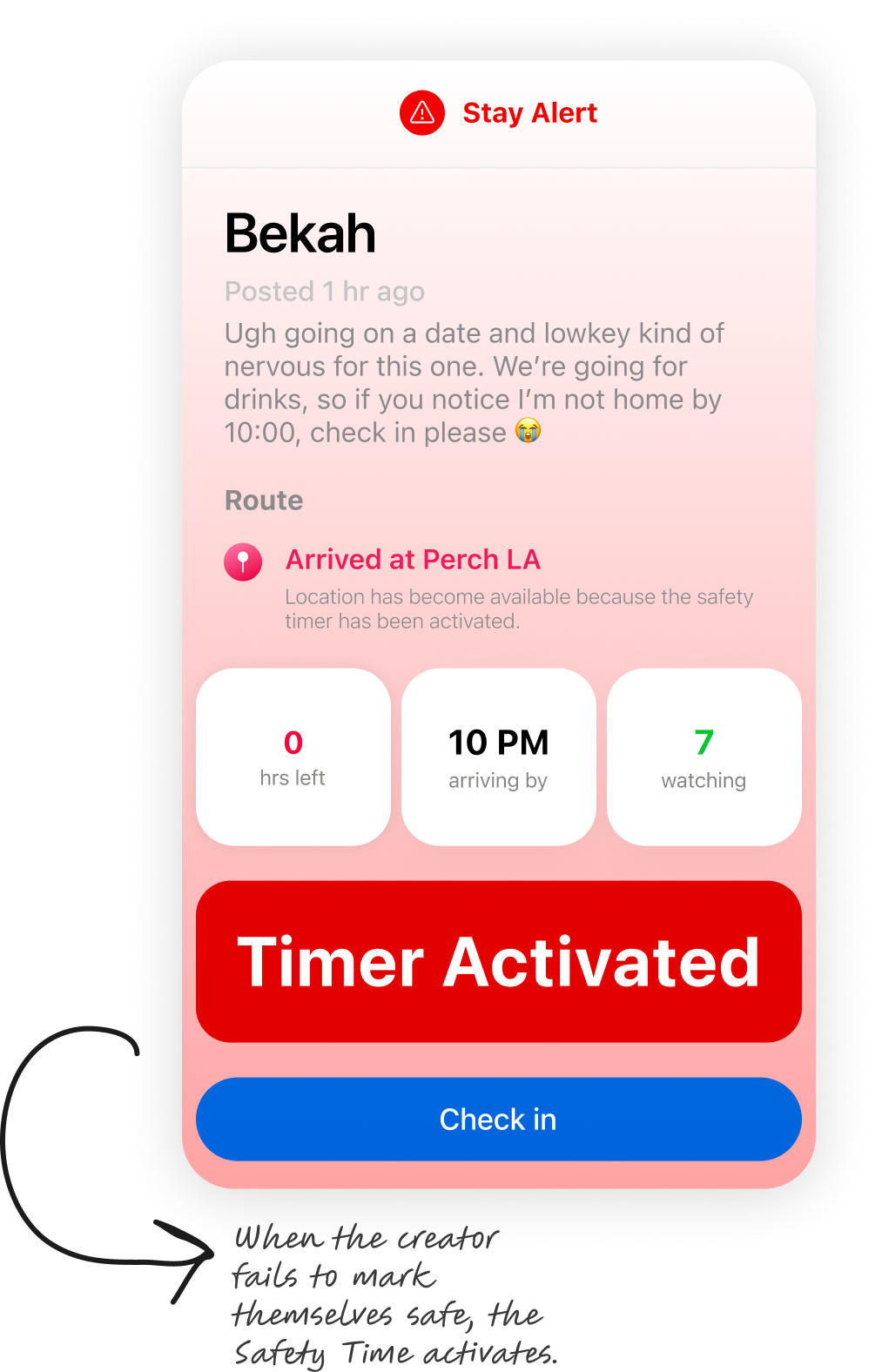
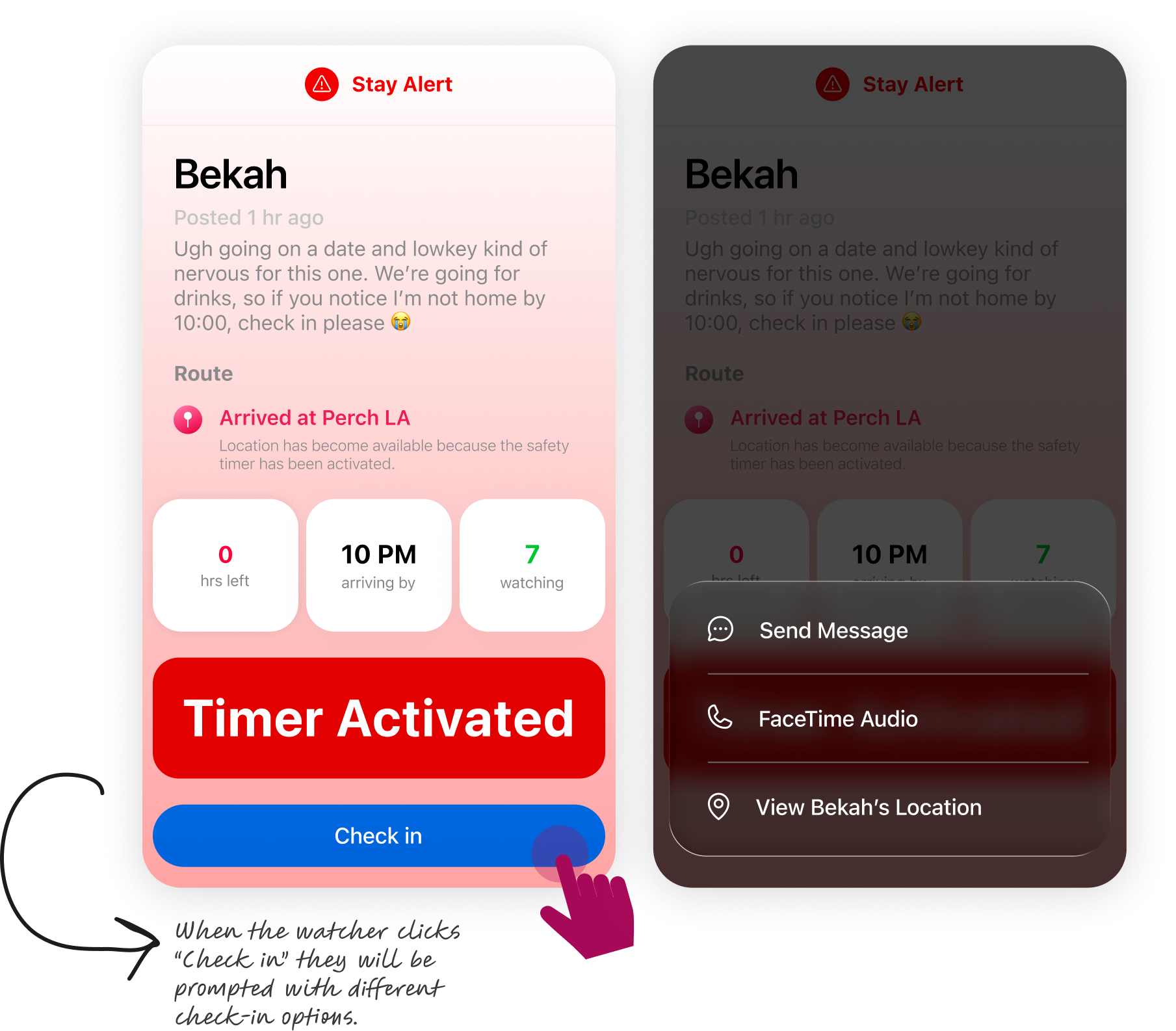
During usability testing, I observed that participants often struggled to distinguish the Alerts tab from Find My Friends. While both experiences involve sharing location with trusted contacts, Alerts is designed around time-bound safety check-ins rather than continuous dot-watching. Its core value emerges when a user activates a Safety Timer for a higher-risk situation—such as meeting someone new—and their safety circle is automatically prompted to verify their well-being if the timer expires.
Because this moment is central to the experience, I redesigned the alert state to make an expired Safety Timer unmistakable. I wanted the activation to be immediately visible, clearly communicate that a check-in had been missed, and prompt friends to take action when it mattered most.
Key Final Mockups
-
![]()
01 of 04
-
![]()
02 of 04
-
![]()
03 of 04
-
![]()
04 of 04

Next steps
While this prototype addresses the core user journey, it represents only the first iteration of what could become a much more comprehensive safety platform. Given additional time and resources, I would focus on three key areas: designing for edge cases, validating the product through real-world testing, and continuously iterating based on user behavior and product data.

Final Thoughts
Overall, I am pleased with the work I did on this case. This project challenged my design skills as I completed this case study independently after graduating from my UX program, which meant I was responsible for every stage of the design process—from research synthesis to prototyping, usability testing, and iteration.
While this concept is still in its early stages, I'm proud of what I accomplished within the project's constraints and that I made all of my self-imposed deadlines. Given the opportunity to continue this work alongside a cross-functional team, I would be excited to validate the concept through real-world testing and continue iterating based on user feedback and product data.